Strategy Builder [Cometreon]Strategy Builder is a powerful tool that lets you create fully customized trading strategies directly within TradingView. With support for up to 5 entry conditions and 2 exit conditions, it gives you exceptional flexibility to build and refine your own trading logic—no coding required.
It’s the ideal choice for traders who want complete control over their signal structure and decision flow.
🔷 Key Features
🟩 Multi-Condition Strategy Creation
Design strategies using up to five entry conditions and two exit conditions to tailor behavior in any market scenario.
🟩 Total Indicator Freedom
Use any indicator on TradingView—including private and custom ones—to build your strategy inputs and triggers.
🟩 Smart Condition Management
Utilize advanced logic like previous-candle signals, confirmation filters, and multi-bar requirements to make your strategy more reactive and reliable.
🔷 Technical Details and Customizable Inputs
1️⃣ Activate Signal - Option to activate or deactivate the Long or Short condition.
2️⃣ Special Condition - Activate one of several advanced logic types:
Precedent Signal : Check the condition on a previous candle (e.g., 4 candles ago).
Check Signal : See if the condition occurred within a certain range (e.g., any of the last 6 candles).
[* ]Multiple Signal : Requires the condition to occur in several consecutive candles (e.g., 3 in a row).
Confirm Signal : Confirms that the condition has not occurred in a given range.
3️⃣ Source Long and Short - Choose the first value to compare, selecting any TradingView indicator—including Cometreon’s custom tools.
4️⃣ Type Long and Short - Define how the condition is calculated, with options like:
Cross Over Value
Cross Under Value
Greater Than
Lower Than
Equal To
Increase (vs previous candle)
Decrease
No Change
Change Value
5️⃣ Only First - Prevents repeated signals by ignoring the condition if it was already active in the previous candle.
6️⃣ Type Value - Sets the comparison value type:
Normal : Manually enter a fixed value (e.g., 20 or 50)
Choose : Select another indicator as the comparison value
🔍 How to Use Strategy Builder
⚙️ Define Conditions
Set your long and short entries using your favorite indicators and logic combinations.
📊 Configure Signal
Manage how and when signals are triggered using the advanced condition options provided.
🧪 Combine with Strategy Tester
Once configured, test your strategy directly on the chart or in real backtest mode with Strategy Tester.
☄️ Unlock the potential of your trading strategies with TradeLab Beta's Strategy Builder start creating customized strategies optimized for your trading goals.
Don't waste any more time and visit the link to get access to all Cometreon indicators.
Strategymaker

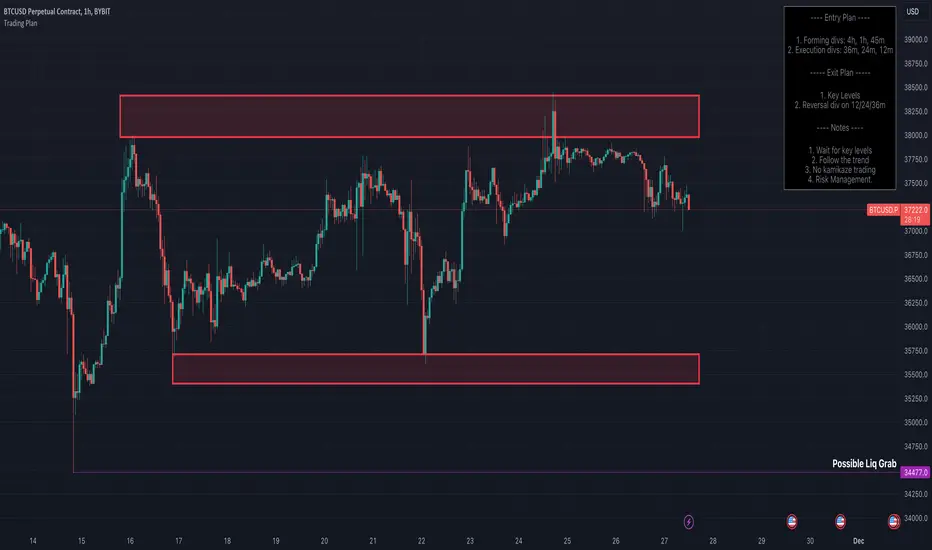
Trading Strategy - Follow The Plan"Trading Strategy - Follow The Plan" is a TradingView indicator specifically crafted for traders dedicated to adhering to a structured approach. It emphasizes the elimination of emotional decision-making by providing clear, actionable steps. This tool allows you to articulate and visually embed your trading strategy directly onto your charts, encompassing your entry plan, exit plan, and any additional notes crucial for maintaining focus and discipline. It's designed to aid in sustaining consistency in your trading executions, ensuring that you remain steadfastly aligned with your predetermined trading methodology.
Features
1. Entry Plan: Allows traders to outline specific criteria for market entry. This could include conditions like divergences on multiple timeframes, specific pattern recognitions, or other entry triggers. The flexibility of this section caters to various trading styles and strategies.
2. Exit Plan: Dedicated to defining exit strategies, this section can include details on profit targets, stop-loss levels, or conditions for position reversal. It serves as a constant reminder of exit strategies during active trades.
3. Notes: A customizable space for traders to jot down essential rules, observations, or reminders. This section is particularly useful for reinforcing risk management practices and maintaining focus on broader trading goals.
4. Visibility Controls: Each section of the trading plan (Entry Plan, Exit Plan, Notes) can be toggled on or off, allowing traders to manage on-screen information and reduce chart clutter.
5. Layout Customization: Users can choose the placement of the trading plan on their chart, with options including Top Right, Top Left, Bottom Right, and Bottom Left. This caters to individual preferences and screen setups.
6. Appearance Customization: The indicator allows for adjustments in text and background colors, and text sizes for titles and content, enhancing readability and personal preference alignment.
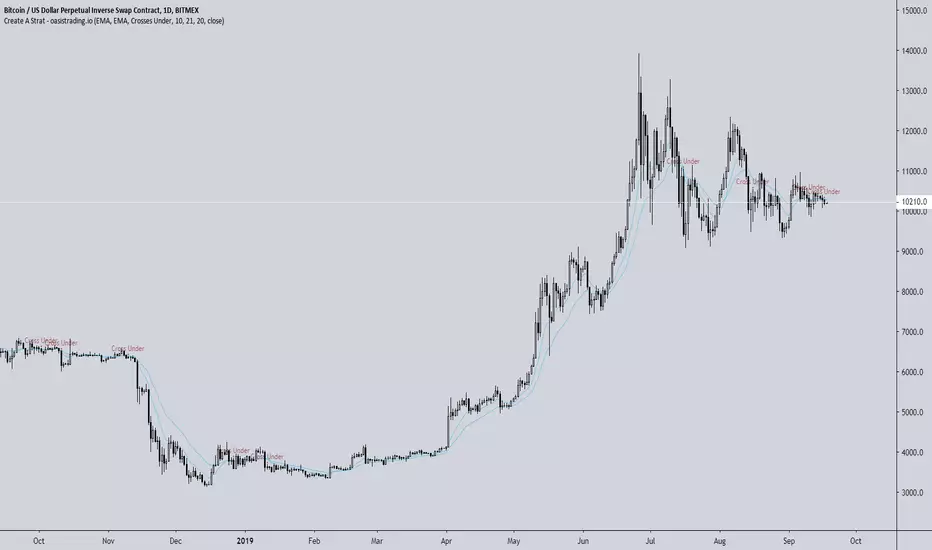
Create A StratThis indicator is free to all Oasis Trading Group members.
Create A Strat is an indicator that allows you to do just that - create your own strategy.
You can select from an EMA, Bollinger Band, VWAP and candle as each source.
You can program it to alert you when the desired condition occurs.
Some possible examples include:
Candle closes above Bollinger band
EMA crosses VWAP
Two EMAs cross
EMA crosses any part of the Bollinger Band (upper/mid/lower - all user selectable)
Visual alerts are given as well as actual alerts you may set.
In addition, Create A Strat is useful because Tradingview's strategy tester is known to repaint and give misinformation when it comes to your strategy. Using Create A Strat will allow you to backtest your chosen strategy without issue.
For Access or Questions: Private message us. Thank you.