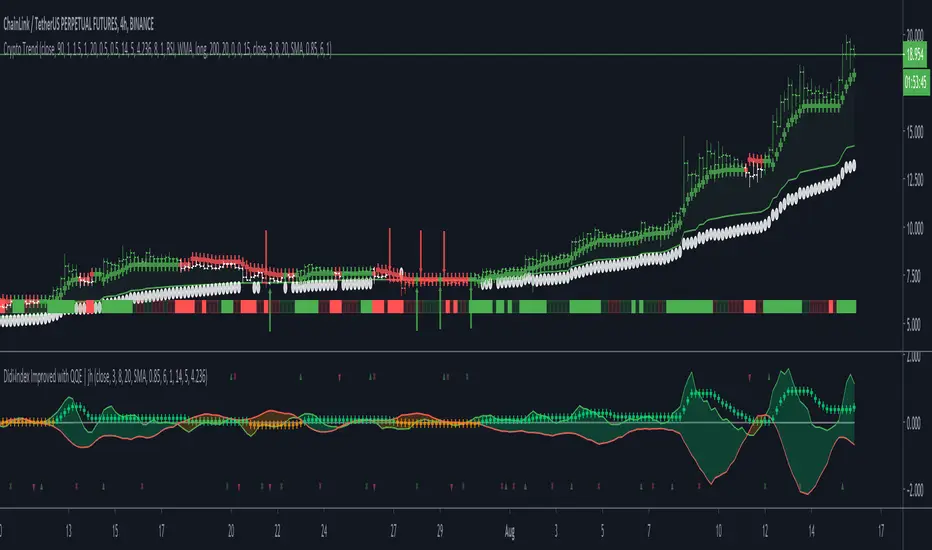
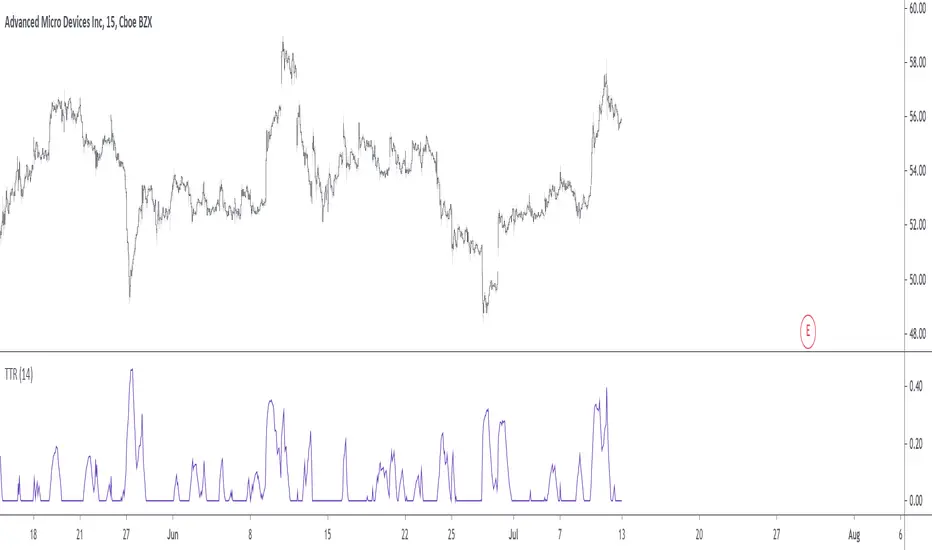
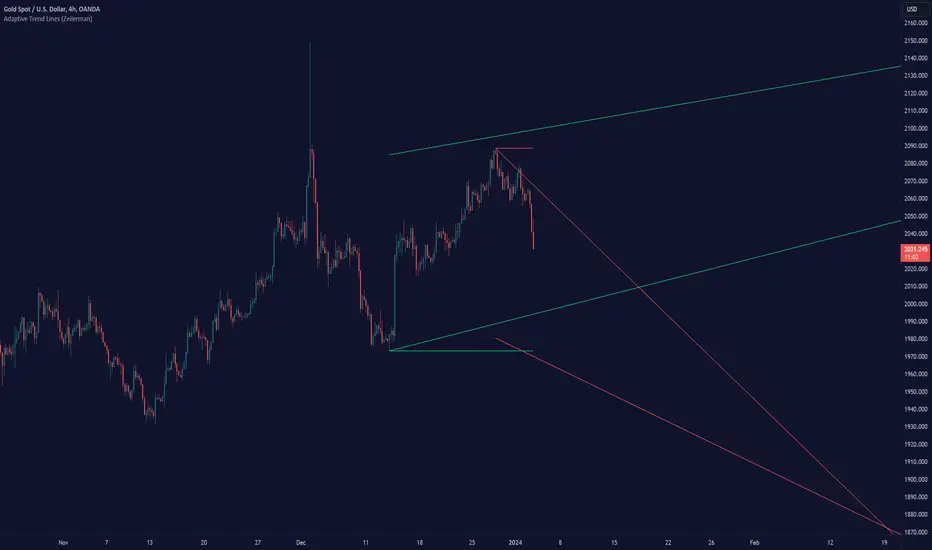
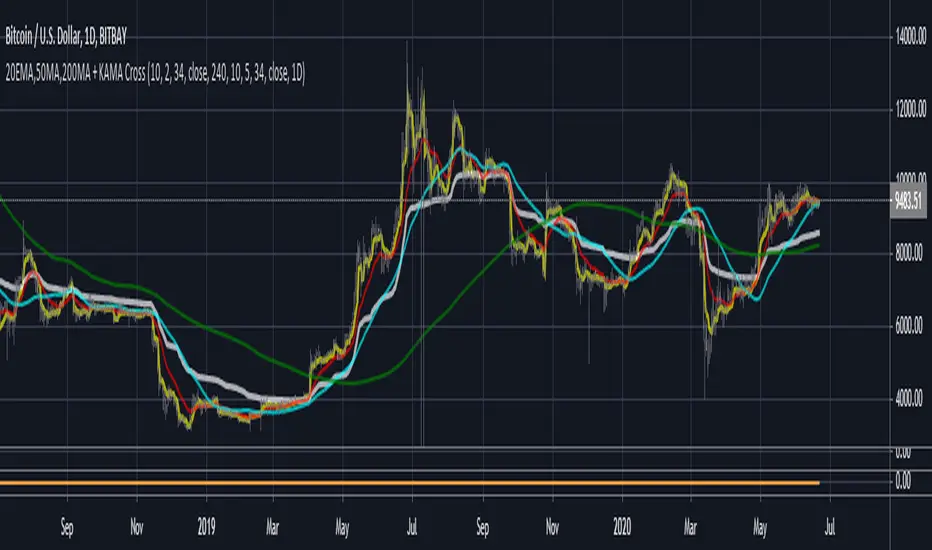
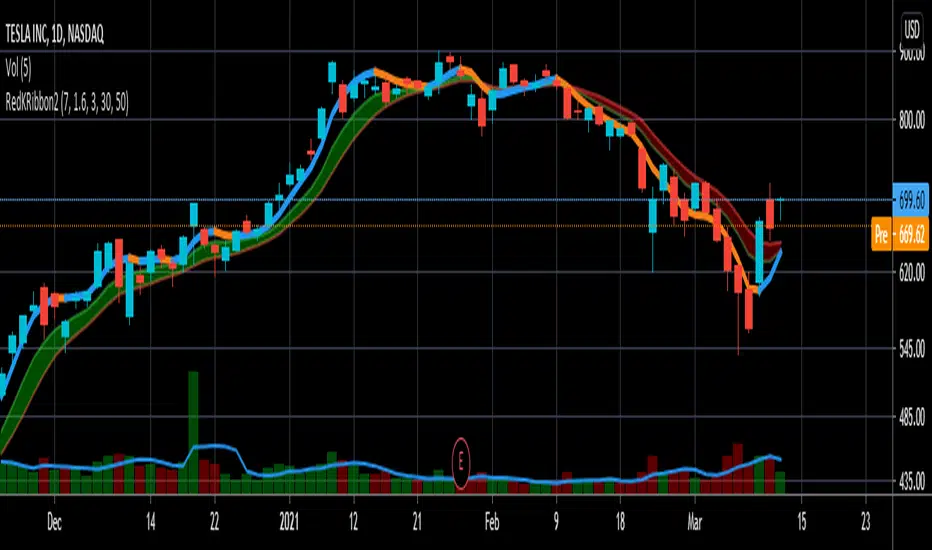
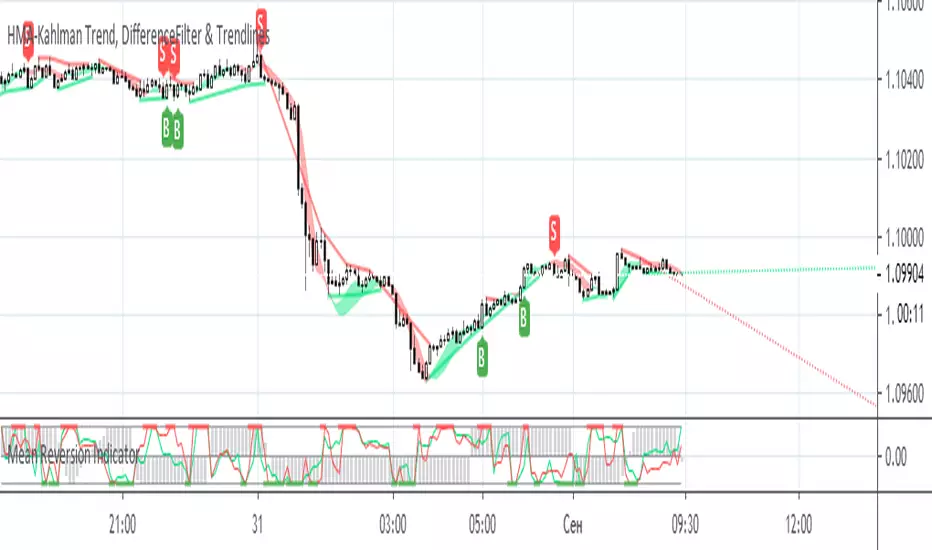
HMA-Kahlman Trend, DifferenceFilter & TrendlinesThis update to the previous HMA-Kahlman Trend, Clipping & Trendlines script features the same structure with the three modules:
- Trendlines module,
- NEW Winsorizing submodule using difference-based filtering.
- HMA-Kahlman Trend module.
The Winsorizing submodule filters signals by a volume level, eliminating the ones with the volume below a threshold. This module substitutes the previous 'low-level' filtering implementation. This time it filters out based on difference between scaled volume and its moving average.
Tested with BTCUSD.
Wyszukaj w skryptach "trend"
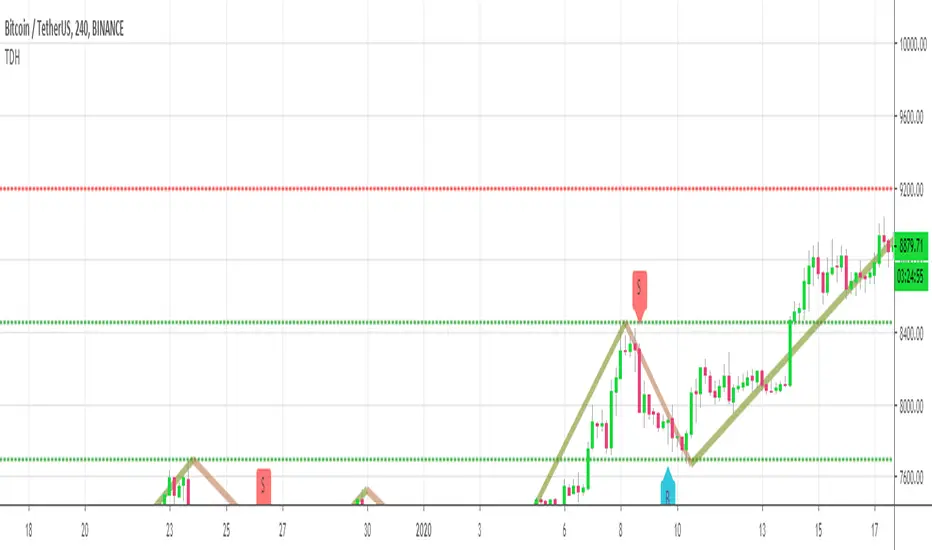
Trend Direction Helper (ZigZag and S/R and HH/LL labels)Hey everyone
First of all, I'd like to thank Ricardo Santos, Backtest Rookies for the inspiration for this script.
Actually, most of it is coming from them and I only mixed them up (and added my secret sauce ^^). If some of you are not thinking about a trading secret sauce, please get serious for a moment :)
Some of you asked me how I do to set the trend direction. You all understood that if you get an UP label, then the price should go up and vice-versa for down.
But it's not so easy to define the good signals for each asset and each timeframe. I'm going to repeat what I said yesterday because ... well... that's what trading is about
So quoting myself here "The inputs set by default will have to be changed for your asset/timeframe and can't be generic for everything. You have to play with the inputs until the signals will make sense to you
The indicator/strategy with a unique configuration that you'll never check or update according to the market condition DOES NOT exit. "
BUT... a bit of patience and practice and you might do wonders.
The Method
I never realized until now but by connecting the higher highs/lower lows, I was drawing zigzag lines.
The Zig Zag Master is Ricardo Santos . Please give him a follow, he's awesome
For those who don't want to draw on the chart or (my preferred choice) need some inspiration to define your trend directions, this script is for YOU (and your family, your pet, your girlfriend/boyfriend, ...)
I think that each asset/timeframe chart has its own history. What worked in a post could work in the future.
In that regard, if a trend direction worked in the past, that's the parameter that I'll use to trade with it in a demo account and make sure it's relevant. If not then I will adjust
If you're trading with new indicators or a new method right away on your real trading account, you're gonna have a bad time imgflip.com
Lines EVERYWHERE
The script draws the classical horizontal pivots + the zig zag lines + the Higher Highs/Lower Lows label in just 1 script. I'm very excited to share a script (on which I coded 100 lines out of 500) but no one else did it
The horizontal pivots part are coming from Backtest Rookies
For more security, you can add a pullback on a moving average after getting a signal. Pullbacks are necessary to limit any eventual loss or maximize your gains by getting in the trend sooner.
I really give you a solid method and a great script in my opinion. 6 years of experience given away for FREE :p (when Dave will start thinking as a business man instead :O)
Does it repaint ?
Getting this question twice a day. You guys are obsessed with the repainting :)
Short answer, yes because it will calculate the pivots and zig zags whenever new higher highs/lower lows will be formed.
However, the trend direction code is based on the candle close so it shouldn't repaint. If it does, please let me know
See you all on Monday
Love you all
Dave
____________________________________________________________
Be sure to hit the thumbs up. Building those indicators take a lot of time and likes are always rewarding for me :) (tips are accepted too)
- If you want to suggest some indicators that I can develop and share with the community, please use my personal TRELLO board
- I'm an officially approved PineEditor/LUA/MT4 approved mentor on codementor. You can request a coaching with me if you want and I'll teach you how to build kick-ass indicators and strategies
Jump on a 1 to 1 coaching with me
- You can also hire for a custom dev of your indicator/strategy/bot/chrome extension/python
Disclaimer:
Trading involves a high level of financial risk, and may not be appropriate because you may experience losses greater than your deposit. Leverage can be against you.
Do not trade with capital that you can not afford to lose. You must be aware and have a complete understanding of all the risks associated with the market and trading. We can not be held responsible for any loss you incur.
Trading also involves risks of gambling addiction.
Please notice I do not provide financial advice - my indicators, strategies, educational ideas are intended to provide only some source code for anyone interested in improving their trading
The proprietary indicators and strategies developed by Best Trading Indicator, the object of intellectual property rights are and remain the exclusive property of Best Trading Indicator, at the exclusion of images and videos and texts free of rights or provided by the Company or external legal or physical person.
No assignment of intellectual property rights is carried out through these Terms and Conditions.
Any total or partial reproduction, modification or use of these properties for any reason whatsoever is strictly prohibited without the express written authorization of the Company.
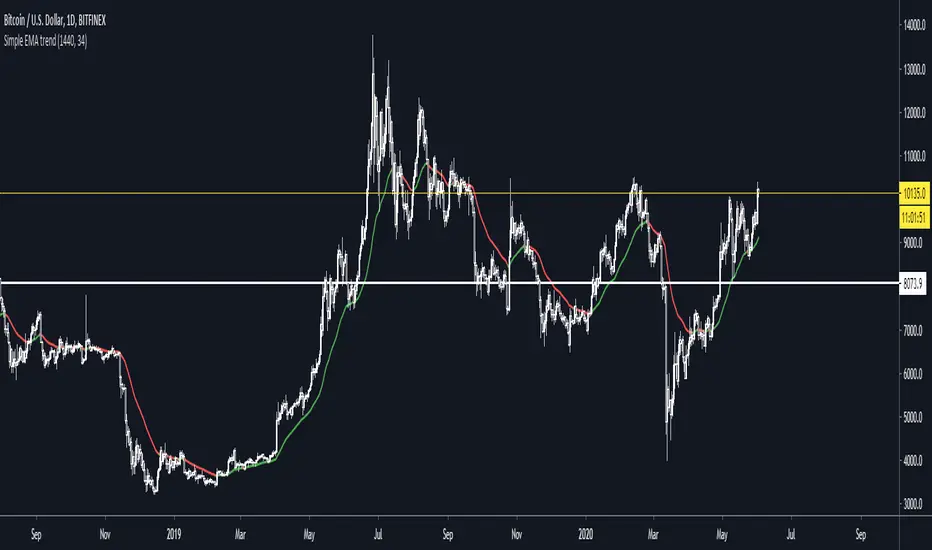
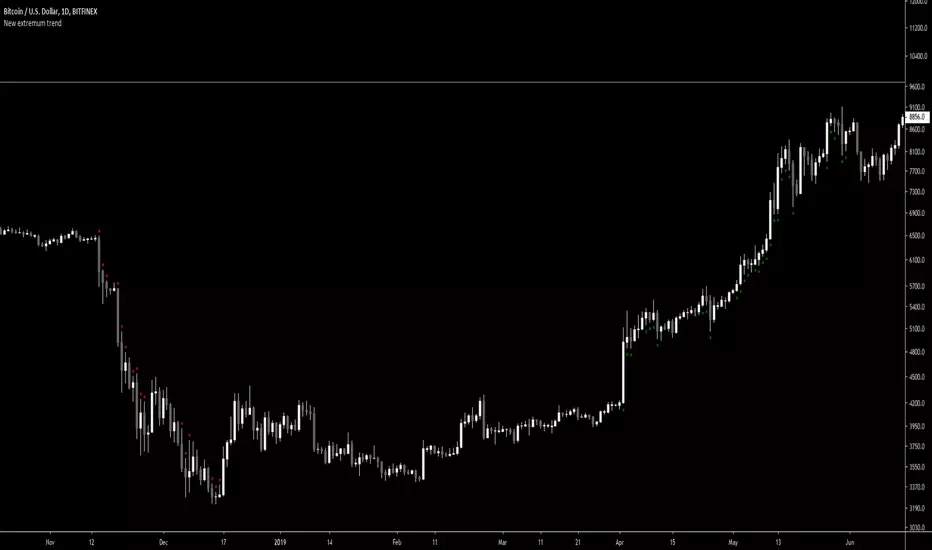
New extremum trendScript for filtering out periods when market is not trending.
It defines downtrend as following:
Lowest price of last 2 days is equal or lower then lowest price of last 100 days.
Values 2 and 100 are customizable.
Uptrend analogically with highs.
Trend Scores + Volume-Weighted Trend ScoresHere is a simple indicator based on Tushar Chande's TrendScore .
The main purpose of the TrendScore is to determine the strength and direction of a trend, which it does by comparing the current price to the prices within a user-defined window of historical prices.
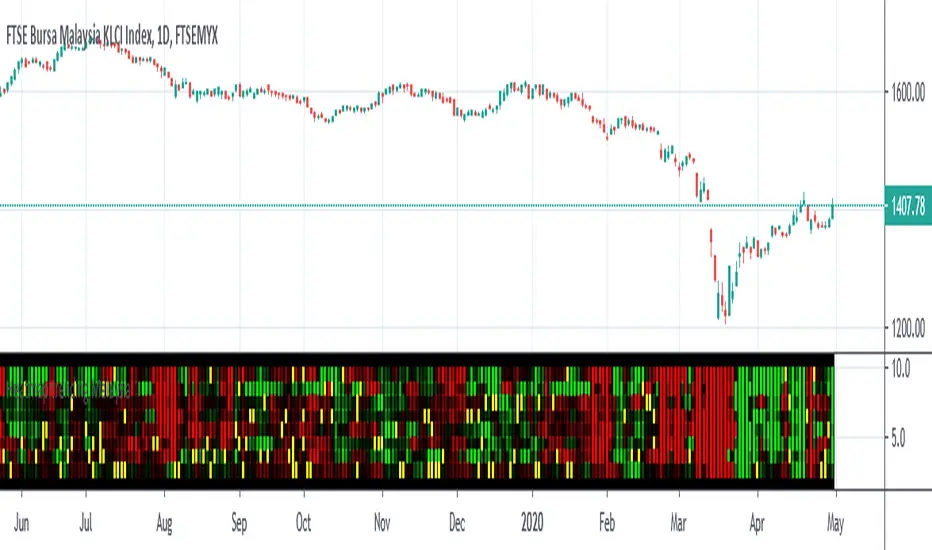
In the input menu, the user defines the starting and ending period. The current price is then compared to each historical price. If the current price is greater than the given historical price, then the TrendScore is incremented, while it is decremented if it is below the given historical price. TrendScore values fluctuate between a maximum of 100 and a minimum of -100, with 100 meaning that the current price is greater than each historical price in the window and a value of -100 meaning the inverse is true.
We then use the same process to calculate the volume trend score by passing in volume to the 'getTrendScore' function. Lastly, the indicator also also calculates a 'volume-weighted trend score'. This is simply the average of the price trend score and the volume trend score. It is not plotted by default, but users can set the input option to true in the input menu and it will be plotted as a yellow line (as seen in the bottom chart).
The Chart:
The trend scores for price are plotted as a histogram. We've summarized the meaning behind its color changes below:
-If ( trendScore == 100)
then color = dark green
-if ( trendScore < 100 and trendScore is increasing)
then color = light green
-if ( trendScore > 0 and trendScore is DECREASING)
then color = pink
-if ( trendScore < 0)
then color = red
The volume trend score is plotted as a blue line. We felt that using a similar coloring system for the volume trend scores would over-crowd the chart and take away from the simplicity that makes this indicator useful. The volume-weighted trend score is plotted as a yellow line.
The main price bars change color based on the price trend score to make the values easier to visualize as well.
Interpretation:
This is a pretty versatile indicator. We summarized the ways in which traders can use it:
-Enter Long Positions when the trend score crosses zero from negative to positive territory.
-Exit Long Positions when the trend score was previously 100 and begins decreasing (ie bar color changes from dark green to pink).
-Spot bearish divergences when price trend score is 100 or relatively high and the volume trend score decreases significantly.
-Identify bullish divergences when price trend score is relatively low and volume trend score is increasing.
~Happy Trading~
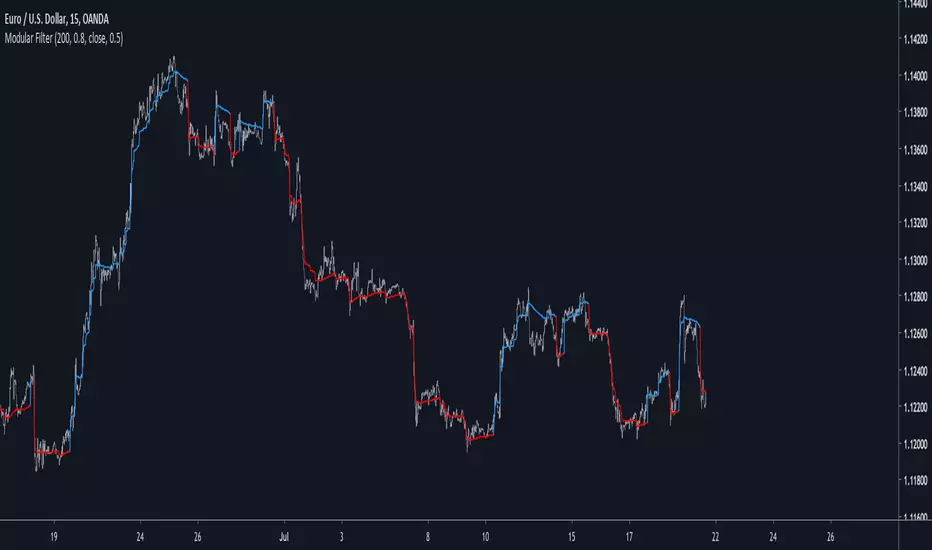
Modular Filter - Spot Trends And Smooth PriceIntroduction
This indicator can have a wide variety of usages, and since it is based on exponential averaging then the whole indicator can be made adaptive, thus ending up with a really promising tool. This indicator who can both smooth price and act as a trailing stop depending on user preferences, i tried to make it as reactive, stable and efficient as possible in order to both smooth and spot trends, lets view it more in depth.
The Indicator
line 8 and 9 create two bands, one upper and one lower, then based on certain conditions the indicator will only return a certain band or an average of both with different weights, this weight is controlled by the beta parameter, values of 1 will return a simple filter while values of 0 will return a classical trailing stop.
beta = 0
The indicator can use output values as input, thus using smoother values as input, in order to do so just check "Feedback", this help the overall output to be smoother as well as giving more long terms signals
The amount of feedback is controlled by the feedback weighting parameter, lower values will weight more the output values thus creating smoother results.
Feedback weighting of 0.2
Using beta = 0 thus having the indicator act as a trailing stop while having the feedback option activated return more long terms signals. Notes that the colors are based on the initial conditions of the indicator.
Conclusion
You can replace length and change alpha for any smoothing variable such as the efficiency ratio or anything with scale (1,0), same goes for beta and the feedback weighting parameter, this is why the indicator is "Modular" in addition of providing different usages. This indicator can look like cluster filters (smooth price monarch, forexguru) , filters with the ability to follow the price quite fine while being stables. I really hope you find an use to it.
Thanks for reading !
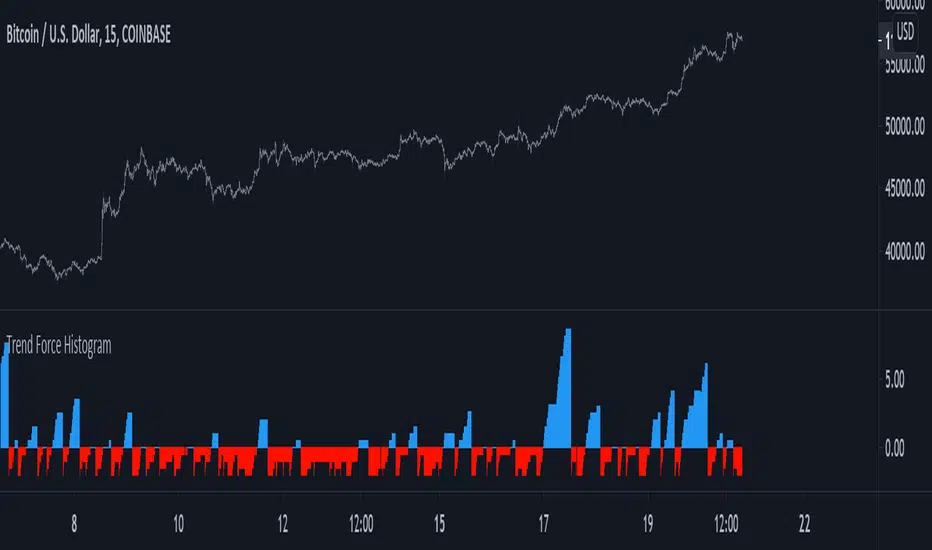
Trend Force HistogramA way to see if market is trending or not trending based on highest and lowest closing price. Market is considered to be trending when the indicator is above 0 (in blue) and ranging when under 0 (in red)
Quite simple but its a way to calculate the trend force since trend can be measured thanks to highest/lowest.
Trend Direction Force Index - TDFI [wm]TDFI can range from -1 to 1 and thus indicate the direction of the trend.
In periods of consolidation ratios take very low values close to zero as a rule, do not exceed the value of 0.05 (and -0.05), which have set arbitrarily as horizontal signal lines. Rate accelerates rapidly to higher values when the consolidation ends and is a good chance of becoming a permanent trend.
As an extension, the trader can assume that as long as the pointer moves above the signal line and does not come down to the low value of less than 0.05 for at least two bars the trend continues. So the descent below signal line and a return to higher values should be interpreted as a temporary weakening trend. Not before rate remains below 0.05 for at least 2 bars, can we consider that the market is likely to begin to consolidate
In addition, we can assess the strength of the trend, depending on the value of the index – the index reaches 1 trend is strong (-1 is a strong downward trend) and generally values above 0.6 should be so interpreted. Less than in decline should be considered that the trend is losing its momentum.
Trend Strength Index by TradingeneТhis indicator shows the strength of the trend. Although its logic is quite simple but it copes with its task well. Аnd that's its advantage.
Reversal Candlestick Pattern With Trend IndentifierThis script help to identified popular candlestick pattern combined with trend identifier.
Most script only focus on criteria of the pattern. Such as how much the length of the body compared to previous candle etc.
Besides criteria of the candle, this script also considered the trend into the logic.
For example bullish engulfing is a bullish reversal signal, which is only valid in a down trend.
To identified trend, I'm using RSI. Normally, RSI less than 50 is considered a down trend, and RSI greater than 50 is considered up trend. In this script, you can customize the criteria of how much RSI is up trend and down trend.
Default value RSI >= 55 is up trend, RSI <= 45 is down trend.
Your feedback and suggestion is welcome.
Supported pattern:
White Marubozu (wm)
Black Marubozu (bm)
Hammer (h)
Hanging Man (hm)
Inverted Hammer (ih)
Shooting Star (ss)
Bullish Engulfing (e)
Bearish Engulfing (e)
Tweezer Bottom (tb)
Tweezer Top (tt)
Three White Soldiers (tws)
Three Black Crows (tbc)
Morning Star (ms)
Evening Star (es)
Three Inside Up (tiu)
Three Inside Down (tid)
Reference:
babypips.com
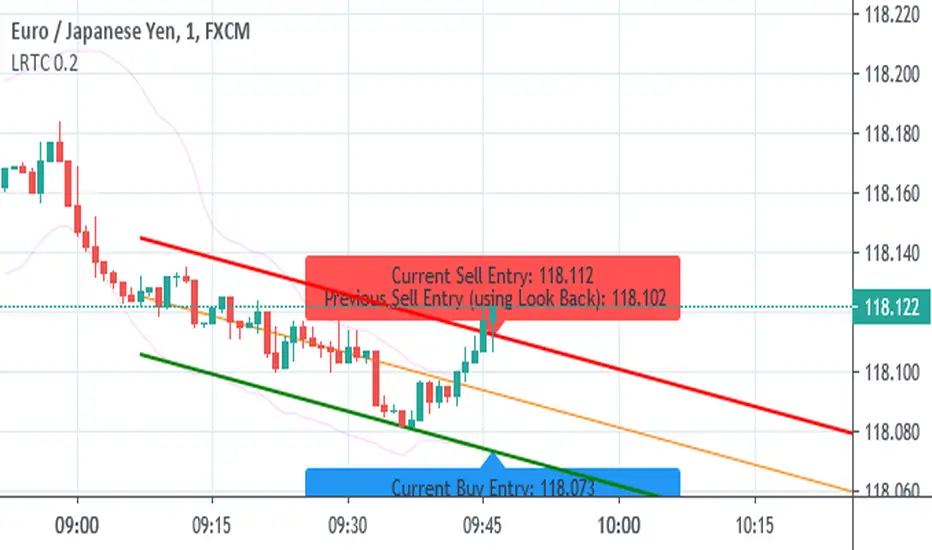
Session Liquidity Sweep + Trend ConfirmationThis strategy aims to capture high-probability intraday trades by combining liquidity sweeps with a trend confirmation filter. It is designed for traders who want a systematic approach to trade breakouts during specific market sessions while controlling risk with ATR-based stops.
How it Works:
Session Filter: Trades are only considered during a defined session (default 9:30 - 11:00). This helps avoid low-volume periods that can lead to false signals.
Trend Confirmation: The strategy uses a 50-period EMA to identify the market trend. Long trades are only taken in an uptrend, and short trades in a downtrend.
Liquidity Sweep Detection:
A long entry occurs when price dips below the prior N-bar low but closes back above it, indicating a potential liquidity sweep that stops being triggered before the trend continues upward.
A short entry occurs when price spikes above the prior N-bar high but closes below it, signaling a potential sweep of stops before the downward trend resumes.
ATR-Based Risk Management:
Stop loss is calculated using the Average True Range (ATR) multiplied by a configurable factor (default 1.5).
Take profit is set based on a risk-reward ratio (default 2.5x).
Position Sizing: Default position size is 5% of equity per trade, making it suitable for risk-conscious trading.
Inputs:
Session Start/End (HHMM)
Liquidity Lookback Period (number of bars to define prior high/low)
ATR Length for stop calculation
ATR Stop Multiplier
Risk-Reward Ratio
EMA Trend Filter Length
Visuals:
Prior Liquidity High (red)
Prior Liquidity Low (green)
EMA Trend (blue)
Why Use This Strategy:
Captures stop-hunt moves often triggered by larger market participants.
Only trades with trend confirmation, reducing false signals.
Provides automatic ATR-based stop loss and take profit for consistent risk management.
Easy to adjust session time, ATR, EMA length, and risk-reward to suit your trading style.
Important Notes:
Assumes 0.05% commission and 1-pip slippage. Adjust according to your broker.
Not financial advice; intended for educational, backtesting, or paper trading purposes.
Always test strategies thoroughly before applying to live accounts.
Big Trend Catcher: Quad-Gate & VCP & ATR trailing Swing TradeThe Strategy Philosophy
This is designed for Daily Charts to capture the large chunks if not all of a primary trend. It focuses on the "VCP" (Volatility Contraction Pattern), combined with high-grade momentum filtering.
1. How VCP (The Quiet Zone) is Calculated
The script identifies "Volatility Contraction" by measuring the Bollinger Band Width (BBW).
* The Math: It calculates the standard BBW: $(Upper Band - Lower Band) / Mid Band$.
* The "Quiet" Threshold: It compares the current width to its own 50-period Simple Moving Average.
* The Signal: When the current width is narrower than the 50-period average, the stock is in a "Quiet Zone" (represented by the blue background). This indicates energy is coiling for a potential breakout.
2. How Rate of Change (ROC) is Calculated
Unlike a standard ROC, this "Wizard" version uses a smoothed momentum filter to reduce whipsaws:
* Raw ROC: First, it calculates the raw percentage change over 15 bars: $100 x (Close / Close(15) - 1).
* Smoothing: This raw value is then smoothed using a 10-period EMA.
* The Gate: The ROC Gate only turns green when this smoothed value is greater or equal to 0, ensuring the stock has genuine upward velocity before you enter.
3. What the Indicators on the Chart Show
* Yellow Line (20 EMA): Your "Tactical Line." It tracks short-term momentum and acts as a trigger for Phoenix re-entries.
* Blue/Gray Line (100 EMA): Your "Regime Filter." It turns Blue when the trend slope is positive and Gray when negative.
* Thin Gray Outer Bands: These are Bollinger Bands set at 3 Standard Deviations from the 100 EMA. They mark extreme "Climax Zones" where price is statistically overextended.
* Stepped Red/Green Line (ATR Stop): The "Iron Floor." It uses a 20-period ATR with a 3.0 multiplier and an HHV (Highest High Value) lookback to ensure the stop only moves up, never down.
* Yellow Crosses (Gate Wait): These small icons appear above the bars when a signal has been detected but one or more "Wizard Gates" (such as the ROC or 100 EMA Slope) are not yet satisfied, signifying the strategy is waiting for full confirmation.
4. How to Trade This Strategy
* Step 1: The Setup: Look for the Blue Background on the daily chart, signifying a Volatility Contraction.
* Step 2: The Entry: An Initial Entry (Lime Triangle) fires when the price breaks out of the Quiet Zone with a volume spike. This volume must be greater than 1.3 times the 20-period Simple Moving Average of volume to confirm significant buying interest. An entry only occurs when all Quad-Gates (ROC, EMA Slope, Price > ATR) are satisfied.
* Step 3: Pyramiding: If the trend gains "Velocity" (price > 10% from entry), the script will signal a second unit to maximize gains during runaway moves.
* Step 4: The Exit: Sell the entire position if the price closes below the ATR Trailing Stop (Trend Death) or if the 100 EMA trend turns down.
5. The Phoenix Re-entry
If you are stopped out but the stock immediately recovers above the 20 EMA within 10 bars, a Phoenix Entry (Orange Triangle) will fire. This allows you to catch "Power Resumptions" where the initial shakeout was a bear trap.
Simple Trend Context [Wall_Journey]Simple Trend Context MA: Dynamic Market Bias Visualizer
Overview The Simple Trend Context MA is a visual-oriented trading tool designed to identify the prevailing market trend at a glance. By utilizing two Simple Moving Averages (Fast and Slow), this script provides a clear "Context" for your trades, helping you avoid trading against the primary momentum.
How it Works The indicator calculates two key SMA periods:
Fast MA (Default: 20) : Captures short-term momentum.
Slow MA (Default: 50) : Represents the broader trend direction.
Key Features
Dynamic Background Shading: The chart background automatically changes color based on the trend. A Green background indicates a Bullish trend (Fast MA > Slow MA), while a Red background indicates a Bearish trend (Fast MA < Slow MA).
Real-time Trend Label: A dynamic label appears on the most recent bar, explicitly stating the current market context (Bullish, Bearish, or Neutral).
Highly Customizable: You can easily adjust the MA lengths to suit your specific strategy, whether you are scalping or swing trading.
Why use this? Many traders fail because they lose sight of the "Big Picture." This script ensures that the trend context is always visible, serving as a powerful filter for your entry signals.
Table - Trend Multi TF+RSI+Stoch-ByBankTHTable
Trend+RSI+Stoch
---------------------------------------
Volume-Confirmed Trend Thrust IndicatorOVERVIEW
This indicator combines trend strength, momentum & volume analysis to generate high-conviction buy and sell signals. It is based on the "Volume Confirmation for a Trend System" (VCTS) by Buff Pelz Dormeier (TASC August 2024), which I have taken the liberty of 'buffing up' (heh!) by swapping out original VPCI component with the ATR-aware Net Accumulation Flow (NAF) indicator derived from Markos Katsanos' VPN indicator (TASC April 2021).
The result is a system that only triggers buy signals when three independent conditions align:
• A strong trend exists (ADX)
• Momentum is bullish (TTI)
• Institutional accumulation is detected (NAF)
━━━━━━━━━━━━━━━━━━━━━━━━━━━━━━━━━━━━━━━━━━
COMPONENTS
█ ADX (Average Directional Index)
Measures trend strength regardless of direction. A reading above 30 indicates a strong trend worth trading. This filter prevents signals during choppy, sideways markets.
█ TTI (Trend Thrust Indicator)
Dormeier's volume-weighted MACD variant that provides momentum direction. Unlike standard MACD, TTI uses Volume-Weighted Moving Averages (VWMA) and applies a volume multiplier that amplifies signals when volume confirms price movement. When TTI crosses above its signal line, momentum is considered bullish.
█ NAF (Net Accumulation Flow)
The key enhancement - in my humble opinion - over the original VCTS. NAF classifies each bar's volume as:
• Accumulation: Price moved UP more than 10% of ATR
• Distribution: Price moved DOWN more than 10% of ATR
• Neutral: Price movement too small to be meaningful (filtered as noise)
NAF then calculates the net flow (Accumulation Volume - Distribution Volume) over a 30-bar lookback period, normalized and smoothed. This provides a cleaner read on whether institutions are accumulating or distributing.
Perceived benefits of NAF:
• ATR-based noise filtering eliminates false readings from small price movements
• Rolling 30-bar accumulation captures sustained institutional activity
• Empirically calibrated thresholds based on 717 stocks / 360,000 observations
• 3-period EMA smoothing reduces whipsaws
━━━━━━━━━━━━━━━━━━━━━━━━━━━━━━━━━━━━━━━━━━
SIGNAL LOGIC
🟢 BUY SIGNAL
All three conditions must be true simultaneously:
1. ADX > 30 (strong trend)
2. TTI > Signal Line (bullish momentum)
3. NAF > 16 (accumulation)
Signals fire on the first bar where all conditions align, preventing repeated signals during sustained bullish periods.
🔴 SELL SIGNAL
Exit when volume flow turns negative:
• NAF < -9 (below neutral zone, indicating distribution).
This indicator retains Dormeier's asymmetric approach (strict entry, quick exit) to help protect profits when institutional support fades.
━━━━━━━━━━━━━━━━━━━━━━━━━━━━━━━━━━━━━━━━━━
NAF THRESHOLD REFERENCE
Based on proprietary empirical calibration (717 stocks, 360K observations):
>= +35 │ Strong Accumulation (P95, ~5% of days)
>= +28 │ Solid Accumulation (P90, ~10% of days)
>= +16 │ Moderate Accumulation (P75) ← Default Buy Threshold
-9 to +16 │ Neutral Zone (~50% of days)
<= -9 │ Below Neutral ← Default Sell Threshold
<= -22 │ Solid Distribution (P10)
<= -29 │ Strong Distribution (P5)
━━━━━━━━━━━━━━━━━━━━━━━━━━━━━━━━━━━━━━━━━━━
SETTINGS
Setting for all 3 variables (ADX, TTI & NAF), alerts and visual conditional formatting are configurable.
━━━━━━━━━━━━━━━━━━━━━━━━━━━━━━━━━━━━━━━━━━━
USAGE TIPS
1. Works best on daily timeframe for swing trading
2. More effective on liquid stocks where volume data is meaningful
3. Consider using NAF threshold of 28 (P90) for higher conviction entries
5. Combine with price action analysis (support/resistance, RS, chart patterns)
━━━━━━━━━━━━━━━━━━━━━━━━━━━━━━━━━━━━━━━━━━━
MAXIMUM RESPECT:
• VCTS (ADX + TTI + VPCI): Buff Pelz Dormeier, "Volume Confirmation For A Trend System", Technical Analysis of Stocks & Commodities (TASC), August 2024. Pine Script adaptation: PineCoders.
• VPN / NAF: Markos Katsanos, Technical Analysis of Stocks & Commodities (TASC), April 2021. Pine Script adaptation: LevelUp/John Muchow.
━━━━━━━━━━━━━━━━━━━━━━━━━━━━━━━━━━━━━━━━━━━
DISCLAIMER
This indicator is for educational and informational purposes only. It does not constitute financial advice. Past performance is not indicative of future results. Always conduct your own analysis and consider your risk tolerance before making trading decisions. Use appropriate position sizing and stop-loss orders to manage risk.
Trend Table by DNDFXTrend Table is the latest version released in 2026. Initially, this feature was integrated into the CTR indicator. However, due to technical issues that caused errors in the main indicator, Trend Table was separated and developed as a standalone indicator to ensure stability and allow it to operate without interfering with the main system.
The Trend Table indicator is designed to provide a clear overview of market trend direction across multiple timeframes in a single, concise display. The timeframes included are M1, M3, M5, M10, M15, M30, H1, H4, and Daily. With this separation, users can monitor trend conditions from lower to higher timeframes more efficiently, consistently, and reliably.
HA Trend Reclaim Daily Structure Pullback🔹 HA Trend Reclaim — Daily Structure Pullback System
HA Trend Reclaim is a professional-grade trend continuation indicator designed to highlight high-probability LONG and SHORT setups using a combination of:
Heikin Ashi candle structure
EMA trend alignment (9 & 50 EMA)
Daily High / Low market structure
Pullback → momentum reclaim logic
This indicator is built for traders who want clarity, discipline, and structure, not noise or over-signaling.
It focuses on trading with the dominant trend, entering only after price pulls back and confirms strength via momentum reclaim.
🔑 What Makes This Different
✔ No counter-trend signals
✔ No breakout chasing
✔ Built-in structure awareness
✔ Clear visual entries & risk levels
✔ Works across stocks, crypto, and futures
This script is ideal for traders who prefer fewer, higher-quality trades rather than constant signals.
2️⃣ HOW TO USE (FEATURED-FRIENDLY VERSION)
🟢 LONG Conditions
A LONG signal appears when:
EMA 9 is above EMA 50
Price is above EMA 50
Price pulls back into the EMA zone
Price reclaims EMA 9 upward
Heikin Ashi candle closes bullish (not a doji)
🔴 SHORT Conditions
A SHORT signal appears when:
EMA 9 is below EMA 50
Price is below EMA 50
Price pulls back into the EMA zone
Price reclaims EMA 9 downward
Heikin Ashi candle closes bearish (not a doji)
📦 Daily Structure Boxes
The indicator highlights the daily high–low range:
Green box → bullish daily bias
Red box → bearish daily bias
These boxes help traders avoid:
Mid-range chop
Late entries
Trading against daily momentum
3️⃣ BEST SETTINGS (VERY IMPORTANT FOR USERS)
Recommended Timeframes
Stocks: 5m, 15m, 1H
Crypto: 15m, 1H, 4H
Futures: 5m, 15m
Recommended Inputs
Setting Value
EMA Fast 9
EMA Slow 50
Swing Lookback 15
Runner RR 2.0
Heikin Ashi Enabled
Show Daily Boxes Enabled
Notes
Higher timeframes = fewer, stronger signals
Avoid low-liquidity instruments
Best used during active sessions (London / NY)
Dynamic EMA Trend Table [Customizable]Overview
The Dynamic EMA Trend Table is a comprehensive dashboard designed to give traders an instant overview of the market trend across five distinct Exponential Moving Averages (EMAs). Instead of cluttering your chart with multiple lines, this script organizes the data into a clean, customizable table, allowing you to assess trend alignment at a glance.
How It Works
This indicator calculates five user-defined EMAs (defaulting to the popular 5, 20, 50, 100, and 200 periods). It then compares the Current Price against each EMA value to determine the immediate trend status:
Bullish State: When the current price is above the specific EMA, the table cell turns Green (customizable).
Bearish State: When the current price is below the specific EMA, the table cell turns Red (customizable).
This logic allows swing traders and scalpers to instantly see if the asset is in a strong uptrend (all cells Green), a strong downtrend (all cells Red), or a consolidation phase (mixed colors).
Key Features
Fully Customizable Periods: Change the length of all 5 EMAs to fit your specific strategy (e.g., Fibonacci numbers or standard Swing Trading settings).
Dynamic UI: Position the table anywhere on the screen (Top/Bottom/Left/Right) and adjust the size to fit your screen resolution.
Visual Cleanliness: You can choose to show the table only, or toggle the "Show EMAs on Chart" option to plot the actual lines on your chart.
Smart Coloring: The lines on the chart (if enabled) inherit the same color logic as the table—turning Green when price is above them and Red when price is below.
Settings & Configuration
Price Source: Select Close, High, Low, etc. (Default is Close).
Table Position & Size: Customize where the dashboard appears.
EMA Lengths: Set your 5 preferred lookback periods.
Color Theme: Fully adjustable colors for Bullish, Bearish, Neutral, and Background elements to match your chart theme (Dark/Light mode friendly).
Use Case Example
Trend Confirmation: A trader looking for a "Buy" entry might wait for the short-term EMAs (5 and 20) and the medium-term EMA (50) to all turn Green in the table before entering.
Support/Resistance Watch: By quickly glancing at the values in the table, you can see exactly where the 200 EMA sits without needing to scroll back on your chart to find the line.
Witch-Fire ALMA signals: Dynamic Liquidity & Trend GlowThe Witch-Fire ALMA is a high-precision trend bias and liquidity mapping tool designed for price action traders and Smart Money practitioners. Unlike traditional indicators that clutter your chart with lagging signals, this script provides a "clean-yet-powerful" visual anchor to help you stay on the right side of the market while identifying key Points of Interest (POIs).
At its core, the script utilizes an optimized Arnaud Legoux Moving Average (ALMA). Known for its superior ability to balance smoothness and responsiveness, the ALMA effectively filters out market noise and "whipsaws" that often plague standard EMAs.
Key Features:
The Witch-Fire Glow: A neon-styled ALMA line that shifts between Bullish Green and Bearish Red. The white core provides surgical precision for price intersection, while the outer glow visualizes the strength and dominance of the current trend.
Scaled Liquidity Levels: Automatically maps Buy Side Liquidity (BSL) and Sell Side Liquidity (SSL). These levels are dynamic—they scale proportionally with your ALMA settings. This ensures that the liquidity zones you see are always relevant to the trend cycle you are analyzing.
Strategic Bias Background: A subtle background tint provides an instant psychological filter. Only look for Longs in the green zone and Shorts in the red zone to maintain a high-probability strike rate.
How to Trade with Witch-Fire:
Identify the Bias: Look at the Fire ALMA. If the "fire" is red and the price is below the line, your bias is strictly bearish.
Watch the Sweeps: Wait for the price to "sweep" (pierce with a wick) the horizontal SSL (Green) or BSL (Red) lines.
Execution: Look for a strong rejection candle (long wick, small body) at these levels that closes back towards the ALMA line.
Best Used On: 15m, 1H, and 4H timeframes. Works exceptionally well for Crypto, Forex, and Indices.
SilverHawk Trend Flow Part of SilverHawk Suite
This script is designed to be used with the SilverHawk Suite workflow (context → trigger → confirmation → execution).
It works standalone, but the highest accuracy comes from using the full suite together.
Where it fits:
• Role: Context
What it does:
Colors candles based on detected trend regime, so you trade with the prevailing direction and avoid fighting structure.
How to use:
• Bullish color: prefer long triggers only
• Bearish color: prefer short triggers only
• No clear trend / transition: stand down and wait for the suite trigger + confirmation
Visual Tip: (important)
If candles look “hidden”: Settings → Visual Order → Bring To Front
Alerts:
New Up Trend / New Down Trend alerts trigger on confirmed candles (non-repainting style).
Suite note:
For full workflow and loadouts, start with: “SilverHawk Suite — Start Here (Workflow Guide)” (free)
Credits / License
Based on PhantomFlow Trend Detector (MPL-2.0). This script remains MPL-2.0.
Trend Consensus Engine [TCE]The Trend Consensus Engine (TCE) is a comprehensive market analysis system designed to filter out noise and provide a quantifiable "Trend Score" (0-100). Instead of relying on a single indicator, this script aggregates data from multiple market factors—volatility, momentum, and trend structure—to generate high-probability entry signals based on a consensus logic.
This tool is particularly optimized for Crypto (with specific time-gated logic) and BIST (Borsa Istanbul) markets, allowing traders to see the overall health of the trend at a glance via a dashboard.
How It Works
The engine calculates a composite "Total Score" (0-100) derived from four weighted components:
Trend Structure (AlphaTrend & Guppy):
Analyzes the slope and position relative to the AlphaTrend (Credit to @KivancOzbilgic) and Guppy Multiple Moving Averages (GMMA).
Positive slopes and price action above key levels add points to the score.
Volatility & Momentum (Squeeze & ADX):
Incorporates the Squeeze Momentum logic (Credit to @LazyBear) to detect explosive moves.
ADX Filter: Filters out chopping/ranging markets. If the ADX is too low, the score is penalized or the signal is blocked.
Dynamic Resistance (MA Channels):
Uses a combination of Donchian Mid-Lines and SMAs to determine if the price is in a "safe zone" or hitting resistance.
Price Action Filters (Pinbar Veto):
Automatically detects bearish "Shooting Star" or weak candles at highs. If a bearish pinbar is detected, the entry signal is vetoed regardless of the trend score.
Features & Settings
Smart Scoring Dashboard: Displays the realtime Score, Instant Decision, and confirmed Close Decision on the chart.
Market Profiles:
Crypto Mode: Includes a "Time Gate" feature (07:00 UTC+3 check) to prevent fakeouts during low-liquidity hours.
BIST Mode: Optimized parameters for the Turkish stock market logic (14:00 session checks).
Score Threshold: Users can adjust the minimum score required (Default: 70) to trigger a "BUY" signal.
Visual Guidance: The background of the dashboard changes color (Green/Red/Yellow) based on the consensus.
How to Use
Check the Dashboard: Look at the "SONUÇ" (Result) row.
GİRİŞ ✅ (ENTRY): The Score is above 70, Momentum is positive, and no Bearish Pinbars are present.
BEKLE ⏳ (WAIT): The trend is weak, or a filter (like ADX or Squeeze) is blocking the trade.
Confirm with Price Action: Use the AlphaTrend lines (Blue/Red) as dynamic support/stop-loss levels.
Credits:
AlphaTrend by KivancOzbilgic
Squeeze Momentum Indicator by LazyBear
VuManChu Cipher concepts for inspiration.
Custom Logic: Scoring algorithm and Time-Gating mechanisms are original custom developments.
Disclaimer: This tool is for educational purposes only and does not constitute financial advice.
Pivot Trend [ChartPrime]The Pivot Trend indicator is a tool designed to identify potential trend reversals based on pivot points in the price action. It helps traders spot shifts in market sentiment and anticipate changes in price direction.
◈ User Inputs:
Left Bars: Specifies the number of bars to the left of the current bar to consider when calculating pivot points.
Right Bars: Specifies the number of bars to the right of the current bar to consider when calculating pivot points.
Offset: Adjusts the sensitivity of pivot point detection.
◈ Indicator Calculation:
The indicator calculates pivot points based on the highest and lowest prices within a specified range of bars. It then determines the trend direction based on whether the current price crossed above upper band or crossed below lower band.
Upper and Lower Bands
◈ Visualization:
Trend direction is indicated by the color of the plotted lines, with blue representing an upward trend and red representing a downward trend.
Buy and sell signals are marked on the chart with corresponding symbols (🅑 for buy signals and 🅢 for sell signals).
Buy and sell signals generated by the indicator can be used in conjunction with other technical analysis tools to confirm trading decisions and manage risk.
Overall, the Pivot Trend indicator offers traders a simple yet effective method for identifying potential trend changes and capturing trading opportunities in the market. Adjusting the input parameters allows for customization according to individual trading preferences and market conditions.