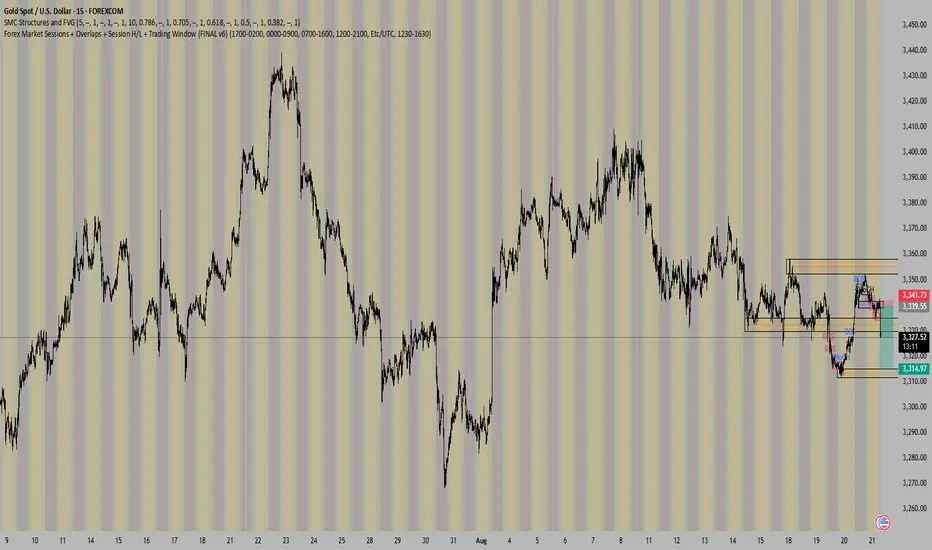
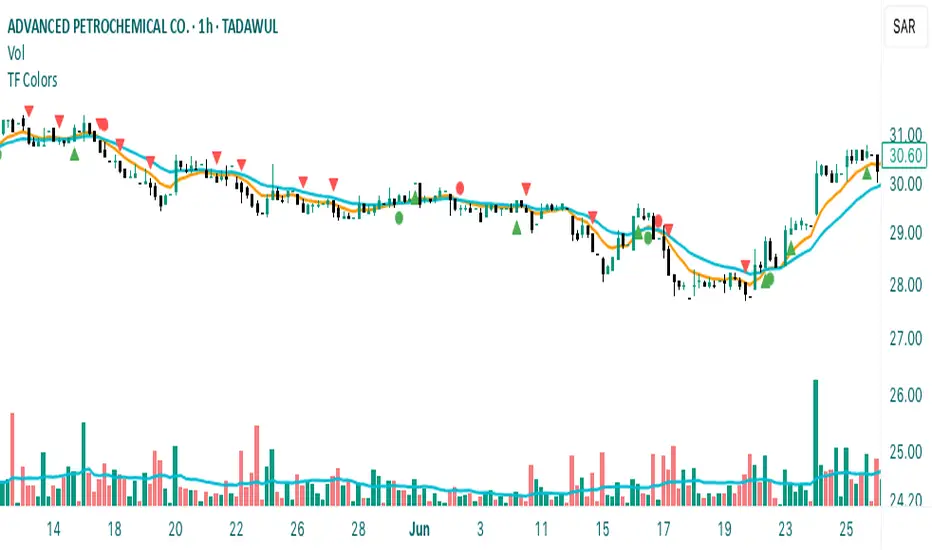
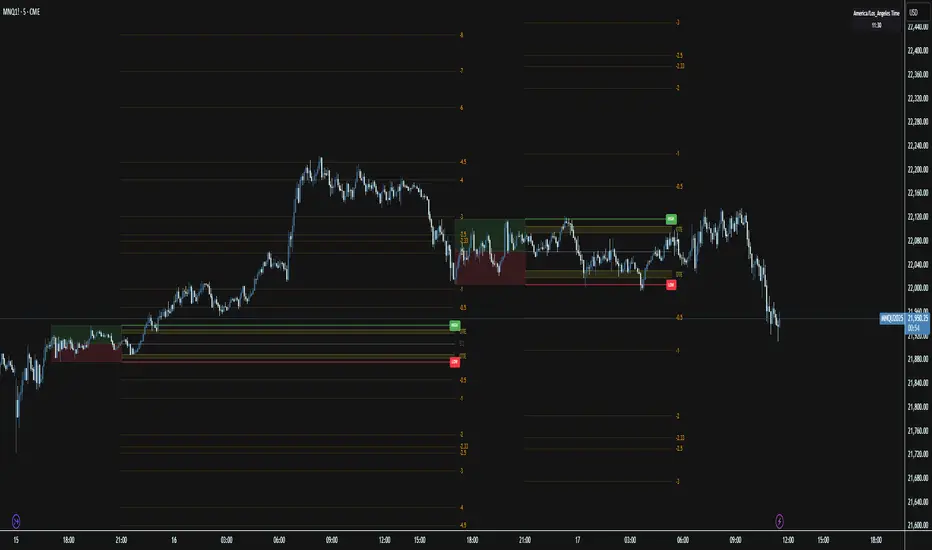
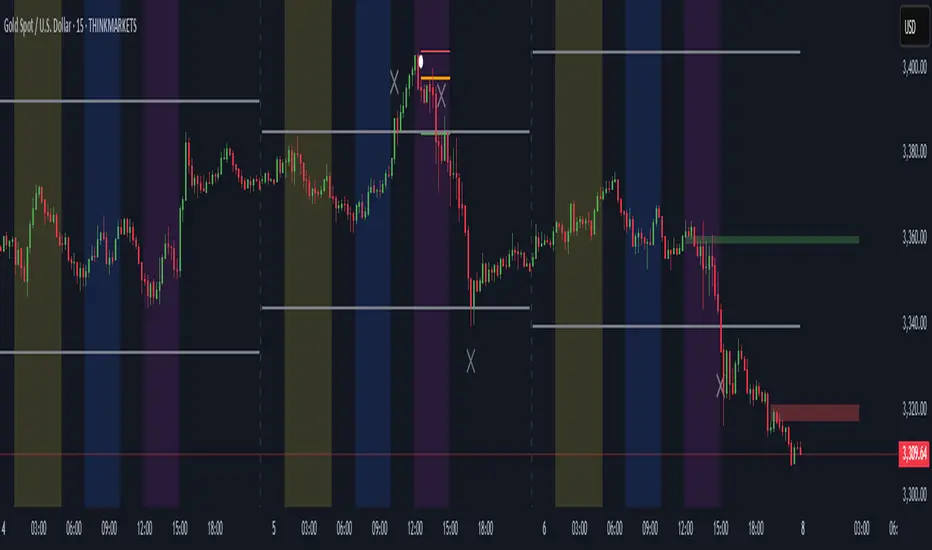
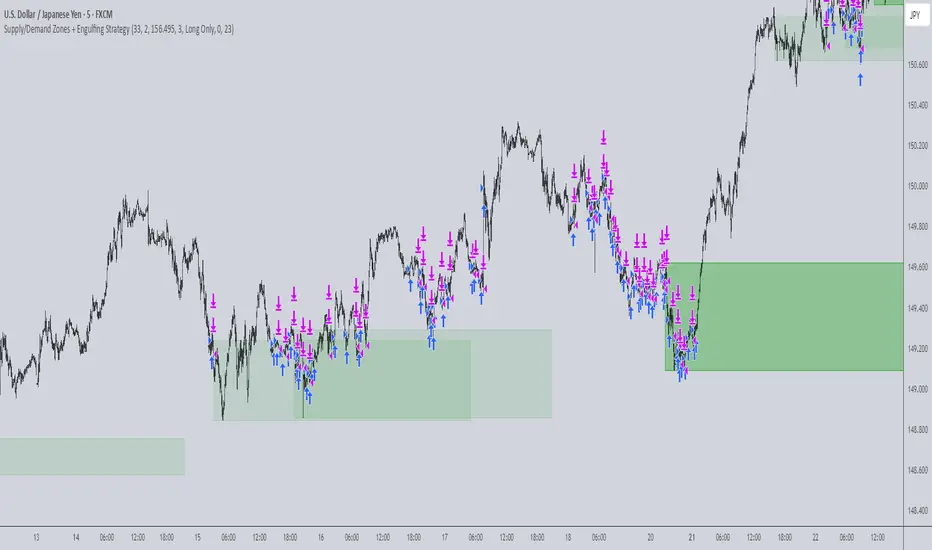
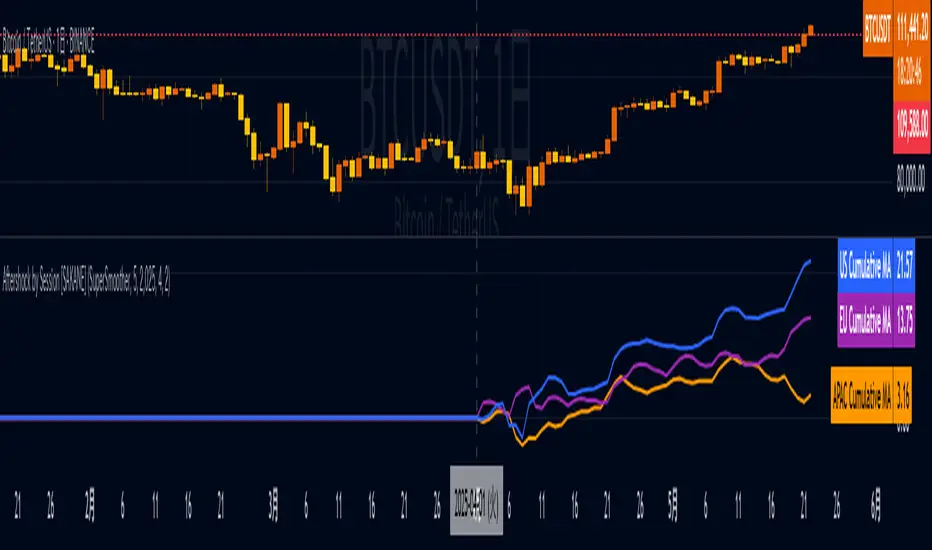
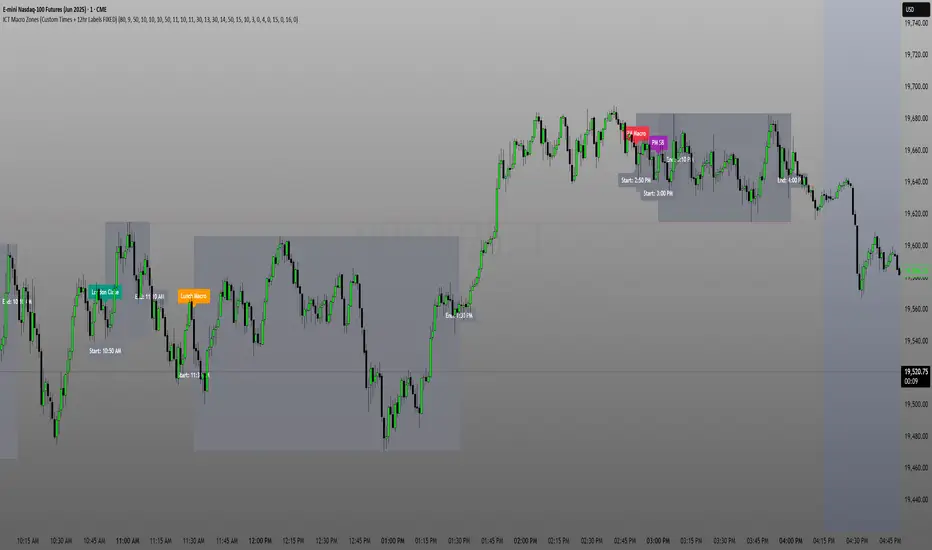
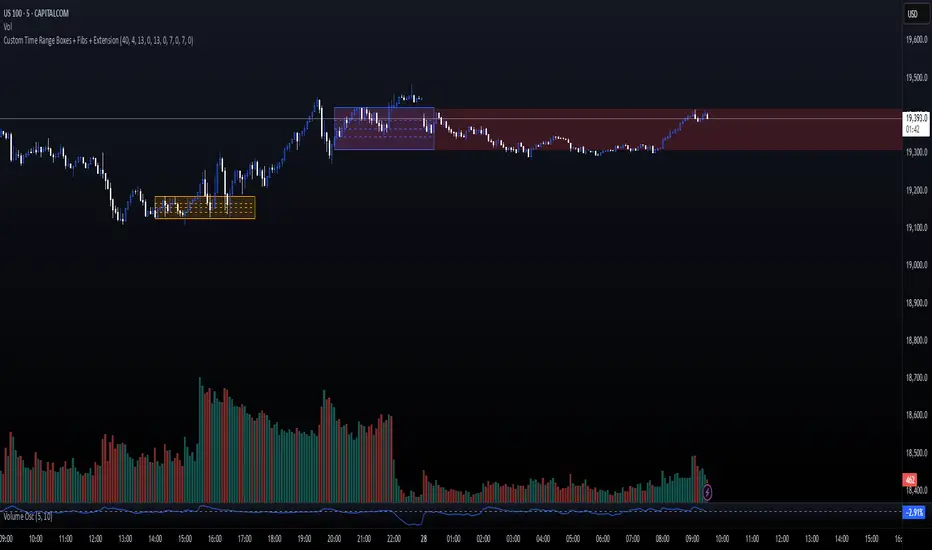
ICT Silver Bullet BoxesOverview
This Pine Script v6 indicator is a streamlined tool designed for ICT (Inner Circle Trader) students, specifically optimized for traders in the Dhaka (GMT+6) time zone. It automates the drawing of high-probability liquidity zones based on the Asian Range and the Silver Bullet algorithm windows.
Unlike standard session highlights, this script focuses on the price action boundaries (Highs and Lows) within these specific windows to help you identify liquidity pools and potential "Judas Swing" targets.
Key Features
Asian Range (Liquidity Phase): Automatically marks the high and low of the 7:00 PM – 12:00 AM NY window (6:00 AM – 11:00 AM Dhaka). This box represents the day's initial consolidation where buy-side and sell-side liquidity is engineered.
Silver Bullet Windows: Highlights the two most critical 60-minute windows:
London Silver Bullet: 3:00 AM – 4:00 AM NY (2:00 PM – 3:00 PM Dhaka)
NY AM Silver Bullet: 10:00 AM – 11:00 AM NY (9:00 PM – 10:00 PM Dhaka)
Automatic DST Adjustment: The script uses the America/New_York timezone internally. This means the boxes will automatically shift correctly when New York enters Daylight Saving Time, keeping your Dhaka chart accurate year-round.
Clean Visuals: Instead of coloring the entire background, the script draws precise boxes around the price action High/Low of each session for a clutter-free experience.
How to Use
Mark Liquidity: Use the Asian Range Box to identify where the "stops" are resting.
Anticipate the Sweep: During the London or NY Open, look for price to raid the Asian High or Low.
Execute the Bullet: Within the Silver Bullet boxes, look for a Market Structure Shift (MSS) and a Fair Value Gap (FVG) for your entry.
Settings
Custom Colors: Fully customizable colors and opacity for both London and New York sessions.
Borders: Toggle borders on/off to match your chart theme.
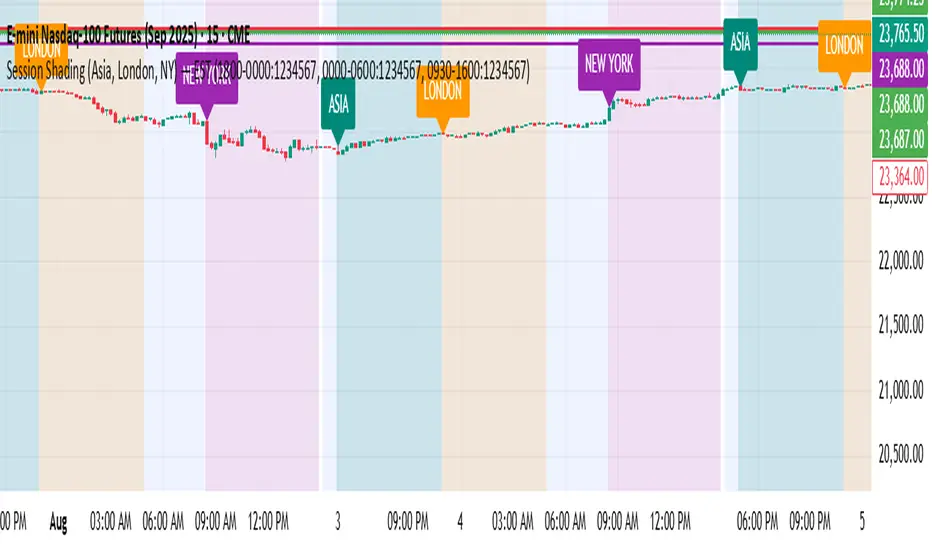
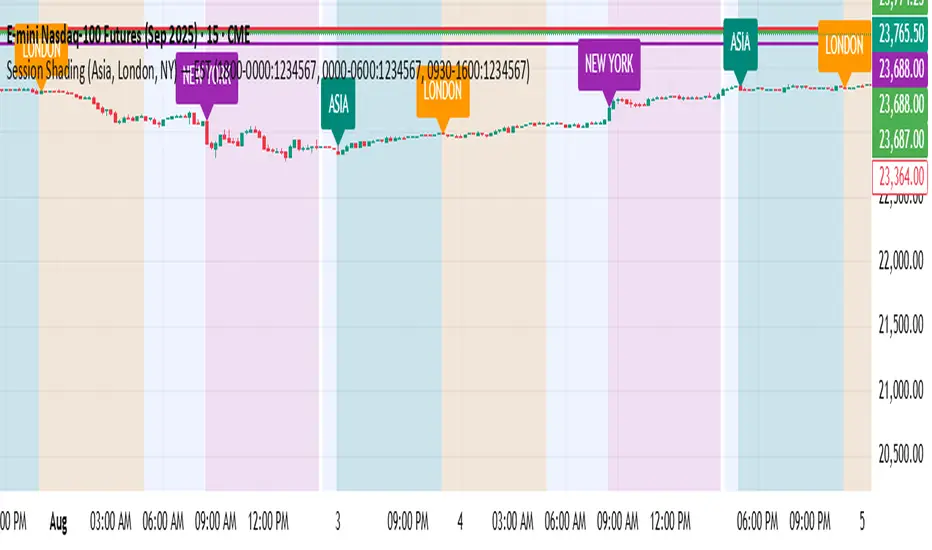
Wyszukaj w skryptach "sessions"
Session Highs & LowsCustom Highs & Lows
This indicator displays Previous Day High & Low along with session Highs & Lows for the Asian, London, and New York sessions.
Each session can be configured individually, allowing you to show or hide Highs, Lows, or both.
Basic customization options are included, such as:
level colors
line thickness
line extension length
transparency
line style
The main feature of this indicator is sweep detection.
For example, when the London session sweeps the Asian High or Low, the level automatically changes:
from a solid line to a dotted or dashed line
with reduced opacity
This makes it easy to see that the level has already been swept, while keeping the chart clean and uncluttered when looking for further confluences.
The indicator also supports alerts for all session Highs and Lows when they are swept, so you can receive notifications without constantly watching the chart.
Use it, test it, and if you have a solid idea for improvement, feel free to reach out. A lot of time went into building this indicator, and meaningful enhancements can always be discussed.
RSI Chebyshev Pro with Goldilocks Fractals - NR [NPR21]RSI Chebyshev Pro with Goldilocks Fractals - Non-Repaint
CHART INFORMATION
Instrument: /MNQ (Micro E-mini Nasdaq-100 Futures)
Timeframe: 2-minute
Indicator: RSI Chebyshev Pro with Goldilocks Fractals - NR
THE PROBLEM
Standard RSI is too choppy and noisy – it whipsaws all over the place in volatile markets like futures, giving false oversold/overbought signals that burn you on entries. I was sick of missing real reversals or getting stopped out on fakeouts. I wanted something smoother that still catches the big momentum shifts without lagging too much, plus actual market structure to make it more reliable for quick trades.
WHAT MAKES THIS UNIQUE
Unlike basic RSI indicators that use simple moving average smoothing, this combines several advanced techniques that aren't commonly found together:
1. Chebyshev Type I Filtering - Signal processing mathematics (not basic EMAs) that kills noise while keeping real swings sharp. Most RSI smoothing just blurs everything - this keeps responsiveness without the chop.
2. MAMA Adaptive Period - The moving average adapts to actual market cycles using the MESA algorithm, not fixed periods that lag in changing conditions.
3. RSI Pivot Fractals - These aren't price fractals slapped onto RSI. The fractals detect pivots directly on RSI values at extreme levels, with signals appearing back at the exact pivot bar (not current bar), showing you where the actual reversal happened.
4. True Non-Repainting Implementation - Signals appear delayed BUT locked at the historical pivot location forever. What you see in backtests is exactly what appeared live - no vanishing signals, no shifting.
5. All-in-One Integration - Instead of running 3-4 separate indicators (RSI + fractals + patterns + smoothing), everything works together in a single, optimized calculation with confluence built in.
This isn't just RSI with some Williams Fractals thrown on top - it's a complete rethink of how to identify high-probability RSI reversals using signal processing and adaptive algorithms.
ORIGIN & ENHANCEMENTS
Original Source: ChartPrime RSI Chebyshev indicator
Converted & Enhanced by: NPR21
What I Added:
✅ Converted to Pine Script v6 - Made this available to TradingView traders
✅ Goldilocks Fractals - RSI alone doesn't tell you about price structure. These fractals nail those "just right" pivot points where highs/lows confirm. I kept seeing RSI extremes that reversed hard when they lined up with fractals - this was the missing piece for confluence.
✅ 100% Non-Repainting - I've been burned by repainters. You'd backtest something, looks amazing, then live it vanishes or shifts. Lost real money on that. This is rock-solid: signals show delayed but once they're there, they're locked forever. Makes backtesting trustworthy.
✅ Candlestick Patterns - Engulfing, Morning Star, Evening Star detection for confluence
✅ Customizable Visuals - BUY/SELL labels, multiple display styles, full color/size control
✅ Complete Alert System - Get notified on all signal types
HOW IT WORKS
Chebyshev Filtering:
Like putting noise-canceling on your RSI – smooths out jittery ups and downs from random price spikes without flattening into useless lag. It's signal processing math that keeps important swings sharp while killing BS noise. Way better than simple EMA smoothing that blurs everything.
The Components:
Ultra-Smooth RSI - Chebyshev Type I filtering + adaptive MAMA algorithm
Goldilocks Fractals - Pivot detection confirmed after N bars (default 5)
Pattern Recognition - Detects Engulfing, Morning/Evening Star patterns
Visual Styles - Candle Trend (hollow green/solid red) or traditional candles
SIGNAL DELAY vs REPAINTING
✅ THIS HAS SIGNAL DELAY (GOOD) - NOT REPAINTING (BAD)
Signal Delay:
Signals appear after N bars (default 5 bar delay)
Once visible, NEVER disappears or moves
Perfect for backtesting - 100% reliable
What you see in history is what you'd see live
Why the Delay:
To confirm a pivot, we need to see price didn't go lower/higher in the next N bars. This confirmation makes signals reliable. The delay is the price for trustworthy signals.
Want faster? Drop Fractal Periods to 2-3 (more signals, less confirmation).
HOW I TRADE IT
My /MNQ Scalping (1-3 min charts):
LONG: BUY label appears (down fractal + maybe morning star/engulfing) → Check RSI crossing up from oversold (<30) → Confirm with volume → Long with stop below fractal low → Target 1-2R
SHORT: SELL label (up fractal + maybe evening star) → RSI from overbought → Short with stop above
Filter: Only longs in uptrends (watch the MA). Exit partials if momentum fades.
Best Timeframes: 1-5 min for futures scalping. Works on 15 min for swings but for pure scalping, stay under 5 min in high-vol sessions.
SETTINGS I USE
Standard Setup:
Length: 24, Smoothing: 3
Auto MA: ON, Multiplier: 1-2
Fractal Periods: 5 (good confirmation)
Choppy Days:
Smoothing to 5
Aggressive:
Fractal Periods to 3
Pro Tip: Pair with volume or price EMA. Love when fractal BUY + engulfing bull align. Use Candle Trend style. Test on demo first.
KEY SETTINGS
RSI: Length (24), Smoothing (3), Auto MA, Style (Candle/Candle Trend)
Fractals: Periods (5 = more reliable, 3 = faster/riskier), Label colors/sizes, Offsets
Alerts: All signals fire only on confirmed, non-repainting events
DISCLAIMERS
⚠️ Tool, not a complete system - use proper risk management
⚠️ Signals have delay for reliability - not for instant entries
⚠️ Best with price action, volume, other analysis
⚠️ Test on demo before live trading
Questions? Comment below!
NPR21
RSI Chebyshev Pro with Goldilocks Fractals - NR [NPR21]RSI Chebyshev Pro with Goldilocks Fractals - Non-Repaint
----------------------------------------------------------------------------------------------------------------------
CHART INFORMATION
Instrument: /MNQ (Micro E-mini Nasdaq-100 Futures)
Timeframe: 2-minute
Indicator: RSI Chebyshev Pro with Goldilocks Fractals - NR
----------------------------------------------------------------------------------------------------------------------
THE PROBLEM
Standard RSI is too choppy and noisy – it whipsaws all over the place in volatile markets like futures, giving false oversold/overbought signals that burn you on entries. I was sick of missing real reversals or getting stopped out on fakeouts. I wanted something smoother that still catches the big momentum shifts without lagging too much, plus actual market structure to make it more reliable for quick trades.
WHAT MAKES THIS UNIQUE
Unlike basic RSI indicators that use simple moving average smoothing, this combines several advanced techniques that aren't commonly found together:
1. Chebyshev Type I Filtering - Signal processing mathematics (not basic EMAs) that kills noise while keeping real swings sharp. Most RSI smoothing just blurs everything - this keeps responsiveness without the chop.
2. MAMA Adaptive Period - The moving average adapts to actual market cycles using the MESA algorithm, not fixed periods that lag in changing conditions.
3. RSI Pivot Fractals - These aren't price fractals slapped onto RSI. The fractals detect pivots directly on RSI values at extreme levels, with signals appearing back at the exact pivot bar (not current bar), showing you where the actual reversal happened.
4. True Non-Repainting Implementation - Signals appear delayed BUT locked at the historical pivot location forever. What you see in backtests is exactly what appeared live - no vanishing signals, no shifting.
5. All-in-One Integration - Instead of running 3-4 separate indicators (RSI + fractals + patterns + smoothing), everything works together in a single, optimized calculation with confluence built in.
This isn't just RSI with some Williams Fractals thrown on top - it's a complete rethink of how to identify high-probability RSI reversals using signal processing and adaptive algorithms.
ORIGIN & ENHANCEMENTS
Original Source: ChartPrime RSI Chebyshev indicator
Converted & Enhanced by: NPR21
What I Added:
✅ Converted to Pine Script v6 - Made this available to TradingView traders
✅ Goldilocks Fractals - RSI alone doesn't tell you about price structure. These fractals nail those "just right" pivot points where highs/lows confirm. I kept seeing RSI extremes that reversed hard when they lined up with fractals - this was the missing piece for confluence.
✅ 100% Non-Repainting - I've been burned by repainters. You'd backtest something, looks amazing, then live it vanishes or shifts. Lost real money on that. This is rock-solid: signals show delayed but once they're there, they're locked forever. Makes backtesting trustworthy.
✅ Candlestick Patterns - Engulfing, Morning Star, Evening Star detection for confluence
✅ Customizable Visuals - BUY/SELL labels, multiple display styles, full color/size control
✅ Complete Alert System - Get notified on all signal types
HOW IT WORKS
Chebyshev Filtering:
Like putting noise-canceling on your RSI – smooths out jittery ups and downs from random price spikes without flattening into useless lag. It's signal processing math that keeps important swings sharp while killing BS noise. Way better than simple EMA smoothing that blurs everything.
The Components:
Ultra-Smooth RSI - Chebyshev Type I filtering + adaptive MAMA algorithm
Goldilocks Fractals - Pivot detection confirmed after N bars (default 5)
Pattern Recognition - Detects Engulfing, Morning/Evening Star patterns
Visual Styles - Candle Trend (hollow green/solid red) or traditional candles
SIGNAL DELAY vs REPAINTING
✅ THIS HAS SIGNAL DELAY (GOOD) - NOT REPAINTING (BAD)
Signal Delay:
Signals appear after N bars (default 5 bar delay)
Once visible, NEVER disappears or moves
Perfect for backtesting - 100% reliable
What you see in history is what you'd see live
Why the Delay:
To confirm a pivot, we need to see price didn't go lower/higher in the next N bars. This confirmation makes signals reliable. The delay is the price for trustworthy signals.
Want faster? Drop Fractal Periods to 2-3 (more signals, less confirmation).
HOW I TRADE IT
My /MNQ Scalping (1-3 min charts):
LONG: BUY label appears (down fractal + maybe morning star/engulfing) → Check RSI crossing up from oversold (<30) → Confirm with volume → Long with stop below fractal low → Target 1-2R
SHORT: SELL label (up fractal + maybe evening star) → RSI from overbought → Short with stop above
Filter: Only longs in uptrends (watch the MA). Exit partials if momentum fades.
Best Timeframes: 1-5 min for futures scalping. Works on 15 min for swings but for pure scalping, stay under 5 min in high-vol sessions.
SETTINGS I USE
Standard Setup:
Length: 24, Smoothing: 3
Auto MA: ON, Multiplier: 1-2
Fractal Periods: 5 (good confirmation)
Choppy Days:
Smoothing to 5
Aggressive:
Fractal Periods to 3
Pro Tip: Pair with volume or price EMA. Love when fractal BUY + engulfing bull align. Use Candle Trend style. Test on demo first.
KEY SETTINGS
RSI: Length (24), Smoothing (3), Auto MA, Style (Candle/Candle Trend)
Fractals: Periods (5 = more reliable, 3 = faster/riskier), Label colors/sizes, Offsets
Alerts: All signals fire only on confirmed, non-repainting events
DISCLAIMERS
⚠️ Tool, not a complete system - use proper risk management
⚠️ Signals have delay for reliability - not for instant entries
⚠️ Best with price action, volume, other analysis
⚠️ Test on demo before live trading
Questions? Comment below!
NPR21
RSI Chebyshev Pro with Goldilocks Fractals - NR [NPR21]RSI Chebyshev Pro with Goldilocks Fractals - Non-Repaint
==================================================================================
**CHART INFORMATION**
The example chart shown displays:
- Instrument: /MNQ (Micro E-mini Nasdaq-100 Futures)
- Timeframe: 2-minute
- Indicator: RSI Chebyshev Pro with Goldilocks Fractals - NR
==================================================================================
═════════════════════════════════════════════════════════════
THE PROBLEM
Standard RSI is too choppy and noisy – it whipsaws all over the place in volatile markets like futures, giving false oversold/overbought signals that burn you on entries. I was sick of missing real reversals or getting stopped out on fakeouts. I wanted something smoother that still catches the big momentum shifts without lagging too much, plus actual market structure to make it more reliable for quick trades.
═════════════════════════════════════════════════════════════
WHAT MAKES THIS UNIQUE
Unlike basic RSI indicators that use simple moving average smoothing, this combines several advanced techniques that aren't commonly found together:
1. Chebyshev Type I Filtering - Signal processing mathematics (not basic EMAs) that kills noise while keeping real swings sharp. Most RSI smoothing just blurs everything - this keeps responsiveness without the chop.
2. MAMA Adaptive Period - The moving average adapts to actual market cycles using the MESA algorithm, not fixed periods that lag in changing conditions.
3. RSI Pivot Fractals - These aren't price fractals slapped onto RSI. The fractals detect pivots directly on RSI values at extreme levels, with signals appearing back at the exact pivot bar (not current bar), showing you where the actual reversal happened.
4. True Non-Repainting Implementation - Signals appear delayed BUT locked at the historical pivot location forever. What you see in backtests is exactly what appeared live - no vanishing signals, no shifting.
5. All-in-One Integration - Instead of running 3-4 separate indicators (RSI + fractals + patterns + smoothing), everything works together in a single, optimized calculation with confluence built in.
This isn't just RSI with some Williams Fractals thrown on top - it's a complete rethink of how to identify high-probability RSI reversals using signal processing and adaptive algorithms.
═════════════════════════════════════════════════════════════
ORIGIN & ENHANCEMENTS
Original Source: ChartPrime RSI Chebyshev indicator
Converted & Enhanced by: NPR21
What I Added:
✅ Converted to Pine Script v6 - Made this available to TradingView traders
✅ Goldilocks Fractals - RSI alone doesn't tell you about price structure. These fractals nail those "just right" pivot points where highs/lows confirm. I kept seeing RSI extremes that reversed hard when they lined up with fractals - this was the missing piece for confluence.
✅ 100% Non-Repainting - I've been burned by repainters. You'd backtest something, looks amazing, then live it vanishes or shifts. Lost real money on that. This is rock-solid: signals show delayed but once they're there, they're locked forever. Makes backtesting trustworthy.
✅ Candlestick Patterns - Engulfing, Morning Star, Evening Star detection for confluence
✅ Customizable Visuals - BUY/SELL labels, multiple display styles, full color/size control
✅ Complete Alert System - Get notified on all signal types
═════════════════════════════════════════════════════════════
HOW IT WORKS
Chebyshev Filtering:
Like putting noise-canceling on your RSI – smooths out jittery ups and downs from random price spikes without flattening into useless lag. It's signal processing math that keeps important swings sharp while killing BS noise. Way better than simple EMA smoothing that blurs everything.
The Components:
Ultra-Smooth RSI - Chebyshev Type I filtering + adaptive MAMA algorithm
Goldilocks Fractals - Pivot detection confirmed after N bars (default 5)
Pattern Recognition - Detects Engulfing, Morning/Evening Star patterns
Visual Styles - Candle Trend (hollow green/solid red) or traditional candles
═════════════════════════════════════════════════════════════
SIGNAL DELAY vs REPAINTING
✅ THIS HAS SIGNAL DELAY (GOOD) - NOT REPAINTING (BAD)
Signal Delay:
Signals appear after N bars (default 5 bar delay)
Once visible, NEVER disappears or moves
Perfect for backtesting - 100% reliable
What you see in history is what you'd see live
Why the Delay:
To confirm a pivot, we need to see price didn't go lower/higher in the next N bars. This confirmation makes signals reliable. The delay is the price for trustworthy signals.
Want faster? Drop Fractal Periods to 2-3 (more signals, less confirmation).
════════════════════════════════════════════════════════════
HOW I TRADE IT
My /MNQ Scalping (1-3 min charts):
LONG: BUY label appears (down fractal + maybe morning star/engulfing) → Check RSI crossing up from oversold (<30) → Confirm with volume → Long with stop below fractal low → Target 1-2R
SHORT: SELL label (up fractal + maybe evening star) → RSI from overbought → Short with stop above
Filter: Only longs in uptrends (watch the MA). Exit partials if momentum fades.
Best Timeframes: 1-5 min for futures scalping. Works on 15 min for swings but for pure scalping, stay under 5 min in high-vol sessions.
═════════════════════════════════════════════════════════════
SETTINGS I USE
Standard Setup:
Length: 24, Smoothing: 3
Auto MA: ON, Multiplier: 1-2
Fractal Periods: 5 (good confirmation)
Choppy Days: Smoothing to 5
Aggressive: Fractal Periods to 3
Pro Tip: Pair with volume or price EMA. Love when fractal BUY + engulfing bull align. Use Candle Trend style. Test on demo first.
═════════════════════════════════════════════════════════════
KEY SETTINGS
RSI: Length (24), Smoothing (3), Auto MA, Style (Candle/Candle Trend)
Fractals: Periods (5 = more reliable, 3 = faster/riskier), Label colors/sizes, Offsets
Alerts: All signals fire only on confirmed, non-repainting events
═════════════════════════════════════════════════════════════
DISCLAIMERS
⚠️ Tool, not a complete system - use proper risk management
⚠️ Signals have delay for reliability - not for instant entries
⚠️ Best with price action, volume, other analysis
⚠️ Test on demo before live trading
═════════════════════════════════════════════════════════════
Questions? Comment below!
NPR21
Midnight Open Levels by haze!This indicator automatically plots the midnight open prices for both the New York (00:00 EST) and London (00:00 GMT) trading sessions. These levels are widely recognized in institutional trading frameworks as significant reference points for intraday price action.
What Are Midnight Open Levels?
Midnight open levels represent the price at which each major trading session begins at 00:00 local time. Institutional traders and algorithmic systems often reference these levels when making trading decisions, which can create zones of increased liquidity and potential price reactions.
This indicator is provided for educational purposes. No indicator guarantees profitable trades. Always practice proper risk management, use appropriate position sizing, and conduct your own analysis before making trading decisions.
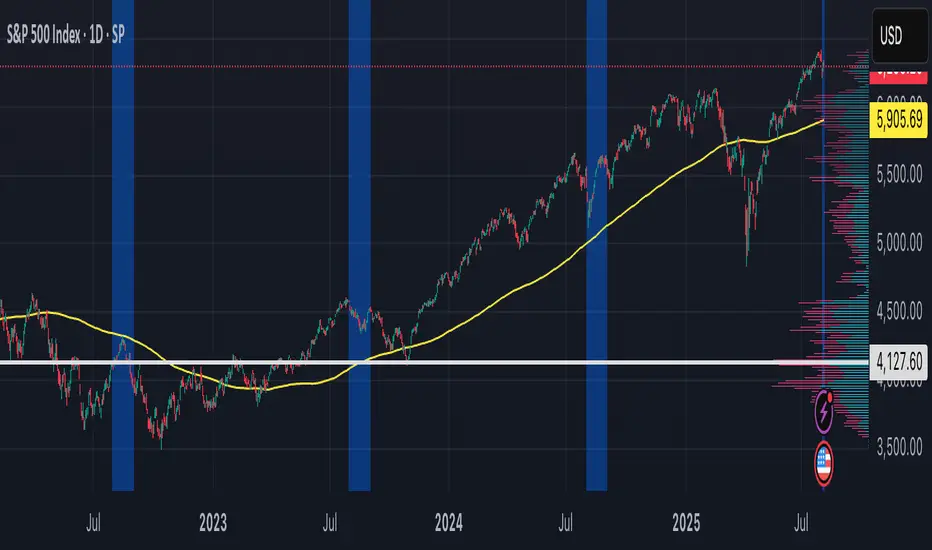
Evidenzia Data Specifica DinamicaSpecific Date Highlighter
Descrizione (Italiano)
Questo indicatore semplice ma estremamente efficace permette di evidenziare graficamente un'intera giornata specifica selezionata dall'utente. È lo strumento ideale per chi ha bisogno di analizzare il comportamento del prezzo durante eventi macroeconomici passati, date di earnings, o particolari sessioni storiche.
Caratteristiche principali:
Selettore Calendario Intuitivo: Grazie all'input di tipo time, puoi selezionare la data esatta tramite un calendario pop-up senza dover inserire manualmente numeri per giorno, mese e anno.
Compatibilità Multi-Timeframe: L'indicatore funziona su qualsiasi timeframe. Se sei su grafici intraday (1m, 5m, 1h), colorerà lo sfondo di tutte le candele appartenenti a quel giorno. Su grafici Daily, evidenzierà la singola candela selezionata.
Colore Personalizzabile: Puoi scegliere il colore dello sfondo e la sua opacità direttamente dalle impostazioni per adattarlo al tuo tema (Light o Dark).
Data Dinamica: Lo script è progettato per riconoscere automaticamente la data odierna come punto di partenza, facilitando l'analisi rapida dell'ultima sessione.
Casi d'uso:
Backtesting visivo: Evidenzia i giorni di rilascio dei dati CPI o decisioni FOMC per studiare la volatilità.
Journaling: Segna i giorni in cui hai effettuato trade importanti per ritrovarli facilmente nello storico.
Analisi Ciclica: Identifica rapidamente date specifiche in cui si sono verificati minimi o massimi storici.
Description (English)
This lightweight and effective tool allows you to highlight a specific full day on your chart. It is perfect for traders who need to visually isolate price action during macroeconomic events, earnings dates, or key historical sessions.
Key Features:
Calendar Picker: Easily select your target date using a built-in calendar input.
MTF Ready: Works seamlessly across all timeframes. On intraday charts, it highlights every bar within the 24-hour period. On daily charts, it highlights the specific daily candle.
Fully Customizable: Change the background color and transparency to match your chart layout.
Smart Default: The script is optimized to handle time logic correctly, ensuring the highlight starts exactly at 00:00 and ends at 23:59.
How to use: Go to settings, click on "Select Date", pick your day from the calendar, and the chart will instantly move the focus to that specific session.
Open Range BreakoutOpen Range Breakout is a volatility harvesting tool designed to exploit directional expansion following major market opens. It isolates price action during initial liquidity injections to project institutional-grade zones that define a session's structural bias.
Core Methodology
The script uses a time-anchored engine to map critical supply and demand boundaries:
Anchor Identification: The algorithm captures the absolute High and Low within a user-defined window at the start of Tokyo, London, or New York sessions.
Structural Projection: It generates a Neutrality Box. A breach via candle close signals the transition from consolidation to expansion.
Mathematical Risk Modeling: Upon breakout, it calculates a 3:1 Risk-Reward framework based on fixed percentage volatility.
Session Dynamics
The system is optimized for the global liquidity cycle:
Session 1 (Asia): Maps early-day consolidation and range-bound liquidity.
Session 2 (Europe): Captures the London Move to identify the trend.
Session 3 (US): Analyzes high-volume New York opens for maximum momentum.
Key Features
Dynamic Price Mitigation: TP/SL zones stop extending the moment price touches the target or invalidation level to keep charts clean.
Volatility-Adjusted Levels: Stop Loss parameters are normalized to price percentage for consistency across Indices, Forex, or Crypto.
Minimalist Interface: Professional aesthetic with high-contrast visual cues for instant scannability.
Use Cases
Momentum Trading: Identifying the Origin of the Move post-open.
Mean Reversion: Recognizing failed breakouts when price returns inside the range.
Quantitative Backtesting: Benchmarking 3.0 RR targets across different session anchors.
Elder AutoEnvelope 1m/5mOverview
This script is an advanced implementation of Dr. Alexander Elder’s AutoEnvelope, specifically optimized for 1-minute (1m) and 5-minute (5m) low-timeframe trading.
The logic treats the market as a "manic-depressive" entity:
Center Line (26 EMA): Represents the fair value consensus.
Fast Line (13 EMA): Captures short-term price momentum.
Envelopes (Bands): Represent the limits of price "sanity." Under normal conditions, 95% of price action should remain within these bands.
Key Features
Powered by Pine Script V6: Built on the latest engine for maximum precision and performance.
Real-time Coverage Tracker: A dashboard in the top-right corner displays the percentage of price bars contained within the bands over the lookback period. The goal is to adjust the Multiplier until coverage is ~95%.
Dual Smoothing: To combat high-frequency noise on 1m/5m charts, this script applies a secondary smoothing layer to the channel width, preventing the "jagged" lines found in standard indicators.
Recommended Settings
Lookback: Defaulted to 300. On a 1m chart, this represents 5 hours of data, providing a much more robust "normal" range than the standard 100-period setting.
Multiplier: Usually ranges between 2.0 and 3.5 depending on the asset's volatility. Tune this until the Coverage Panel shows ~95%.
SmoothLen: Defaulted to 20. Increase this value for even smoother, more "parallel" bands during high-noise sessions.
Practical Trading Advice
Take Profit Zones: In an uptrend, treat the Upper Band as a primary target. When price pierces the band and closes back inside, it’s often the climax of the move.
Mean Reversion: When price touches the Lower Band while significantly stretched away from the yellow Center Line, look for a bounce back to the value area, especially if the Purple Fast Line begins to flatten.
Trend Filtering:
Price above Fast Line (Purple) + Upward slope: Bullish bias. Only look for Longs or Profit Taking.
Price below Fast Line (Purple) + Downward slope: Bearish bias. Only look for Shorts or Covering.
Asset Calibration: When switching assets (e.g., Gold to BTC), always fine-tune the Multiplier. The bands are only statistically valid when the Coverage Panel stays between 94% and 96%.
指标简介
本脚本是基于亚历山大·爱尔德博士(Dr. Alexander Elder)著名的“自动包络线”(AutoEnvelope)理论开发的进阶版本,特别针对 1分钟(1m)和 5分钟(5m) 等短周期高频交易进行了优化。
该指标的核心逻辑是将市场视为一个“躁郁症患者”:
中心线 (26 EMA):代表市场的平均价值认同。
快线 (13 EMA):代表短期价格动能。
包络线 (Bands):代表价格波动的极端边界(95% 的价格应运行在通道内)。
核心功能
V6 引擎驱动:采用最新的 Pine Script V6 编写,计算更精准,内存占用更低。
实时覆盖率统计:右上角实时显示过去 300 根 K 线中有多少比例落在通道内。目标是手动调整倍数(Multiplier)使该数值维持在 95% 左右。
双重平滑处理:针对短线噪音,对通道宽度进行了二次平滑,避免了传统指标在 1 分钟图上常见的“锯齿状”变形。
参数设置建议
Lookback (回溯周期):默认 300。在 1m 图上代表过去 5 小时,能提供比默认 100 周期更稳定的边界。
Multiplier (偏离倍数):根据不同品种调整(通常在 2.0 - 3.5)。请观察右上角面板,当覆盖率接近 95% 时,该倍数最为准确。
SmoothLen (平滑系数):默认 20。如果觉得轨道太乱,可调高此值。
实际交易建议
波段止盈点:在上升趋势中,当价格刺破上轨且 K 线实体收回上轨下方时,是绝佳的多头平仓位。
均值回归:当价格偏离中心线触碰下轨,且快线(紫色)开始走平时,预示即将反弹回中心线。
趋势过滤:
价格在快线(紫色)上方且快线斜率向上:只做多或平多,不逆势抄顶。
价格在快线(紫色)下方且快线斜率向下:只做空或平空。
覆盖率校准:切换交易品种(如从黄金切换到比特币)后,务必微调 Multiplier,确保覆盖率处于 94%-96% 之间,此时的边界才具有统计学意义。
Pulsar Heatmap CVD/OBV [by Oberlunar]Pulsar Heatmap CVD/OBV is a flow/price-consensus dashboard that turns OBV, CVD and their combination blend into a compact “heatmap + bias/signal” view, with optional main-chart candle coloring and HUD overlays.
What it shows
The panel is split into 3 horizontal lanes (OBV / CVD / COMBO). Each lane is further split into two halves:
Flow half: the normalized OBV/CVD/COMBO component (either per-bar Delta or Cumulative series).
PriceΔ half: the normalized divergence between price and the lane (price unit − flow unit), highlighting when price moves with or against the flow proxy.
Colors use intensity-based transparency so you can quickly spot pressure, compression, and disagreement between lanes.
Core engines
Normalization: Z-Score→tanh, Z-Score→clamp, MinMax, or None (unit range ≈ ).
Bias engine (6 halves): builds a directional BIAS from the six components (OBV/CVD/COMBO × Flow/PriceΔ), with optional hysteresis to reduce flicker.
Signal engine: triggers LONG/SHORT only on full alignment (all 6 halves agree), with confirm-bars and optional sticky behavior.
ROC/Acceleration layers: optional impulse context (ROC + ACC) to gate signals and/or boost bias strength when momentum is supportive.
AST filter: a strict directional filter combining volatility regime, BB expansion/contraction, MTF RSI prior and Kalman-smoothed evidence. When AST is directional, it can block opposite signals to enforce coherence.
Visual tools
Bias/Signal bands: top/bottom bands render BIAS strength and SIGNAL state; yellow highlights indicate disagreement/blocked states.
Candle colouring (main chart): optionally colours chart candles from LaneScore / Bias / Signal / Bias+Signal (uses overlay drawing where supported).
Signal labels: optional LONG/SHORT markers (with “better price than last shown” logic).
Triangle HUD: right-side geometric HUD summarising OBV/CVD/COMBO consensus + disagreement cues.
Timed Exhaustion / Absorption table: compact state machine that flags momentum exhaustion and absorption-like conditions using tight range + ROC/ACC behaviour.
How to use
Start with Lane data = Delta for faster microstructure timing; switch to Cumulative for macro context.
Choose a normalisation that fits your symbol’s volatility (ZScore→tanh is usually stable).
Read BIAS as the current dominant direction/strength; treat SIGNAL as the strict “all lanes aligned” confirmation.
If you want stricter coherence, keep the AST filter enabled (it is integrated by design and blocks opposite-direction signals when directional).
Setup 1 — Long Signal (Clean Alignment + Impulse)
In this example, Pulsar Heatmap transitions into a clear long setup when the system prints a LONG SIGNAL. The key idea is simple: the indicator does not enter on “bias” alone. It waits for full alignment across the internal lanes, optionally reinforced by the ROC/Acceleration impulse layer, and only then does it confirm a signal on a closed bar (Safe Mode)
Setup 2 — Short Signal After Compression (Absorption → Release)
In this screenshot, the short trade idea is not coming from “red candles” alone, but from a very specific sequence: the heatmap shows a shift into bearish alignment, the system prints a SHORT SIGNAL, and the timed module confirms that the market was in a tight range while sell pressure started to dominate.
Setup 3 — Neutral State (Stand-By Zone, No Trade Yet)
In the following screenshot, Pulsar Heatmap is doing something very important: it is clearly saying NEUTRAL 0%. Even if, visually, price could “look” like it might resume upward, the indicator is not providing a directional edge yet.
If you are already short, treat DISAGREE as a signal to take profit, tighten the stop, or scale out.
Setup 4 — When similar conditions return
Setup 4 — Impulse + Exhaustion conditions
In this screenshot, you’re basically seeing a “timing warning” configuration. Price prints a sharp bearish extension, but Pulsar Heatmap is not presenting it as a clean continuation setup: the center read is NEUTRAL 0%, while the timed engine shows both Absorption = SHORT and Exhaustion = SHORT. That combination often means: the downside pressure was real, but the move is already in a late/fragile phase (good for managing an existing short, not for opening a new one).
This tool uses available volume data from your data provider and approximates flow via OBV/CVD-style logic; results can differ across symbols/brokers and sessions. This script is for educational/analytical purposes and is not financial advice.
by Oberlunar 👁️ ⭐
GOLD QUANTUM MASTER🥇 GOLD QUANTUM MASTER 🥇
━━━━━━━━━━━━━━━━━━━━━━━━━━━━━━━━━━━━━━━━━━━━━━━━━━━━━━━━━━━━━━━━━
A high-performance technical analysis suite engineered for institutional-grade precision on Gold (XAUUSD) and Bitcoin (BTCUSD). This Core Edition focuses on raw analytical power without external API overhead.
🚀 KEY FEATURES:
• INSTITUTIONAL FOOTPRINT: Advanced volume-to-MA filters to identify "Big Money" participation.
• HTF REVERSAL SCANNER: Specialized logic for 30m, 1H, and 4H charts to detect Pinbar and Engulfing reversals.
• LIQUIDITY FLOW ANALYTICS: Detects and highlights Previous Day High (PDH) and Low (PDL) sweeps.
• TREND EXHAUSTION FILTERS: Built-in RSI divergence logic to prevent entries at trend peaks or bottoms.
• PREMIUM DATA LABELS: Real-time on-chart display of Signal Mode, Quality Score, and dynamic targets.
• NEON VISUAL SYSTEM: High-contrast, glassmorphic layout for maximum clarity during trading sessions.
BEST FOR: Technical Analysts, Manual Traders, and High-Performance Charting.
━━━━━━━━━━━━━━━━━━━━━━━━━━━━━━━━━━━━━━━━━━━━━━━━━━━━━━━━━━━━━━━━━
The best work on Higher time frames, I still not tested on lower time frames, but should be also precise.
Feel free to adjust the settings to your own needs.
Make your own decisions when you trade, do not put all confidence into a script, it may fail also.
MA RespectRatio RespectRatio
A Structural Moving Average Quality Indicator
What is RespectRatio
RespectRatio is a statistical indicator designed to evaluate *how reliably a stock respects a specific moving average over time.
Instead of asking “Did price touch the MA?”, it answers a more meaningful question:
Does this moving average actually function as support for this stock consistently and structurally?
The indicator focuses on *historical behavior, not short-term signals, and is intended to support buy / hold / reduce decisions rather than precise trade timing.
Why RespectRatio Exists
Many stocks frequently touch moving averages, but only some of them:
Rebound cleanly
Hold above the average
Do so repeatedly over long periods
RespectRatio was built to separate real support from visual noise.
Core Concept
RespectRatio treats every interaction between price and the moving average as a measurable event.
Each event ends in one of two outcomes:
• Bounce — price respects the moving average
• Break — price fails and breaks below it
Over time, these outcomes form a probability profile of how the stock behaves around that average.
How an Event Starts
An event begins when price meaningfully interacts with the moving average, either by:
• Entering a volatility-adjusted proximity zone around the MA, or
• Crossing below the MA (including gap-downs)
The proximity zone is adaptive and defined as:
k = ATR% × kMultiplier
This keeps the definition of “close enough” consistent across assets and volatility regimes.
Event Outcomes
Bounce (Respect)
An event is classified as a Bounce when price:
• Moves back above the moving average
• Clears a minimal buffer above it
• *Maintains that position for a defined number of sessions.
This confirms that the moving average acted as real support not a temporary pause.
Break (Failure)
An event becomes a Break when price:
• Remains below the moving average for too long, or
• Falls significantly below it and fails to reclaim it within a short window
A Break signals structural weakness at that average.
Noise Control
To avoid statistical distortion:
• Only one outcome per event is recorded
• A cooldown period prevents immediate re-counting of the same struggle
• Each event is counted once, regardless of intraday noise
This ensures clean, independent data points.
The Final Metric
The indicator produces a single core metric:
RespectRatio = Bounces / (Bounces + Breaks)
Calculated over a rolling historical window.
How to Interpret RespectRatio
• High RespectRatio
The moving average has historically acted as reliable support
→ suitable for accumulation or holding strategies
• Low RespectRatio
The moving average is frequently violated
→ caution when relying on it as support
RespectRatio does not predict future price, but measures structural trustworthiness.
What RespectRatio Is Not
• Not a buy/sell signal generator
• Not a trend-following indicator
• Not a momentum oscillator
It is a contextual filter* that improves decision quality.
Typical Use Cases
• Evaluating whether a stock deserves to be bought near a long-term MA
• Comparing multiple stocks using the same moving average
• Filtering candidates before applying other strategies
• Long-term portfolio decision support
One-Sentence Summary
RespectRatio quantifies how often the market actually respects a moving average — turning a visual assumption into measurable probability.*
Apex ICT Delivery & Session Flow ProDescription
The Apex ICT Delivery & Session Flow Pro is a high-precision technical analysis indicator designed for inner-circle traders who prioritize a clean, institutional-grade chart. This script specializes in identifying real-time liquidity levels and displacement zones while utilizing an automated "Cleanup Engine" to ensure that only the most relevant, unmitigated data remains visible.
Core Functionalities
Multi-Timeframe Displacement Engine: The script scans across multiple timeframes (1m, 5m, 15m, 1H) to identify Fair Value Gaps (FVG) created by high-displacement price action. It automatically plots the FVG boxes and the 50% Consequent Encroachment (CE) line for precise entry and target mapping.
Dynamic Session Liquidity: Automatically identifies and tracks the Highs and Lows of the Asia, London, and New York sessions. These levels are explicitly labeled and extended to act as magnet levels for price or points of liquidity reversal.
CISD (Change in State of Delivery): Visualizes shifts in order flow by marking the opening prices of the last opposite candle when price action confirms a change in delivery state. This provides immediate visual feedback on market sentiment shifts.
NY-Specific VWAP: Features a strict New York Session VWAP that resets daily at the NY open (08:00). This serves as the "Mean" for the session, helping traders identify premium and discount zones specifically within the high-volume New York hours.
The "Clean Chart" Cleanup Engine: Unlike standard indicators that clutter the screen with historical data, this script features an intelligent removal system:
FVGs & Order Blocks: Automatically deleted once price trades through them or if they move too far from current price (Proximity Filter).
Broken Session Levels: Highs and Lows are instantly removed once they are breached by price.
Temporal Decay: CISD markers are automatically cleared after 20 candles to keep the focus on immediate delivery.
ATR Trailing Stop + HTF + Pivots (Non-Repainting📌 UT Bot PRO + HTF + Pivots + PP SuperTrend (Non-Repainting)
This indicator is a fully non-repainting trading system designed for intraday and swing traders.
It combines multiple high-probability confirmations into a single, clean signal engine.
🔍 What’s Inside
✔ ATR-based trailing stop (UT-Bot style logic)
✔ Heikin Ashi price smoothing
✔ Heikin Ashi VWAP trend confirmation
✔ Higher-Timeframe EMA filter (no lookahead)
✔ Volume strength confirmation
✔ Auto timeframe Standard Pivot Points (PP, R1, R2, S1, S2)
✔ Pivot Point SuperTrend for market direction
✔ ATR-based Stop Loss & Take Profit levels
🔒 Non-Repainting Guarantee
Signals trigger only on confirmed candle close
Higher timeframe data uses lookahead_off
Pivot calculations are confirmed (no future data)
Signals will not disappear or shift after printing
📈 Trading Logic
BUY Signal
Price crosses above ATR trailing stop
Pivot SuperTrend is bullish
Price above HA VWAP
HTF EMA trend is bullish
Volume above average
SELL Signal
Price crosses below ATR trailing stop
Pivot SuperTrend is bearish
Price below HA VWAP
HTF EMA trend is bearish
Volume above average
⚙️ Recommended Settings
Intraday (5m–15m): HTF = 15m
Scalping (1m–5m): HTF = 5m
Swing (15m–1H): HTF = 1H
SL: 1.5 × ATR
TP: 3 × ATR
🧠 Best Used For
Crypto
Forex
Indices
Stocks
Works best in trending markets. Avoid very low-volume or choppy sessions.
⚠️ Disclaimer
This indicator is for educational purposes only.
No trading strategy guarantees profits. Always use proper risk management and test before live trading.
Custom Weekly Volume Profile [Multi-Timeframe]Description: This indicator renders a high-precision Weekly Volume Profile that resets at the start of every trading week. Unlike standard fixed-range profiles, this script builds the profile bar-by-bar using lower timeframe data (e.g., 1-minute or 5-minute data) to ensure accuracy even on higher timeframe charts.
It is designed for traders who track the developing value of the current week (Auction Market Theory) and need specific alerts when price tests the edges of value.
Key Features:
Developing Weekly Profile:
The profile resets automatically at the beginning of the week (Sunday/Monday).
It tracks the Point of Control (POC), Value Area High (VAH), and Value Area Low (VAL) in real-time as the week progresses.
Previous Week Levels:
The script automatically stores the final levels (POC, VAH, VAL) of the previous week and projects them forward. This allows you to trade tests of the prior week's value.
Auto-Scaling Histogram:
Smart Width: The profile starts wider at the beginning of the week (when data is sparse) and automatically shrinks as the week progresses (Thursday/Friday) to keep your chart clean and readable.
Advanced Alerting:
Crossover Alerts: Trigger alerts when price crosses the developing VAH/VAL or the previous week's levels.
Time Window Filter: Includes a session input (default 08:30-15:00) to restrict alerts to specific trading hours, preventing notifications during low-volume overnight sessions.
Customization:
Precision: Adjustable "Row Size" and "Calculation Timeframe" to tune performance vs. accuracy.
Visuals: Full color control over the Value Area, Outer Volume, and Level Lines.
Settings:
Calculation Precision: Determines the lower timeframe used to calculate the volume (e.g., set to "5" for 5-minute precision).
Value Area %: Default is 70%, standard for AMT trading.
Timezone: Adjustable to ensure the weekly reset aligns with your local exchange time (e.g., America/Chicago for CME Futures).
Disclaimer: This script is for educational and informational purposes only. It does not constitute financial advice, trading recommendations, or a solicitation to buy or sell any financial instrument. Trading futures and other financial markets involves significant risk and is not suitable for every investor. Past performance of any trading system or methodology is not necessarily indicative of future results. The user assumes all responsibility for any trading decisions made based on the information provided by this tool. Use at your own risk.
Polynomial Regression Channel [ChartPrime]⯁ OVERVIEW
The Polynomial Regression Channel fits price action using advanced polynomial regression, extending beyond simple linear or logarithmic models. By leveraging matrix calculations, it builds a curved regression line that adapts to swings more naturally. The channel includes extrapolated forward projections, helping traders visualize where price may gravitate in the near future. Midline color shifts reflect directional bias, while prediction ranges are marked with dashed extensions, labeled prices, and a live table for clarity.
⯁ KEY FEATURES
Polynomial Regression Core:
Uses matrix algebra to calculate a polynomial fit of customizable degree, adapting to complex, non-linear market structures.
polyreg(source, length, degree, extrapolate) =>
total = length + extrapolate
X_all = matrix.new(total, degree + 1, 0.0)
for i = 0 to total - 1
for j = 0 to degree
matrix.set(X_all, i, j, math.pow(i, j))
// y (length × 1), oldest→newest over the fit window
y = matrix.new(length, 1, 0.0)
for i = 0 to length - 1
matrix.set(y, i, 0, source )
// X_train (first `length` rows of X_all)
X_tr = matrix.new(length, degree + 1, 0.0)
for i = 0 to length - 1
for j = 0 to degree
matrix.set(X_tr, i, j, matrix.get(X_all, i, j))
// OLS via normal equations: (X'X)^(-1)b = X'y ⇒ b = (X'X)^(-1) X'y
Xt = matrix.transpose(X_tr) // X'
XtX = matrix.mult(Xt, X_tr) // (X'X)
Xty = matrix.mult(Xt, y) // X'y
XtX_inv = matrix.inv(XtX) // (X'X)^(-1)
b = matrix.mult(XtX_inv, Xty) // b = (X'X)^(-1) X'y
// Predictions for all rows (fit + extrap)
preds = matrix.mult(X_all, matrix.col(b,0))
preds
Extrapolated Future Projections:
Forward-looking range (dashed lines + circular markers) shows where the fitted polynomial suggests price may move.
Dynamic Midline Coloring:
Regression midline shifts green when slope turns upward and magenta when slope turns downward, giving instant directional context.
Channel Boundaries:
Upper and lower levels expand from the midline using a volatility-based offset, framing potential overbought and oversold conditions.
Top-Right Data Table:
A live table displays Upper, Middle, and Lower Prediction values, updating in real time for quick reference without scanning the chart.
⯁ USAGE
Use the regression midline to gauge underlying market bias; green slopes suggest continuation, magenta slopes caution for weakness.
Watch dashed extrapolated ranges as potential targets or reaction zones during upcoming sessions.
Price labels and table values act as precise reference levels for planning entries, exits, or stop placement.
Increase Degree for more curve-fitting on choppy markets, or keep it low for broader trend approximation.
Adjust Period and Extrapolate length to balance stability vs. responsiveness.
⯁ CONCLUSION
The Polynomial Regression Channel offers a mathematically advanced way to visualize price trends and anticipate future paths. With matrix-driven polynomial fitting, extrapolated projections, and integrated live labels, it combines statistical rigor with practical trading visuals — a robust upgrade over standard regression channels.
Volume Edge Pro[wjdtks255]Volume Edge Pro: Indicator Description
Volume Edge Pro is an advanced volume analysis tool designed to identify institutional accumulation and significant supply levels. Unlike standard volume bars, this indicator categorizes trading volume into four distinct types based on price action and historical comparisons, helping traders spot high-probability breakout opportunities.
Key Components:
Blue Bars (PPV - Pocket Pivot Volume): Indicates institutional accumulation. It appears when up-day volume exceeds the highest down-day volume of the last 10 trading sessions.
Green Bars (RGV - Recent Green Volume): Represents strong buying pressure where up-day volume is higher than the 50-period moving average.
Red Bars (RRV - Recent Red Volume): Signifies heavy supply or selling pressure where down-day volume is higher than the 50-period moving average.
Grey Bars: Represents standard market volume without significant institutional involvement.
Trading Strategy (How to Trade)
1. Identifying Accumulation (The Base)
Look for multiple Blue Bars (PPV) during a consolidation phase or within a "base." This suggests that "Smart Money" is quietly accumulating shares without significantly driving up the price yet.
2. The Buy Signal
The ideal entry point is when the price breaks out of a consolidation resistance level, especially when the breakout is confirmed by a Blue (PPV) or Green (RGV) bar. The presence of PPV signals within the base increases the reliability of the breakout.
3. Overcoming Supply (The RRV Rule)
When a Red Bar (RRV) appears, it marks a level of "unconsumed supply."
Treat the high of the RRV candle as a resistance level.
A bullish reversal or continuation is confirmed only when the price reclaims the high of the RRV day or when subsequent PPVs/RGVs overwhelm the previous selling volume.
4. Risk Management
If a massive Red Bar (RRV) appears after a long uptrend and the price breaks below the prior support, it may indicate institutional distribution (selling), signaling a time to exit or tighten stop-losses.
Bollinger BandWidth (Session-Adjusted)Description
This indicator is a session-adjusted version of Bollinger BandWidth (BBW), specifically designed for instruments with limited trading hours, such as European stock indices (e.g., FTSE MIB, DAX, CAC, which trades from 09:00 to 17:30 CET — 8.5 hours) or individual stocks.
Standard Bollinger BandWidth on intraday charts can be distorted because calculations include non-trading periods (flat prices overnight), leading to inaccurate volatility readings.This script dynamically adjusts the Bollinger Bands calculation to approximate daily periods based on the actual trading session length, ensuring the BBW reflects true market volatility during active hours.
Key Features
Session-Adjusted Bollinger Bands:
The lookback period (default 20 days) is converted into an equivalent number of intraday candles based on your chart's timeframe and the session duration. This makes the indicator suitable for intraday timeframes (e.g., 5min, 15min, 1H) on limited-session assets.
Bollinger BandWidth (BBW) as Percentage:
Plots (Upper Band - Lower Band) / Middle Band * 100, a relative measure of volatility (higher values = wider bands = higher volatility).
Dynamic Expansion and Contraction Levels:
Red line: Highest BBW over the selected expansion lookback period (default 25 days) — highlights peak volatility levels.
Green line: Lowest BBW over the selected contraction lookback period (default 25 days) — highlights extreme squeezes (low volatility).
Fully customizable inputs for session hours, BB parameters, and dynamic level periods.
How It Works
Session Adjustment: Input session duration (default 8.5 hours).
The script calculates approximate candles per trading day for your current chart timeframe.
Bollinger Bands are computed using length * candlesPerDay bars, simulating a true multi-day calculation within intraday data.
BBW Calculation:
Basis: Simple Moving Average (SMA).
Deviation: Multiplier × Standard Deviation.
BBW = (2 × Deviation / Basis) × 100.
Dynamic Lines:
Expansion line uses the same session-adjusted period for highest BBW.
Contraction line uses the lowest BBW.
Usage and Trading Ideas
Bollinger BandWidth is a powerful volatility indicator popularized by John Bollinger. Low BBW values indicate band contraction ("Squeeze") — periods of low volatility often followed by strong breakouts. High BBW values indicate expansion — trending or volatile phases that may exhaust and lead to consolidation.
Squeeze Setup:
Watch for BBW dropping toward or below the dynamic low (green) line. This signals potential impending volatility expansion and breakout opportunities.
Expansion Confirmation:
BBW rising above the dynamic high (red) line suggests strong volatility — useful for trend-following or avoiding counter-trend trades.
Combine with price action (e.g., break of support/resistance), volume, or momentum indicators (RSI, MACD) for directional bias.
Ideal for intraday or swing trading on European indices, stocks, or other limited-session instruments where standard BBW would be misleading.
This adjustment makes the indicator more accurate on lower timeframes compared to built-in versions, providing cleaner volatility signals aligned with real trading sessions.
Enjoy the script — feedback welcome!
Liquidity Retest Strategy (Apicode) - TP/SL Lines FixedTechnical Documentation:
1. Purpose and underlying concept
This strategy targets a common behavior in liquid markets: liquidity sweeps around meaningful support/resistance levels, followed by a retest and rejection (reversal) with confirmation.
The core thesis is that many initial “breaks” are not continuation moves, but rather stop-runs and order harvesting. After the sweep, price reclaims the level and closes back on the opposite side, offering a structured entry with defined risk.
The strategy includes:
Support/Resistance detection via pivots
Dynamic selection of the “working” level using an ATR-based proximity window
Rejection validation via candle structure (wick + close)
Optional filters: volume, VWAP-like bias, and EMA trend
Risk management with static TP/SL (ATR-based or %), plus trailing stop (ATR-based or %), with per-trade lines plotted
2. Main components
2.1. Volatility metric: ATR
atr = ta.atr(atrLength) is used in two essential places:
Level selection (proximity to S/R): prevents trading levels that are too far from current price.
Sweep validation (minimum wick size): requires the wick to extend beyond the level by a volatility-relative amount.
Optionally, ATR can also be used for:
Static TP/SL (when usePercent = false)
Trailing stop (when useTrailPercent = false)
2.2. Building S/R levels with pivots
Pivots are detected using:
pivotHigh = ta.pivothigh(pivotLookback, rightBars)
pivotLow = ta.pivotlow(pivotLookback, rightBars)
Each confirmed pivot is stored in arrays:
resistanceLevels for resistance
supportLevels for support
The array size is capped by maxLevels, which reduces noise and manages chart resource usage (lines).
2.3. Selecting the “best” level each bar
On each bar, a single support S and/or resistance R candidate is chosen:
Support: nearest level below price (L < price)
Resistance: nearest level above price (L > price)
Only levels within atr * maxDistATR are considered
This produces dynamic “working levels” that adapt to price location and volatility.
2.4. Rejection pattern (retest + sweep)
After selecting the working level:
Support rejection (long setup)
Conditions:
Low touches/crosses support: low <= S
Close reclaims above: close > S
Bullish candle: close > open
Sufficient wick below the level (liquidity sweep): (S - low) >= atr * minWickATR
This aims to capture a stop sweep below support followed by immediate recovery.
Resistance rejection (short setup)
Symmetric conditions:
High touches/crosses resistance: high >= R
Close rejects back below: close < R
Bearish candle: close < open
Sufficient wick above the level: (high - R) >= atr * minWickATR
2.5. Optional filters
Final signals are the rejection pattern AND enabled filters:
1.- Volume filter
High volume is defined as: volume > SMA(volume, 20) * volMult
When useVolFilter = true, setups require relatively elevated participation
2.- VWAP-like bias filter
A VWAP-like series is computed over vwapLength (typical price weighted by volume)
When useVWAPFilter = true:
- Longs only if close > vwap
- Shorts only if close < vwap
3.- EMA trend filter
Uptrend if EMA(fast) > EMA(slow)
When useTrendFilter = true:
- Longs only in uptrend
- Shorts only in downtrend
2.6. Backtest time window (time filter)
To keep testing focused and reduce long-history noise:
useMaxLookbackDays enables the filter
maxLookbackDays defines how many days back from timenow entries are allowed
Entries are permitted only when time >= startTime.
3. Entry rules and position control
3.1. Entries
strategy.entry('Long', strategy.long) when longSetup and no long position is open
strategy.entry('Short', strategy.short) when shortSetup and no short position is open
No pyramiding is allowed (pyramiding = 0). Position gating is handled by:
Long allowed if strategy.position_size <= 0
Short allowed if strategy.position_size >= 0
4. Risk management: TP/SL and trailing (with plotted lines)
4.1. Detecting entry/exit events
Events are identified via changes in strategy.position_size:
LongEntry: transition into a long
shortEntry: transition into a short
flatExit: transition back to flat
This drives per-trade line creation, updates, and cleanup of state variables.
4.2. Static TP/SL
On entry, entryPrice := strategy.position_avg_price is stored.
Percent mode (usePercent = true)
Long:
staticSL = entryPrice*(1 - slPerc/100)
staticTP = entryPrice*(1 + tpPerc/100)
Short:
staticSL = entryPrice*(1 + slPerc/100)
staticTP = entryPrice*(1 - tpPerc/100)
ATR mode (usePercent = false)
Long:
staticSL = entryPrice - atrAtEntry*slATR
staticTP = entryPrice + atrAtEntry*tpATR
Short:
staticSL = entryPrice + atrAtEntry*slATR
staticTP = entryPrice - atrAtEntry*tpATR
4.3. Trailing stop (custom)
While a position is open, the script tracks the most favorable excursion:
Long: hhSinceEntry = highest high since entry
Short: llSinceEntry = lowest low since entry
A trailing candidate is computed:
Percent trailing (useTrailPercent = true)
Long: trailCandidate = hhSinceEntry*(1 - trailPerc/100)
Short: trailCandidate = llSinceEntry*(1 + trailPerc/100)
ATR trailing (useTrailPercent = false)
Long: trailCandidate = hhSinceEntry - atr*trailATR
Short: trailCandidate = llSinceEntry + atr*trailATR
Then the effective stop is selected:
Long: slUsed = max(staticSL, trailCandidate) when useTrail is enabled
Short: slUsed = min(staticSL, trailCandidate) when useTrail is enabled
If useTrail is disabled, slUsed remains the static stop.
Take profit remains static:
tpUsed = staticTP
Exit orders are issued via:
strategy.exit(..., stop=slUsed, limit=tpUsed)
4.4. Per-trade TP/SL lines
On each entry, two lines are created (SL and TP) via f_createLines().
During the trade, the SL line updates when trailing moves the stop; TP remains fixed.
On exit (flatExit), both lines are finalized on the exit bar and left on the chart as historical references.
This makes it straightforward to visually audit each trade: entry context, intended TP, and trailing evolution until exit.
5. Visualization and debugging
BUY/SELL labels with configurable size (xsize)
Debug mode (showDebug) plots the chosen working support/resistance level each bar
Stored pivot levels are drawn using reusable line slots, projected a fixed 20 bars to the right to keep the chart readable and efficient
6. Parameter guidance and practical notes
pivotLookback / rightBars: controls pivot significance vs responsiveness. Lower rightBars confirms pivots earlier but can increase noise.
maxDistATR: too low may reject valid levels; too high may select distant, less relevant levels.
minWickATR: key quality gate for “real” sweeps. Higher values reduce frequency but often improve signal quality.
Filters:
Volume filter tends to help in ranges and active sessions.
VWAP bias is useful intraday to align trades with session positioning.
EMA trend filter is helpful in directional markets but may remove good mean-reversion setups.
Percent TP/SL: provides consistent behavior across assets with variable volatility, but is less adaptive to sudden regime shifts.
Percent trailing: can capture extensions well; calibrate trailPerc per asset/timeframe (too tight = premature exits).
7. Known limitations
Pivot-derived levels are a heuristic; in strong trends, valid retests may be limited.
The time filter uses timenow; behavior may vary depending on historical context and how the platform evaluates “current time.”
TP/SL and trailing are computed from bar OHLC; in live trading, intrabar sequencing and fills may differ from bar-close simulation.
Candle Boxes (Border + Midline + Open level)📦 Candle Boxes (Border + Midline + Open Level)
Candle Boxes is a visual multi-timeframe (HTF) tool designed to display higher-timeframe candle structure directly on a lower-timeframe chart.
It helps traders understand HTF context without constantly switching between timeframes.
🔍 What this indicator displays
For each HTF candle, the indicator draws:
HTF Box
Top = HTF High
Bottom = HTF Low
Horizontal span = full HTF candle duration
Border color
Bullish HTF candle → bullish color
Bearish HTF candle → bearish color
Midline (50%) – optional
Exact midpoint of the HTF range: (High + Low) / 2
HTF Open level – optional
Horizontal line at the HTF candle open price
All elements are drawn without background fill to keep the chart clean and readable.
⏱ Multi-Timeframe logic
HTF is selected using the HTF (box timeframe) input
Data is retrieved via request.security() with no repainting
Levels update only while the HTF candle is forming
Once the HTF candle closes, its box and lines remain fixed
🧠 Intended use
This indicator is designed for:
visualizing higher-timeframe context on lower charts
analyzing HTF structure without changing timeframe
supporting:
support & resistance analysis
price action studies
intraday and swing trading context
This tool does not generate buy/sell signals and is not a trading strategy.
⚙️ Settings
HTF & history
HTF (box timeframe) – higher timeframe used to build boxes
Keep last HTF boxes – number of most recent HTF boxes to keep
used to comply with TradingView object limits
the script automatically removes the oldest boxes and lines
Visual options
Border (on/off, width, transparency, colors)
Midline (on/off, colors, transparency)
HTF Open line (on/off, color, width, transparency)
⚠️ Important notes
TradingView enforces strict limits on drawn objects (boxes and lines)
This indicator is optimized to:
display as much historical data as technically possible
automatically manage and delete older objects
Higher HTF → fewer boxes visible in history
Lower HTF → more boxes, faster object-limit usage
🔁 Suggested Timeframe Combinations
This indicator is designed to work best when the selected HTF is significantly higher than the chart timeframe.
Below are practical, commonly used combinations:
Intraday trading
Chart: 5m → HTF: 1H
Chart: 15m → HTF: 4H
Useful for identifying higher-timeframe structure during active trading sessions.
Swing trading
Chart: 30m → HTF: 4H
Chart: 1H → HTF: Daily
Helps visualize major HTF ranges and key levels while managing trades over multiple days.
Higher-timeframe analysis
Chart: 1H → HTF: Weekly
Chart: 4H → HTF: Weekly
Best suited for understanding broader market context, range behavior, and HTF price positioning.
General guideline
A 4× to 8× ratio between chart timeframe and HTF is usually a good starting point
Larger ratios provide cleaner structure but fewer visible boxes
Smaller ratios provide more detail but consume object limits faster
These combinations are guidelines only and can be adjusted based on personal trading style and market conditions.
📌 Disclaimer
This indicator is a visual analysis tool only.
It does not provide financial advice or guarantee any trading outcome.
All trading decisions are made at your own risk.
Always combine this tool with your own analysis and risk management rules.
Adaptive ML Trailing Stop [BOSWaves]Adaptive ML Trailing Stop – Regime-Aware Risk Control with KAMA Adaptation and Pattern-Based Intelligence
Overview
Adaptive ML Trailing Stop is a regime-sensitive trailing stop and risk control system that adjusts stop placement dynamically as market behavior shifts, using efficiency-based smoothing and pattern-informed biasing.
Instead of operating with fixed ATR offsets or rigid trailing rules, stop distance, responsiveness, and directional treatment are continuously recalculated using market efficiency, volatility conditions, and historical pattern resemblance.
This creates a live trailing structure that responds immediately to regime change - contracting during orderly directional movement, relaxing during rotational conditions, and applying probabilistic refinement when pattern confidence is present.
Price is therefore assessed relative to adaptive, condition-aware trailing boundaries rather than static stop levels.
Conceptual Framework
Adaptive ML Trailing Stop is founded on the idea that effective risk control depends on regime context rather than price location alone.
Conventional trailing mechanisms apply constant volatility multipliers, which often results in trend suppression or delayed exits. This framework replaces static logic with adaptive behavior shaped by efficiency state and observed historical outcomes.
Three core principles guide the design:
Stop distance should adjust in proportion to market efficiency.
Smoothing behavior must respond to regime changes.
Trailing logic benefits from probabilistic context instead of fixed rules.
This shifts trailing stops from rigid exit tools into adaptive, regime-responsive risk boundaries.
Theoretical Foundation
The indicator combines adaptive averaging techniques, volatility-based distance modeling, and similarity-weighted pattern analysis.
Kaufman’s Adaptive Moving Average (KAMA) is used to quantify directional efficiency, allowing smoothing intensity and stop behavior to scale with trend quality. Average True Range (ATR) defines the volatility reference, while a K-Nearest Neighbors (KNN) process evaluates historical price patterns to introduce directional weighting when appropriate.
Three internal systems operate in tandem:
KAMA Efficiency Engine : Evaluates directional efficiency to distinguish structured trends from range conditions and modulate smoothing and stop behavior.
Adaptive ATR Stop Engine : Expands or contracts ATR-derived stop distance based on efficiency, tightening during strong trends and widening in low-efficiency environments.
KNN Pattern Influence Layer : Applies distance-weighted historical pattern outcomes to subtly influence stop placement on both sides.
This design allows stop behavior to evolve with market context rather than reacting mechanically to price changes.
How It Works
Adaptive ML Trailing Stop evaluates price through a sequence of adaptive processes:
Efficiency-Based Regime Identification : KAMA efficiency determines whether conditions favor trend continuation or rotational movement, influencing stop sensitivity.
Volatility-Responsive Scaling : ATR-based stop distance adjusts automatically as efficiency rises or falls.
Pattern-Weighted Adjustment : KNN compares recent price sequences to historical analogs, applying confidence-based bias to stop positioning.
Adaptive Stop Smoothing : Long and short stop levels are smoothed using KAMA logic to maintain structural stability while remaining responsive.
Directional Trailing Enforcement : Stops advance only in the direction of the prevailing regime, preserving invalidation structure.
Gradient Distance Visualization : Gradient fills reflect the relative distance between price and the active stop.
Controlled Interaction Markers : Diamond markers highlight meaningful stop interactions, filtered through cooldown logic to reduce clustering.
Together, these elements form a continuously adapting trailing stop system rather than a fixed exit mechanism.
Interpretation
Adaptive ML Trailing Stop should be interpreted as a dynamic risk envelope:
Long Stop (Green) : Acts as the downside invalidation level during bullish regimes, tightening as efficiency improves.
Short Stop (Red) : Serves as the upside invalidation level during bearish regimes, adjusting width based on efficiency and volatility.
Trend State Changes : Regime flips occur only after confirmed stop breaches, filtering temporary price spikes.
Gradient Depth : Deeper gradient penetration indicates increased extension from the stop rather than imminent reversal.
Pattern Influence : KNN weighting affects stop behavior only when historical agreement is strong and remains neutral otherwise.
Distance, efficiency, and context outweigh isolated price interactions.
Signal Logic & Visual Cues
Adaptive ML Trailing Stop presents two primary visual signals:
Trend Transition Circles : Display when price crosses the opposing trailing stop, confirming a regime change rather than anticipating one.
Stop Interaction Diamonds : Indicate controlled contact with the active stop, subject to cooldown filtering to avoid excessive signals.
Alert generation is limited to confirmed trend transitions to maintain clarity.
Strategy Integration
Adaptive ML Trailing Stop fits within trend-following and risk-managed trading approaches:
Dynamic Risk Framing : Use adaptive stops as evolving invalidation levels instead of fixed exits.
Directional Alignment : Base execution on confirmed regime state rather than speculative reversals.
Efficiency-Based Tolerance : Allow greater price fluctuation during inefficient movement while enforcing tighter control during clean trends.
Pattern-Guided Refinement : Let KNN influence adjust sensitivity without overriding core structure.
Multi-Timeframe Context : Apply higher-timeframe efficiency states to inform lower-timeframe stop responsiveness.
Technical Implementation Details
Core Engine : KAMA-based efficiency measurement with adaptive smoothing
Volatility Model : ATR-derived stop distance scaled by regime
Machine Learning Layer : Distance-weighted KNN with confidence modulation
Visualization : Directional trailing stops with layered gradient fills
Signal Logic : Regime-based transitions and controlled interaction markers
Performance Profile : Optimized for real-time chart execution
Optimal Application Parameters
Timeframe Guidance:
1 - 5 min : Tight adaptive trailing for short-term momentum control
15 - 60 min : Structured intraday trend supervision
4H - Daily : Higher-timeframe regime monitoring
Suggested Baseline Configuration:
KAMA Length : 20
Fast/Slow Periods : 15 / 50
ATR Period : 21
Base ATR Multiplier : 2.5
Adaptive Strength : 1.0
KNN Neighbors : 7
KNN Influence : 0.2
These suggested parameters should be used as a baseline; their effectiveness depends on the asset volatility, liquidity, and preferred entry frequency, so fine-tuning is expected for optimal performance.
Parameter Calibration Notes
Use the following adjustments to refine behavior without altering the core logic:
Excessive chop or overreaction : Increase KAMA Length, Slow Period, and ATR Period to reinforce regime filtering.
Stops feel overly permissive : Reduce the Base ATR Multiplier to tighten invalidation boundaries.
Frequent false regime shifts : Increase KNN Neighbors to demand stronger historical agreement.
Delayed adaptation : Decrease KAMA Length and Fast Period to improve responsiveness during regime change.
Adjustments should be incremental and evaluated over multiple market cycles rather than isolated sessions.
Performance Characteristics
High Effectiveness:
Markets exhibiting sustained directional efficiency
Instruments with recurring structural behavior
Trend-oriented, risk-managed strategies
Reduced Effectiveness:
Highly erratic or event-driven price action
Illiquid markets with unreliable volatility readings
Integration Guidelines
Confluence : Combine with BOSWaves structure or trend indicators
Discipline : Follow adaptive stop behavior rather than forcing exits
Risk Framing : Treat stops as adaptive boundaries, not forecasts
Regime Awareness : Always interpret stop behavior within efficiency context
Disclaimer
Adaptive ML Trailing Stop is a professional-grade adaptive risk and regime management tool. It does not forecast price movement and does not guarantee profitability. Results depend on market conditions, parameter selection, and disciplined execution. BOSWaves recommends deploying this indicator within a broader analytical framework that incorporates structure, volatility, and contextual risk management.
Volume + VWAP + Prior Session Levels DashboardVolume Spike + VWAP + Session Levels Dashboard
This indicator is a real-time market context dashboard designed to help traders quickly understand participation, value, and key reference levels without cluttering the chart with multiple indicators.
Instead of plotting lines or signals, the script summarizes critical intraday information into a compact on-chart table, allowing traders to make faster, more informed decisions based on how active the market is, where fair value is, and where important reference levels exist.
Core Concepts Used
This script is built on three widely used market principles:
Relative Volume Participation
Volume-Weighted Average Price (VWAP)
Prior Session Reference Levels
The indicator does not attempt to predict direction. Its purpose is to provide objective context that traders can combine with their own strategies.
How the Indicator Works
1. Volume Spike Analysis (Relative Volume)
Rather than showing raw volume, the script measures how unusual the current bar’s volume is compared to recent activity.
A moving average of volume is calculated using a user-defined lookback period.
Current volume is divided by this average to produce a volume multiple (for example, 2.0× normal volume).
This multiple is translated into a descriptive strength label, ranging from Below Threshold to Legendary.
This approach helps traders immediately recognize when participation is significantly above normal, which often coincides with institutional activity, breakouts, or important reactions near key levels.
2. Daily VWAP (Current and Prior Day)
VWAP (Volume-Weighted Average Price) represents the average price traded, weighted by volume, and is commonly used as a measure of fair value.
This script calculates VWAP internally by:
Accumulating price × volume throughout the day
Dividing by total volume
Automatically resetting at the start of each new trading day
The dashboard displays:
Current day VWAP – real-time session fair value
Prior day VWAP – an important reference from the previous session
Traders often use these levels to evaluate whether price is trading at a premium, discount, or near equilibrium.
3. Previous Day High and Low
The indicator also displays:
Previous day high
Previous day low
These levels frequently act as liquidity targets, support/resistance zones, or reaction points, especially during intraday trading sessions.
Dashboard Design
All information is presented in a two-column dashboard showing:
Metric name
Current value or status
The dashboard can be positioned in any corner of the chart and updates in real time, allowing traders to maintain awareness without constantly switching indicators or timeframes.
How to Use This Indicator
This script is best used as a decision-support tool, not a standalone trading system.
Typical uses include:
Identifying abnormally high volume near important price levels
Evaluating price position relative to VWAP
Monitoring reactions around prior day highs and lows
Staying oriented during fast market conditions without chart clutter
The indicator works on any timeframe and adapts automatically to the instrument’s trading session.
Customization Options
Users can:
Adjust the volume moving average length to define what “normal” volume means
Choose the price source used for VWAP calculation
Change the dashboard’s on-screen position
Summary
The Volume Spike + VWAP + Session Levels Dashboard provides a clear, objective snapshot of market conditions by combining participation, value, and reference levels into a single visual tool. It is designed to help traders answer a simple but critical question:
“Is the market doing something meaningful right now — and where?”
This indicator focuses on context, clarity, and usability for traders who want insight without unnecessary complexity.
SB A / A++ ALERT ENGINE (Alerts Only)SB A / A++ Alert Engine
Session-Based Level Rejection Strategy (Automation-Ready)
Overview
The SB A / A++ Alert Engine is a rules-based TradingView indicator designed to identify high-probability institutional-style reversal trades using Stacey Burke–inspired concepts such as previous day levels, session structure, opening ranges, and round numbers.
This tool is alerts-only by design, making it ideal for:
TradingView alerts
Webhook automation
Telegram / Discord signal delivery
External trade execution systems
It does not repaint and evaluates signals on confirmed bar close only.
---
Core Trading Idea
Price frequently reacts at important reference levels during active trading sessions.
This script looks for rejection + confirmation at those levels and grades setups based on confluence and candle quality.
Only A-grade and A++-grade setups are alerted.
---
What the Script Detects
📌 Key Levels (Confluence Engine)
Previous Day High / Low
Initial Balance (Mon–Tue range, active Wed–Fri)
Session Opening Range (first hour of London / NY)
Round Numbers (configurable tick spacing)
Each level touched contributes to confluence — without double-counting the same zone.
---
🕒 Session Control
Signals are only allowed during:
London Session
New York Session
Includes:
Session resets
Max alerts per session
Cooldown between signals
---
🔎 Candle Confirmation
Valid signals require clear rejection behavior, such as:
Bullish / Bearish Engulfing candle
Strong Pin Bar (wick ≥ 2× body)
---
🧠 Trade Grades
A Trade
Valid session
ATR percentile filter passed
≥ 1 level of confluence
Directional rejection
A++ Trade
All A-Trade rules
Strong confirmation candle (engulf or pin)
≥ 2 independent confluence zones
Grades are displayed visually and included in alert payloads.
---
📊 Volatility Filter (ATR Percentile)
Instead of fixed ATR thresholds, the script uses an ATR percentile rank, ensuring trades only trigger when volatility is above normal for that market.
This adapts automatically across:
Forex
Indices
Futures
Crypto
---
Visual Output
▲ Green / Lime triangles → LONG (A / A++)
▼ Orange / Red triangles → SHORT (A / A++)
Color intensity reflects trade grade
Optional session shading (if enabled)
---
Alerts & Automation
All alerts are webhook-ready and structured for automation.
Each alert includes:
Symbol
Timeframe
Direction (LONG / SHORT)
Trade grade (A or A++)
Confluence count
Entry price (close of signal bar)
Designed to integrate with:
Telegram bots
Trade execution bridges
Risk management engines
---
What This Script Is (and Is Not)
✅ IS
A high-quality signal engine
Non-repainting
Automation-friendly
Institutional level-based logic
❌ IS NOT
A scalping indicator
A prediction tool
A “trade every candle” system
This tool favors patience, structure, and quality over frequency.
---
Recommended Usage
Timeframes: M5 – M15
Best markets: FX majors, indices, liquid crypto
Combine with your own execution, risk, and trade management rules
---
⚠️ Disclaimer
This script is for educational and informational purposes only. It does not constitute financial advice. Always test on demo or paper trading before using live capital.