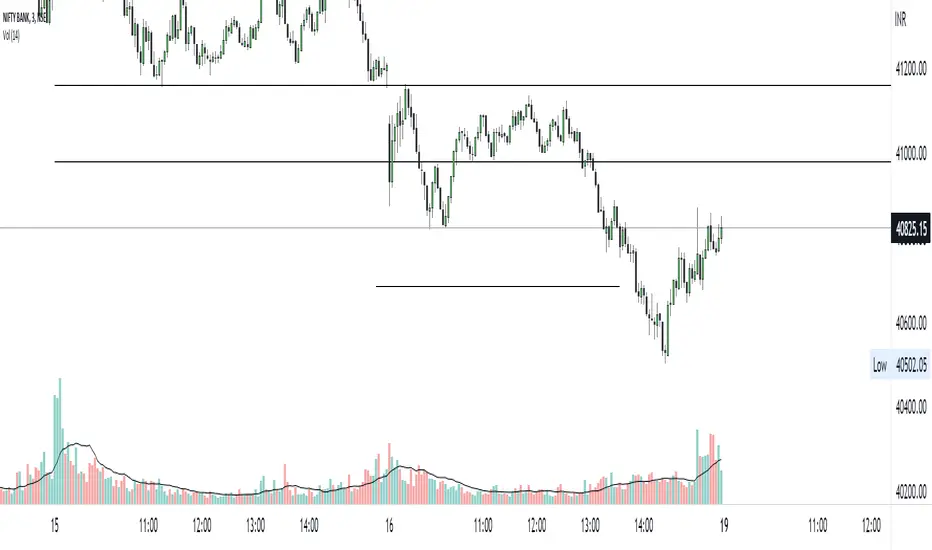
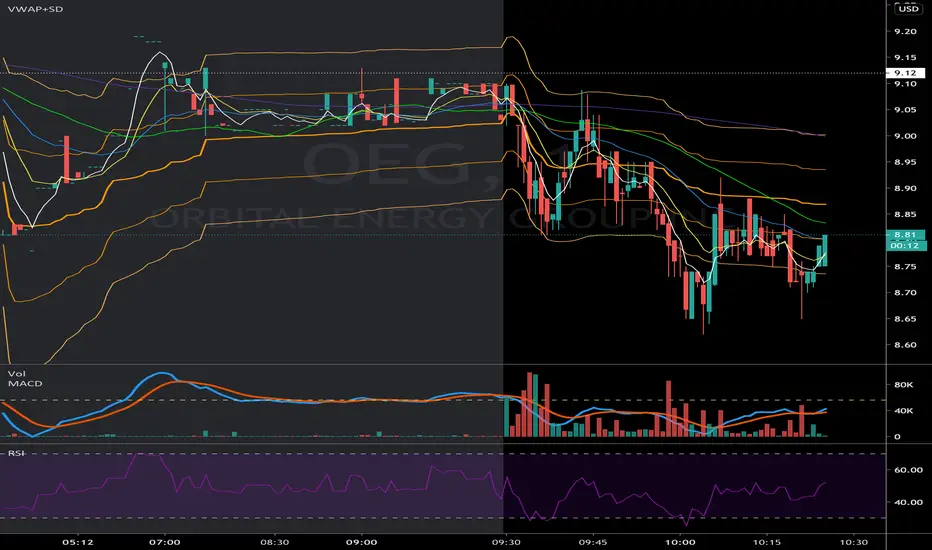
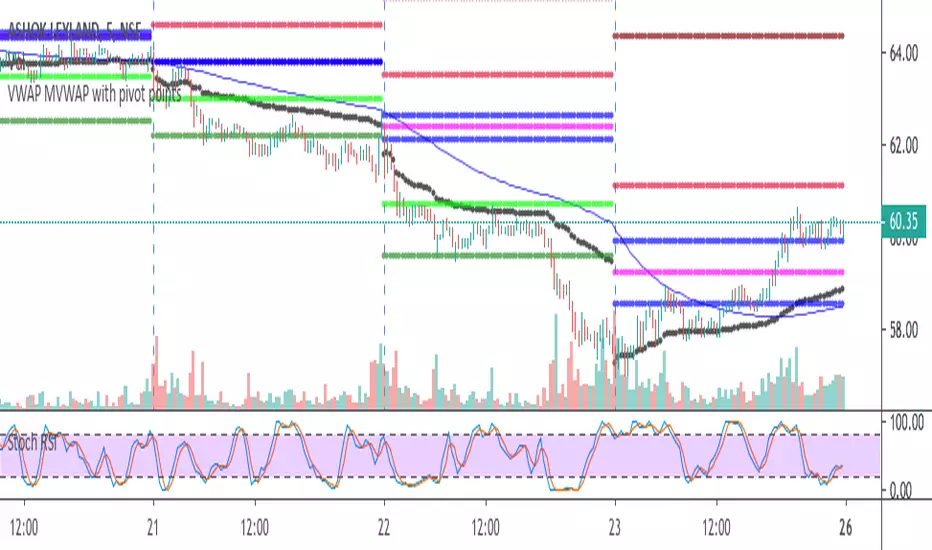
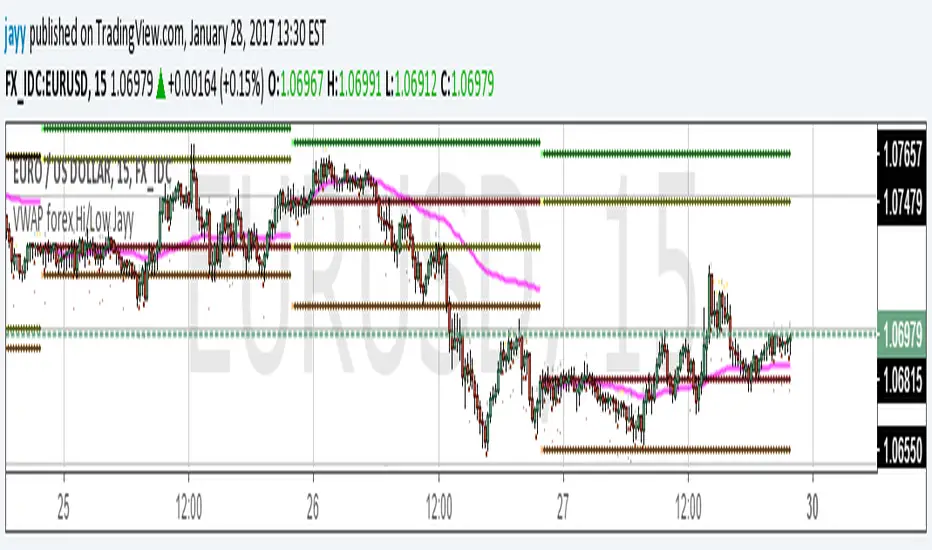
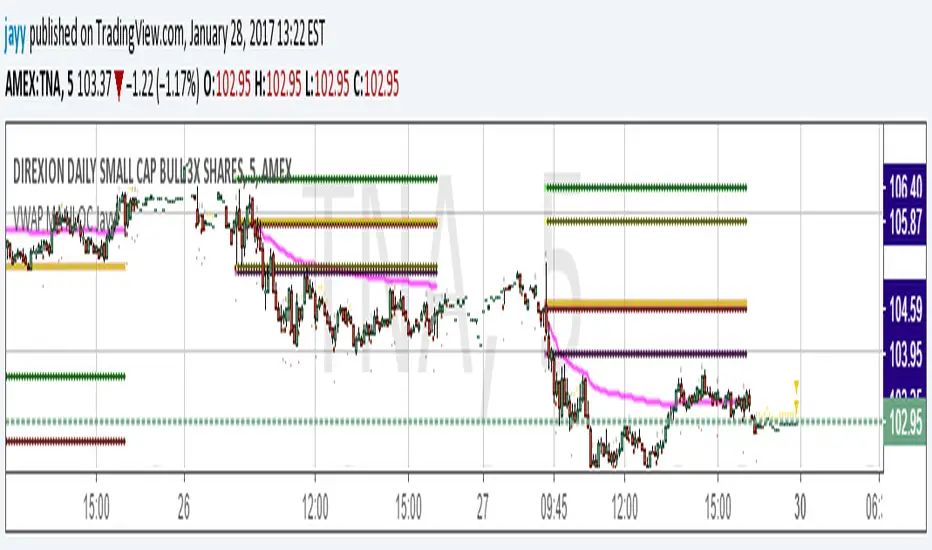
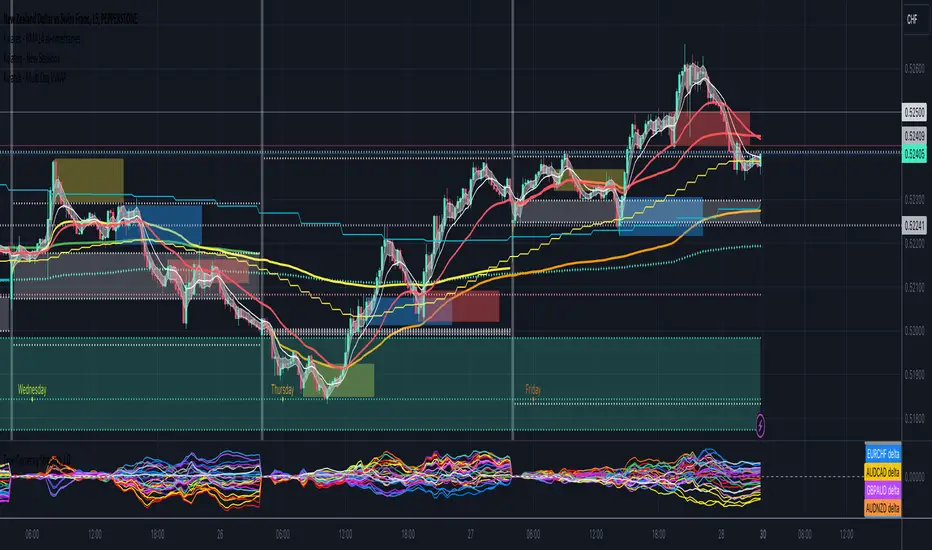
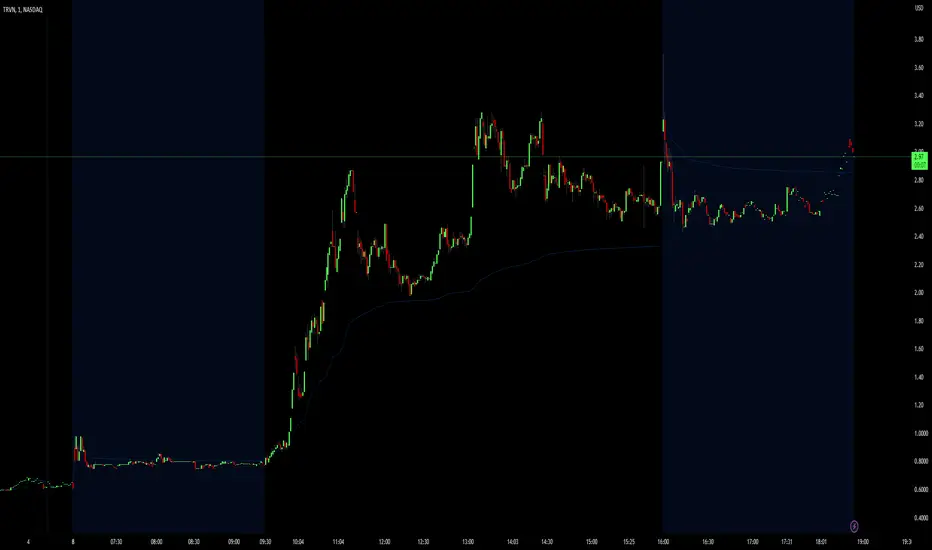
VWAP + Stoch + Macro Panel - Dale M.G. EditionThis indicator will allow you to get VWAP Buy or Sell signals in 5m or 15m timeframes. It filters the signals using the 1H 200 SMA. Wskaźnik Pine Script®od JEdgarGElizalde8
VWAP & EMA9 Cross AlertVWAP and 9EMA Cross Alert on the 1 Minute TimeframeWskaźnik Pine Script®od JulesGornick7
VWAP Reversion (Sequential Stats + Profit/Loss Points)First time posting. This is my attempt to evaluate the effectiveness of VWAP reversion. I decided to make this an indicator with its own integrated stats. If you set the session length to lets say 100, but choose a 1 minute timeframe, it will only load as many sessions as the chart will allow for that timeframe. increasing the timeframe will allow you to go back further with more sessions. I plan to implement more and more as I refine it. I just wanted to get my working copy out into the universe. I'd like to add some method of "scaling in". Perhaps if the price goes further and further away from the original entry, say for each additional std. deviation band further, it could add another entry signal. My trading journey is just beginning, I've never coded before, and this was made entirely through the fusion of my attempt to communicate the ideas in my head for ChatGPT to turn into code!Wskaźnik Pine Script®od TheFloridaFuturesTrader49
vwap + 3ema by ArunI've merged vwap and 3 ema for new traders. happy trading!Wskaźnik Pine Script®od arunzaaron1148
VWAP + Standard DeviationVWAP + Standard Deviations for 2 Standard DeviationsWskaźnik Pine Script®od JoshWTrades44392
VWAP/ MVWAPPlots VWAP and MVWAP for intraday trading. Useful to avoid whipsaws Market structure is important to take any trades Avoid taking trades close to support and resistanceWskaźnik Pine Script®od mtayalZaktualizowano 1313848
VWAP + SMA + EMA3-in-one indicator, for swing and intra-day trading, which includes Simple Moving Average (SMA) Exponential Moving Average (EMA) Volume-Weighted Average Price (VWAP) Wskaźnik Pine Script®od SwissNiveZaktualizowano 66551
VWAP forex Yesterday Hi/Low update fix This script is an updte fix of an earlier script that stopped functioning when TradingView updated Pine script. This script plots Forex (24 hour session) VWAP, yesterday's high, low, open and close (HLOC), the day before's HLOC - Also plots higher timeframe 20 emas 1 minute 5, 15, 60 period 20 ema 5 minute 15, 60 period 20 ema 15 minute 60, 120 , 240 period 20 ema 60 minute 120, 240 period 20 ema 120 minute 240, D period 20 ema 240 minute D period 20 ema Also signals inside bars (high is less than or equal to the previous bar's high and the low is greater than or equal to the previous low) the : true inside bars have a maroon triangle below the bar as well as a ">" above the bar. If subsequest bars are inside the last bar before the last true inside bar they also are marked with an ">" This is probably a slight variation from the way Leaf_West plots the inside bars. It appears that he marks all bars that are inside the original bar until one a bar has a high or low outside the original bar. But I would need to see an example on his charts. The Time Session Glitch and the Fix FX_IDC, COINBASE and BITSTAMP: The script will correctly default to 1700 hrs to 1700hrs EDT/EST session for FXCM. Strangely some securities appear to erroneously start their session at 1200 hrs ie. My guess is that they are somehow tied to GMT+0 instead of New York time (GMT+5). See this for yourself by selecting EURUSD using the FXCM exchange (FX:EURUSD) and then EURUSD from the IDC exchange (FX_IDC:EURUSD). The FX-IDC session opening range starts 5 hours before it actually should at 1700 hrs EDT/EST. To correct for this I have implemented an automatic fix (default) and a user selected "5 hour time shift adjust. ment needed on some securities". There is also a 4 hour time shift button which might be necessary when New York reverts from Eastern Standard Time to Eastern Daylight Time (1 hour difference) in March (and then back again in November). In the default auto adjust mode you will need to select the 1 hour time shift. That is if this glitch still exists at that time. I have looked at other scripts, other than my own and where the script is available, that need to use information about the opening bar and all have the same time shift issue COINBASE and BITSTAMP open at 0000 hours GMT. Since I use lines instead of circles or crosses I had to make a small adjustment to plot the lines correctly. If it needs work let me know. JayyWskaźnik Pine Script®od jayy66396
VWAP MA HLOC securities Jayy update fix This version replaces previous versions that stopped functioning as a result of a TradingView script update. This script complies with the current script syntax. for intraday securities default is 9:30 am to 4 pm Eastern Other session choices are provided in the format dialogue box. script plots VWAP, yesterday's high, low, open and close (HLOC), the day befores HLOC - if desired, today's open and todays high and low. Also signals inside bars (high is less than or equal to the previous bar's high and the low is greater than or equal to the previous low) the : true inside bars have a maroon triangle below the bar as well as a ">" above the bar. If subsequent bars are inside the last bar before the last true inside bar they also are marked with an ">" Also plots the 20 ema for different time periods (as per Al Brooks), If you trade the 5 min then you will likely be interested in the 20 ema for 15 mins and 60 mins the following is a list of the higher timeframe 20 emas 1 minute 5, 15, 60 period 20 ema 5 minute 15, 60 period 20 ema 15 minute 60, 120 , 240 period 20 ema 60 minute 120, 240 period 20 ema 120 minute 240, D period 20 ema 240 minute D period 20 ema JayyWskaźnik Pine Script®od jayy22226
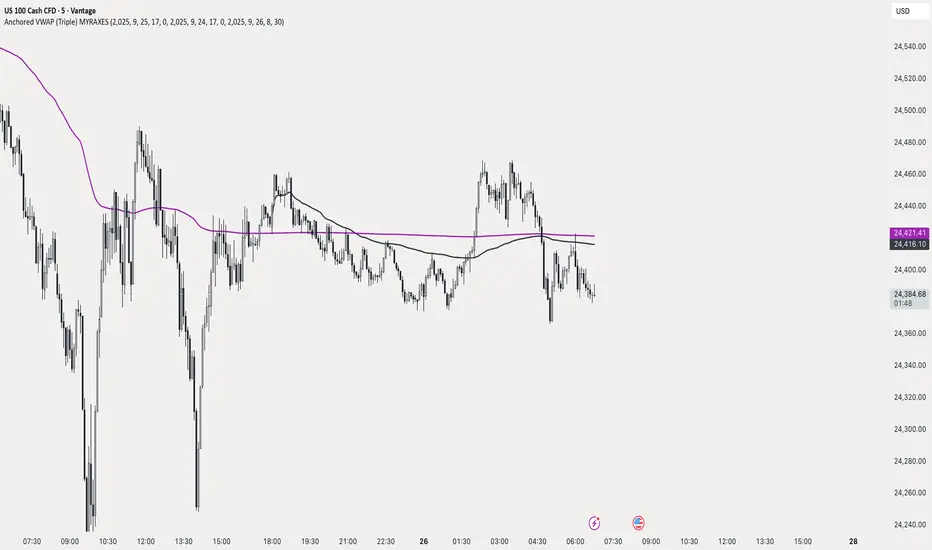
Anchored VWAP (Triple) MYRAXESAnchored VWAP Triple Indicator The Anchored VWAP Triple indicator is a powerful tool for technical analysis, allowing traders to plot three customizable anchored Volume Weighted Average Price (VWAP) lines on a chart. Unlike traditional VWAP, which resets daily, this indicator lets you anchor each VWAP to a specific date and time, providing a unique perspective on price action relative to key market events. Features Three Independent VWAPs: Plot up to three VWAP lines, each anchored to a user-defined date and time. Customizable Inputs: Set the year, month, day, hour, and minute for each VWAP anchor point. Choose distinct colors for easy identification. Pure Anchored Design: VWAP lines start only from the anchor point, with no pre-anchor extensions, ensuring a clean and focused analysis. Debug Mode: Optional display of hour and minute for troubleshooting or educational purposes. Default Settings: Pre-configured with practical defaults (e.g., September 2025 dates) for immediate use. How to Use Add the indicator to your TradingView chart. Adjust the anchor dates and times for each VWAP (VWAP 1, VWAP 2, VWAP 3) via the input settings. Select custom colors for each VWAP line to differentiate them on the chart. Enable Debug Mode if needed to verify time alignment. Analyze price movements relative to the anchored VWAPs to identify support, resistance, or trend shifts. Benefits Ideal for swing traders and long-term analysts who need to anchor VWAP to significant price levels or events. Enhances decision-making by comparing multiple VWAPs from different anchor points. Fully compatible with TradingView’s Pine Script v6 for smooth performance. This indicator is perfect for traders looking to deepen their market analysis with a flexible, multi-VWAP approach. Share your feedback or custom setups in the comments!Wskaźnik Pine Script®od maxretri19
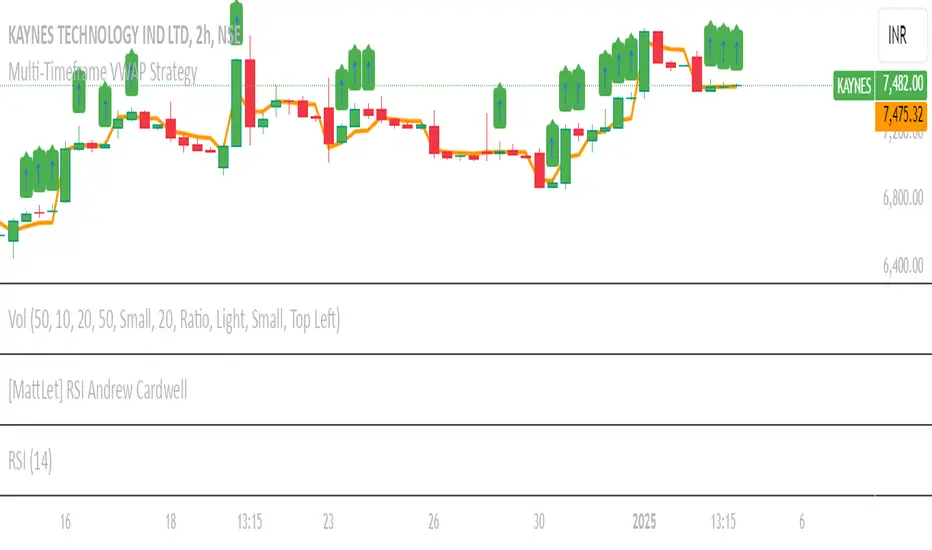
Multi-Timeframe VWAP Strategy [JARUTIR]Multi-Timeframe VWAP with Price Above VWAP Marker This indicator allows you to view the Volume-Weighted Average Price (VWAP) across multiple timeframes on a single chart. The VWAP is a popular technical analysis tool used by traders to determine the average price of an asset weighted by volume. It helps identify the overall market trend and is especially useful for intraday trading. Key Features : Multiple Timeframes: Choose from 1-minute, 5-minute, 15-minute, 30-minute, 1-hour, and 1-day VWAPs. You can enable or disable the VWAP for any timeframe based on your preference. Customizable: Easily toggle on/off the VWAP for each timeframe via checkboxes in the settings. Price Above VWAP Marker: A clear green up arrow is displayed above the price bar whenever the price is above the current VWAP, helping you quickly spot potential bullish signals. Flexible & Easy to Use: Adjust the settings for any timeframe and see the VWAPs on your chart without clutter. Whether you are trading in the short term or analyzing longer-term trends, this tool provides you with the flexibility you need. How to Use : VWAP as Trend Indicator: The VWAP is commonly used to identify whether the price is trending above or below the average price for the session. Price above the VWAP generally signals bullish momentum, while price below the VWAP can indicate bearish pressure. Price Above VWAP Marker: The green up arrow is your signal for when the price is above the VWAP, which can be used as a potential entry point for long trades. Customize Timeframes: Whether you're focusing on ultra-short-term movements (like 1-min or 5-min) or need a broader view (like 1-hour or 1-day), this indicator lets you tailor the analysis to your preferred time horizon. Ideal For : Intraday Traders looking for quick signals on different timeframes. Swing Traders who want to track the overall market trend with multiple VWAP levels. Scalpers needing to monitor fast price movements alongside volume-weighted averagesWskaźnik Pine Script®od JARUTIR32
Auto Anchored VWAPs for FuturesAbout the Script This indicator automatically plots five anchored VWAPs based on predefined starting times, offering traders key reference points across multiple timeframes. These starting points are hardcoded and cannot be customized, ensuring consistency across all time zones. Below are the anchored VWAPs and their respective starting times: NY Session: Starts daily at 9:30 AM EST Globex: Starts daily at 6:00 PM EST Weekly: Resets every Sunday at 6:00 PM EST Monthly: Anchored to the first session of the month at 6:00 PM EST Yearly: Anchored to the first session of the year at 6:00 PM EST How to Use the Script 1) Add the script to your chart. 2) Select the appropriate Daylight Savings Time format. 3) Customize the visual appearance to your preference. 4) Click "OK" to apply the changes. Once configured, the VWAP levels will automatically adjust based on the predefined timeframes. How the Script Works The script calculates and plots anchored VWAPs at the predefined starting times listed above. As each session, week, month, and year progresses, the corresponding VWAP is recalculated and updated on the chart, providing traders with dynamic insights into market trends and volume-weighted price action.Wskaźnik Pine Script®od amatuergenius36Zaktualizowano 2262
Multi VWAPThe Multi-VWAP Indicator is a versatile tool designed to plot up to three Volume Weighted Average Price (VWAP) lines simultaneously, each anchored to a user-defined period. This indicator provides traders with a comprehensive view of price action across multiple timeframes, making it ideal for analyzing trends, support, and resistance levels. Key Features: Multiple Anchoring Options: Each VWAP can be independently anchored to one of the following periods: Session: Resets at the start of each trading day. Week: Resets at the start of each week. Month: Resets at the start of each month. Quarter: Resets at the start of each quarter. Year: Resets at the start of each year. User Customization: Choose the anchoring period for each VWAP line via dropdown menus. Assign distinct colors to each VWAP for better visual differentiation. Dynamic Price Source: The VWAP calculation is based on the average price (hlc3) by default but can be modified by the user to use other price inputs. Clear Visualization: Displays three separate VWAP lines simultaneously, helping traders identify confluences or divergences in price action across timeframes. Use Cases: Intraday Trading: Use session-anchored VWAP to track intraday trends and mean reversion points. Swing Trading: Combine weekly and monthly VWAPs to identify longer-term support and resistance levels. Multi-Timeframe Analysis: Visualize how price interacts with VWAPs from different periods to spot key zones of interest. This indicator is a powerful tool for traders who want to incorporate VWAP into their strategies while maintaining flexibility to adapt to various market conditions.Wskaźnik Pine Script®od Neillu090997Zaktualizowano 84
Kviatek - Multi Day VWAPThis indicator plots VWAPs anchored to each day of the week. VWAPs are considered "fair price" for both sellers and buyers and it's often times where the liquidity is found. From my trading I noticed how often times price likes to come back to the daily VWAP from the previous week, especially at the beginning and end of each week. For example, if we enter a long on Friday, last Friday's VWAP tends to act as a target for the price. Another use for it is to get an understanding of how the trend develops throughout the week. If the following day's VWAP is above the previous day's VWAP - we have a trend continuation. Wskaźnik Pine Script®od hundredtoamillionZaktualizowano 3392
PM RTH AH VWAPs [vnhilton]FOR STOCKS ONLY. Simply 3 different VWAPs for the pre-market, regular trading session, and the after hours, using session.is_ variables (not sure if they were recently added. Regardless, it would be nice to have a session.isfirstbar_postmarket variable to avoid having to write the code for calculating VWAP instead of simply using a ta.vwap function). Treats all 3 sections of the day as separate sessions with their own characteristics i.e. differing levels of liquidity and market dynamics. I would argue this is better than just using a VWAP calculated from the pre-market open until after hours close, as it would make using the VWAPs as a benchmark more accurate when taking trades at these different periods of the day.Wskaźnik Pine Script®od vnhiltonZaktualizowano 22
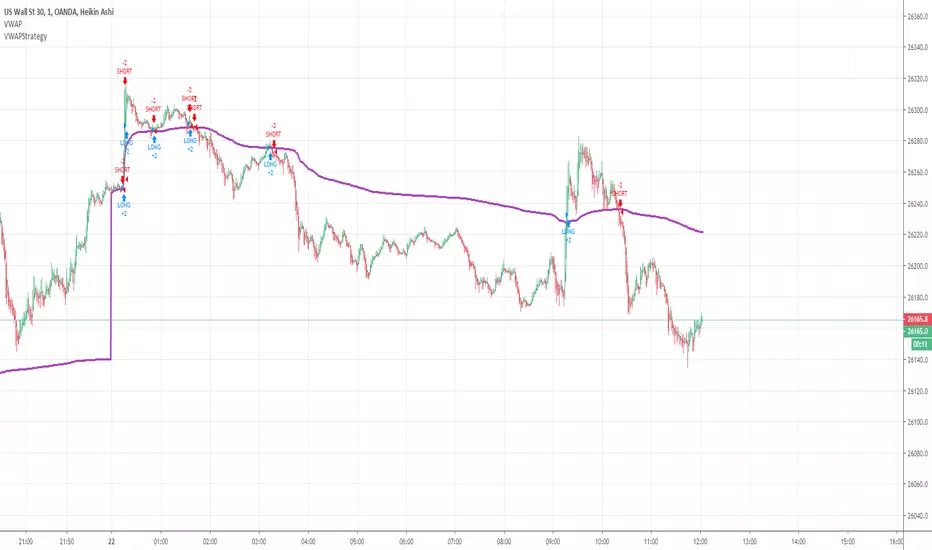
VWAPStrategyCross ema3 with VWAP. Just to give imression of how a day migth be divided in a long- and short bias zone. Not suited as trading signal.Strategia Pine Script®od SwissyTrader2222 1.2 K
D/W/M VWAPsPlot Daily, Weekly and Monthly VWAPs Preferences: - Enable/Disable Daily, Weekly or Monthly VWAPs - Color - Hide in own Time Frame (i.e. Daily VWAP is hidden on 1D TF and above)Wskaźnik Pine Script®od crypto_rifeZaktualizowano 11332
ATR from VWAP📌 ATRs from VWAP – Intraday Volatility Tracker This script measures how far price is from VWAP in ATR units, helping traders assess short-term overextension and reversion potential. 🔹 Key Features: ✅ ATR Distance from VWAP – Calculates how many ATRs the price is from the VWAP. ✅ Dynamic Table Display – Shows ATR distance in real-time for quick decision-making. ✅ Intraday Focus – Designed for scalpers and day traders using minutes or hourly timeframes. 📊 How to Use: Look for price moving away from VWAP to identify extended moves. Use as a reversion signal when price deviates too far from VWAP.Wskaźnik Pine Script®od Yanni_Nicolaides77
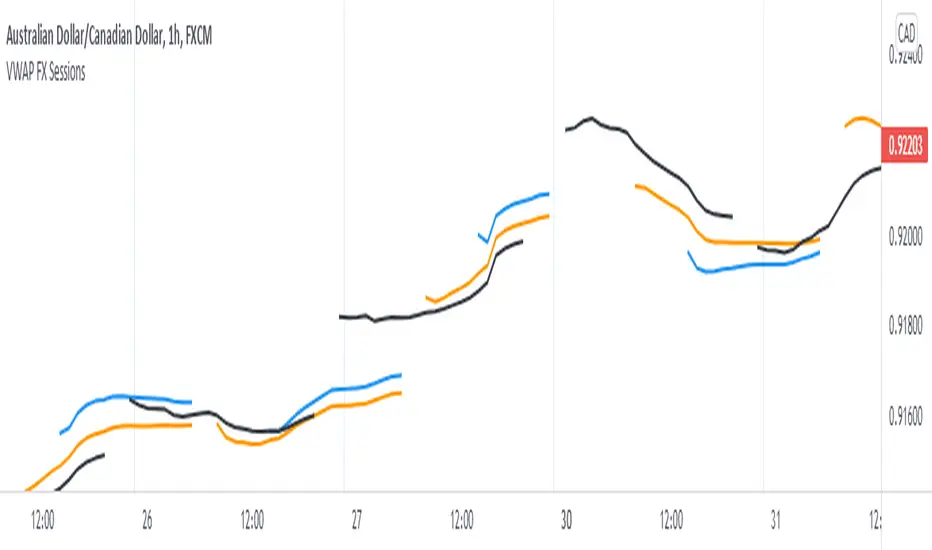
Triple VWAP for FOREX SessionsThis script runs on my previous script Masterwork VWAP . ►It uses regular built-in VWAP improved to avoid weird connecting of the line with its yesterday's value. ►It starts a new VWAP when London session opens . You can select to end it next morning or when the session is about to close. ►It starts a new VWAP when New York session opens . You can select to end it next morning or when the session is about to close. ►You can select intelligent_enabler function to plot the VWAPs on your chart when viewing low timeframe charts (1m, 5m, 15m, 30m)Wskaźnik Pine Script®od OrcChieftainZaktualizowano 77152
Cross-Exchange VWAP with VAH/VALThis indicator calculates a cross‑exchange VWAP by aggregating price and volume data from up to four major crypto exchanges: Coinbase, Binance, Bybit, and OKX. It also derives Value Area High (VAH) and Value Area Low (VAL) using a volume‑weighted standard deviation around VWAP. What this indicator does Aggregates price × volume and volume from multiple exchanges for the same asset Calculates a single, unified VWAP reflecting broader market activity rather than a single venue Computes VAH and VAL as: VAH = VWAP + k × σ VAL = VWAP − k × σ where σ is the volume‑weighted standard deviation and k is user‑configurable Exchanges supported Coinbase (default quote: USD) Binance (default quote: USDT) Bybit (default quote: USDT) OKX (default quote: USDT) Each exchange can be enabled/disabled individually, and symbol overrides are supported (e.g. BTCUSDT, BTCUSDT.P, ETHUSD). VWAP anchoring options You can choose how VWAP and Value Area reset: Daily (UTC session) Weekly Monthly None (fully cumulative) Manual reset via input toggle This makes it suitable for intraday, swing, and higher‑timeframe analysis. Value Area configuration Standard deviation multiplier (k) is configurable k = 1.0 → ~68% band (default) k ≈ 1.036 → ~70% band (normal assumption) Optional shaded VAL–VAH area for quick visual context Note: VAH/VAL are derived from VWAP ± σ, not from a full volume‑profile histogram. This approach is computationally efficient and stable for real‑time trading. Optional status table An optional table (top‑right) displays: Enabled exchanges Active trading pairs per exchange Volume availability status Useful for quickly validating data coverage. Intended use cases Institutional‑style VWAP analysis across venues Reducing single‑exchange bias in crypto trading Identifying fair value, mean reversion zones, and acceptance areas Intraday execution and swing trade context Notes & limitations Availability of symbols may vary by exchange (use symbol overrides if needed) Crypto sessions are UTC‑based for daily resets Not a true Market Profile / volume‑at‑price VA calculationWskaźnik Pine Script®od pivottrader885
VWAPv6The VWAP ( Volume Weighted Average Price ) Deviation script is a powerful tool designed for traders to analyze the relationship between price and volume . By calculating deviations around the VWAP , the script allows users to identify key support and resistance levels that can help in making better-informed trading decisions. The script calculates VWAP based on the chosen data source (default is closing price) and then computes deviations above and below the VWAP using either the Average Deviation or the Standard Deviation method. The user can select the desired method through the script's input options. These deviations are then plotted as bands on the chart, providing a visual representation of the areas where the price may potentially revert or experience a breakout. A unique and valuable feature of this script is the addition of a monitor that counts the number of times the price crosses above the Upper Deviation level 2 and below the Lower Deviation level 2 within a user-defined lookback period. This monitor is displayed as a table in the bottom right corner of the chart and can be enabled or disabled through an input option. The cross count monitor serves as a valuable aid to traders by providing insights into the historical frequency of price crossing the deviation levels. This information can be used to identify potential trading opportunities based on historical price behavior around these levels.Wskaźnik Pine Script®od seto7679
stelaraX - VWAPstelaraX – VWAP stelaraX – VWAP is a volume-weighted price indicator designed to show the average traded price of an asset throughout the trading session. By incorporating volume into the calculation, it provides a more realistic view of fair value compared to simple price averages. This indicator is part of the stelaraX ecosystem for clean technical analysis and AI-supported chart evaluation. stelarax.com Core logic The indicator calculates the Volume Weighted Average Price using the typical price (HLC3) and traded volume. VWAP represents the average price at which the market has traded, weighted by volume, and is commonly used to assess whether price is trading at a premium or discount relative to fair value. Optional deviation bands are calculated using the volume-weighted standard deviation around the VWAP. Two configurable band levels allow traders to measure statistical price extremes. Visualization The script plots: * the VWAP line directly on the price chart * optional upper and lower deviation bands * two configurable deviation multipliers The VWAP line serves as the central reference, while the bands highlight potential overextension zones above and below the average traded price. Use case This indicator is intended for: * identifying fair value and premium or discount pricing * intraday trend bias and mean reversion analysis * dynamic support and resistance assessment * trade filtering and execution alignment * combining volume context with price structure For traders who want to integrate volume-based analysis with modern AI-driven chart evaluation, additional tools and insights are available at stelarax.com Disclaimer This indicator is provided for educational and technical analysis purposes only and does not constitute financial advice or trading recommendations. All trading decisions and risk management remain the responsibility of the user. Wskaźnik Pine Script®od stelaraX_official2
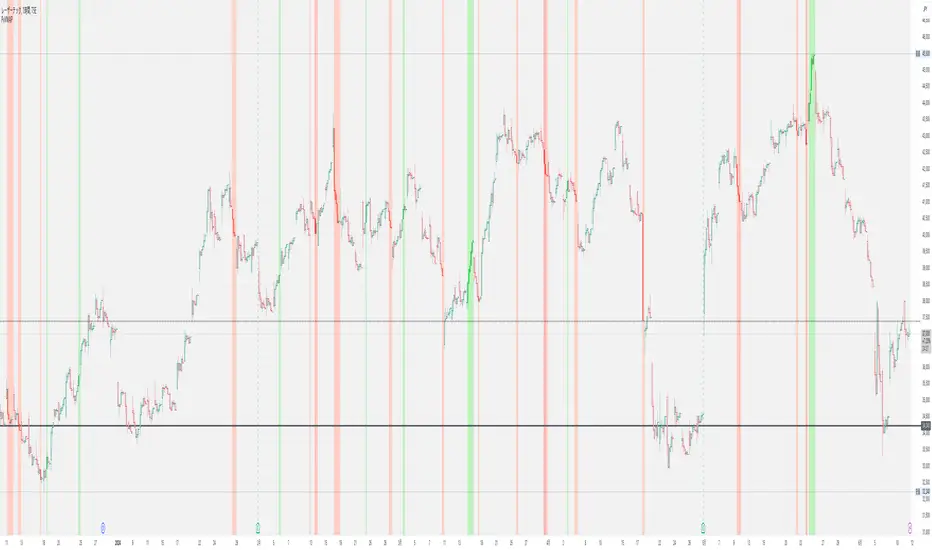
Price vs VWAP PerformancePrice vs VWAP Performance (PvVWAP) This indicator visually displays the deviation between the current price and VWAP (Volume Weighted Average Price), helping you to determine the strength of a trend. How it Works VWAP Calculation: Calculates the Volume Weighted Average Price (VWAP) over a specified period. Standard Deviation Calculation: Calculates the standard deviation of closing prices over the past 20 periods. Deviation Calculation: Calculates the difference between the current price and VWAP, expressed as a multiple of the standard deviation. Color Assignment: Changes the color of bars and background based on the magnitude of the deviation. Green: Very strong uptrend Light Green: Strong uptrend Light Gray: No trend Pinkish Red: Weak downtrend Red: Very strong downtrend How to Use Trend Strength Assessment: The greater the deviation of the price from VWAP, the stronger the trend is considered to be. The color of the bars and background provides a visual indication of trend strength. Entry/Exit Point Reference: You can enter/exit by aiming for the movement of the price returning to VWAP after a large deviation from VWAP. Notes Parameter Settings: The standard deviation period is 20 periods by default, but can be adjusted as needed. Avoid Using Alone: It is recommended to use this indicator in combination with other technical indicators.Wskaźnik Pine Script®od YT717127