IV/HV ratio 1.0 [dime]This script compares the implied volatility to the historic volatility as a ratio.
The plot indicates how high the current implied volatility for the next 30 days is relative to the actual volatility realized over the set period. This is most useful for options traders as it may show when the premiums paid on options are over valued relative to the historic risk.
The default is set to one year (252 bars) however any number of bars can be set for the lookback period for HV.
The default is set to VIX for the IV on SPX or SPY but other CBOE implied volatility indexes may be used. For /CL you have OVX/HV and for /GC you have GVX/HV.
Note that the CBOE data for these indexes may be delayed and updated EOD
and may not be suitable for intraday information. (Future versions of this script may be developed to provide a realtime intraday study. )
There is a list of many volatility indexes from CBOE listed at:
www.cboe.com
(Some may not yet be available on Tradingview)
RVX Russell 2000
VXN NASDAQ
VXO S&P 100
VXD DJIA
GVX Gold
OVX OIL
VIX3M 3-Month
VIX6M S&P 500 6-Month
VIX1Y 1-Year
VXEFA Cboe EFA ETF
VXEEM Cboe Emerging Markets ETF
VXFXI Cboe China ETF
VXEWZ Cboe Brazil ETF
VXSLV Cboe Silver ETF
VXGDX Cboe Gold Miners ETF
VXXLE Cboe Energy Sector ETF
EUVIX FX Euro
JYVIX FX Yen
BPVIX FX British Pound
EVZ Cboe EuroCurrency ETF Volatility Index
Amazon VXAZN
Apple VXAPL
Goldman Sachs VXGS
Google VXGOG
IBM VXIBM
Wyszukaj w skryptach "GOLD"
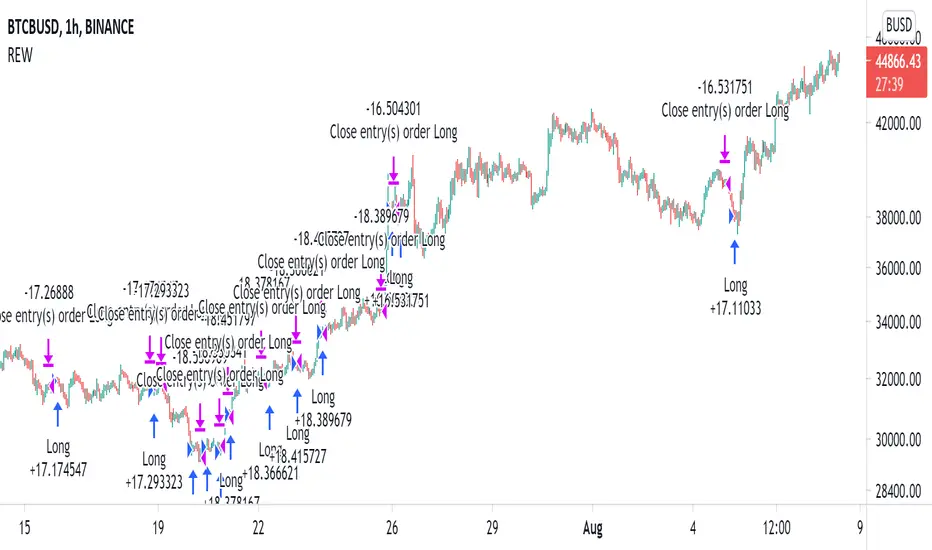
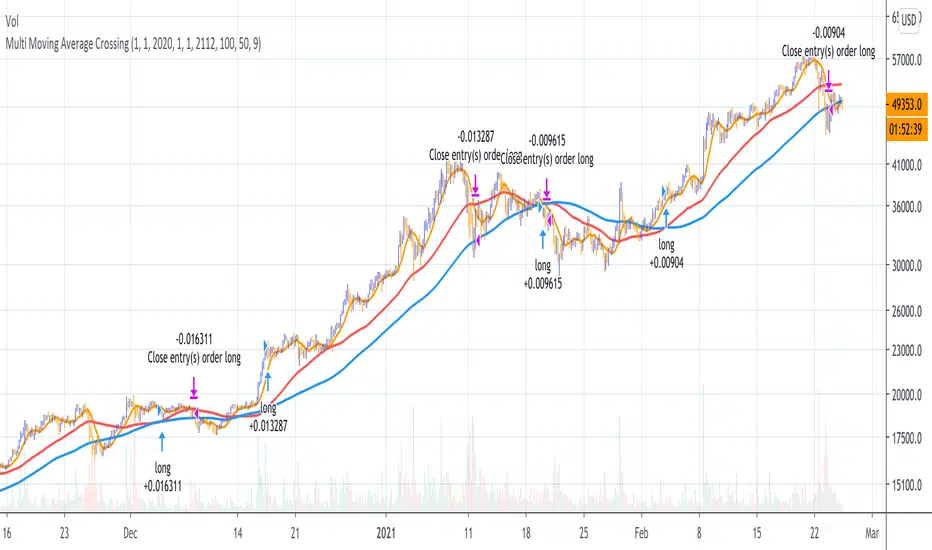
Moving Average Cross Strategy Simply define your fast and slow M then backtest the strategy.
*First script, work in progress. Will allow you to combine two TV indicators into one.
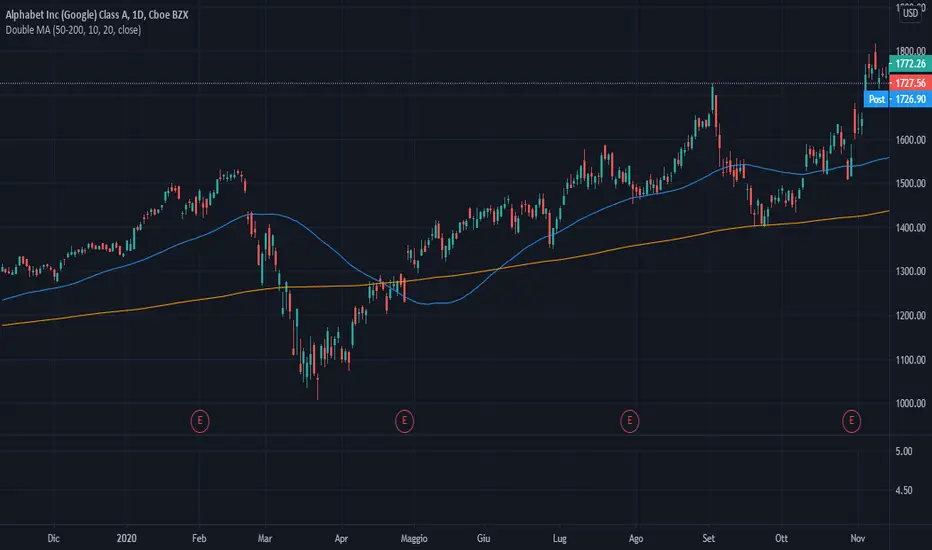
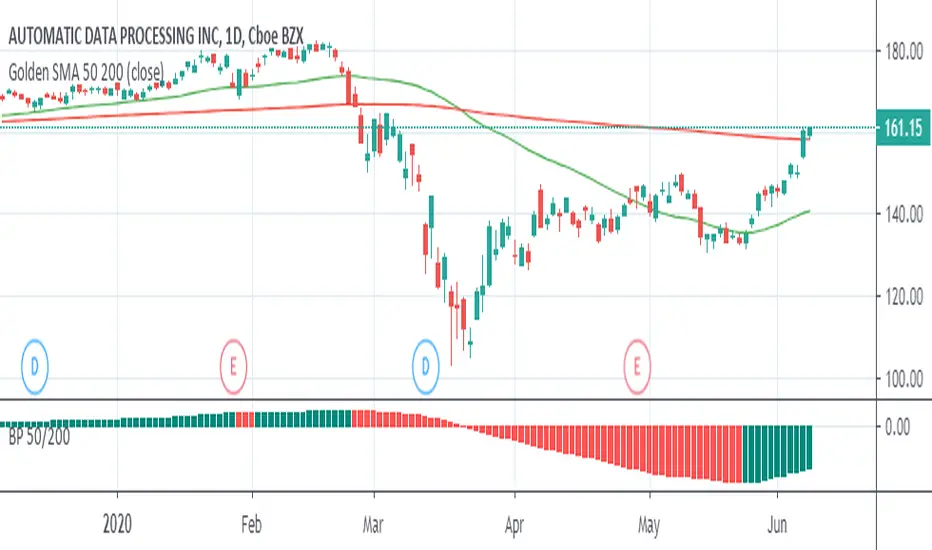
MA Cross 50/200 - Moving Averageindicates short-term 50-day moving average AND long-term 200-day moving average CROSS
@GateTicker
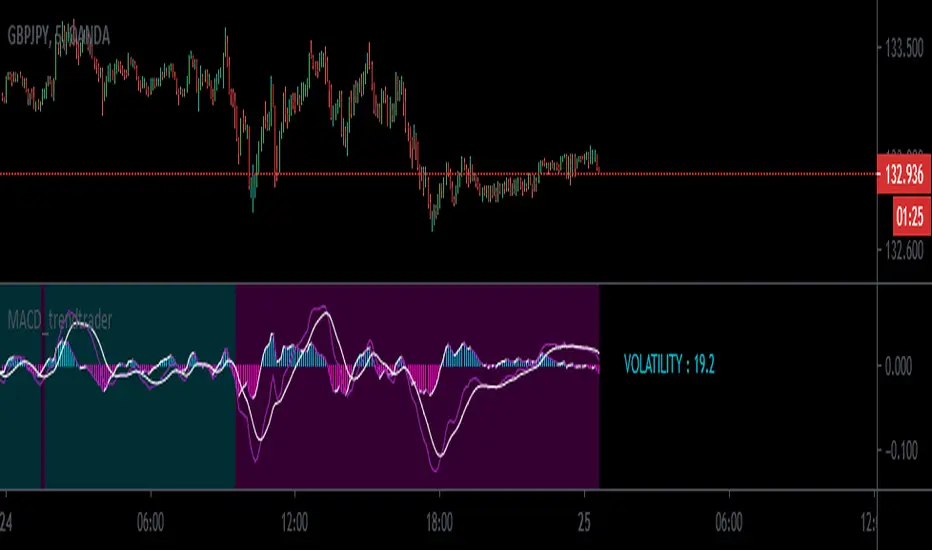
Multi-Timeframe Probability Zones [DW]This is an experimental study based on multi-timeframe price action and a simple average.
Use it to quickly identify MTF support and resistance, and high probability price levels.
NOTE: Because higher timeframe levels are not certain until the interval is closed, refresh your chart as new levels are drawn.
Line Break StrategyLine Break Strategy
Entry rule:
Long on a bullish line and short on a bearish line.
Backtest:
Profit factors are shown below for three-line break.
Daily time frame, FXCM broker.
EURUSD: 1.267, USDJPY: 1.039, GBPUSD: -0.816, AUDUSD: -0.959
S&P500: -0.783, Nikkei225: 1.099
CrudeOil: 1.03, Gold: 1.196
BTCUSD: -0.883
Reference:
Steve Nison, Beyond Candlesticks - New Japanese Charting Techniques Revealed
Note:
This strategy doesn't work properly on the linebreak chart.
A good example is shown below. The entry prices are not always correct.
If you have signal, but the next candle moves in the opposite direction, the entry price is drawn at the Open of the new candle instead of the Close of the previous candle.
The results of backtest are unreliable due to this reason.
Earnings MultiplesMultiplies Quarterly Earnings x 13, x 21, x 34, x 55, x 89, x 144, x 233.
Yes its a fibonacci sequence.
"Goldilocks zone" seems to be in the 55x - 89x area.
Also when companies become profitable, the indicator looks like a "starburst".
EMA & SMA with FRACTAL DEVIATION BANDS by @XeL_ArjonaEMA & SMA with FRACTAL DEVIATION BANDS
Ver. 1.0.25.08.2015
By Ricardo M Arjona @XeL_Arjona
DISCLAIMER:
DISCLAIMER:
The Following indicator/code IS NOT intended to be a formal investment advice or recommendation by the author, nor should be construed as such. Users will be fully responsible by their use regarding their own trading vehicles/assets. The embedded code and ideas within this work are FREELY AND PUBLICLY available on the Web for NON LUCRATIVE ACTIVITIES and must remain as is.
WHAT IS THIS?
This is the adaptation of the FRACTAL DEVIATION BANDS to be used on Traditional Moving Averages (Simple & Exponential).
ALL NEW IDEAS OR MODIFICATIONS to these indicator(s) are Welcome in favor to deploy a better and more accurate readings. I will be very glad to be notified at Twitter or TradingVew accounts at: @XeL_Arjona
Any important addition to this work MUST REMAIN PUBLIC by means of CreativeCommons CC & TradingView.
2015
Universal Strategy Adapter - Connect Anything, Backtest EverythiDescription The Universal Strategy Adapter is a powerful utility that allows you to turn ANY indicator into a backtestable strategy without writing a single line of code. Whether you want to trade based on a simple crossover, a specific threshold, or complex multi-indicator confluence, this adapter handles the logic, execution, and risk management for you.
Key Features
Connect Up To 8 Indicators Plug in up to 8 different data sources using the input.source dropdowns. Mix and match indicators (e.g., RSI + MACD + Moving Average).
Advanced Logic Engine Mandatory vs. Optional : Distinct "Must Have" signals vs. "Nice to Have" confluence. Min Optionals Required : Require at least X optional indicators to fire before taking a trade. Lookback Persistence : Solves the "Sync" problem. If Indicator A fires on candle 1 and Indicator B fires on candle 3, the Lookback window ensures they still count as a confluence setup.
Flexible Conditions For each slot, choose how the signal is interpreted: Signal (!= 0) : Best for "Event" indicators like Golden Dots or Alerts. Price > Source : Trend Filters (e.g., Price above EMA 200). Source > Threshold : Value filters (e.g., RSI > 50). Rising / Falling : Momentum filters (e.g., RSI is trending up compared to 12 bars ago).
Risk Management & Cooldown Built-in Stop Loss and Take Profit (%) settings. Trade Cooldown : Prevent "Machine Gun" trades by enforcing a wait period after each entry.
How To Use Add your favorite indicators to the chart (e.g., "VuManChu Cipher B" and "EMA 200"). Add Universal Strategy Adapter to the chart. Open Settings > Inputs. Slot 1 (Trigger) : Source : Select the "Buy Signal" or "Golden Dot" plot from the first indicator. Condition : Signal (!= 0) Role : Mandatory Slot 2 (Filter) : Source : Select the "EMA 200" plot. Condition : Price > Source (Trades only taken when price is above EMA). Role : Mandatory Adjust SL/TP and Backtest Range as needed.
Why Use This? TradingView strategies are often hardcoded to specific indicators. This script breaks that barrier, giving you a universal "Container" to drop any logic into and see the raw backtest results immediately.
UT Bot Alerts [2026 Elite Edition]🚀 Overview
The UT Bot 2026 Elite Edition is the ultimate evolution of the legendary volatility trading system originally conceptualized by QuantNomad. While the original tool revolutionized trend following, this "Elite Edition" introduces Asymmetric Sensitivity—a professional feature that acknowledges a fundamental market truth: Assets do not fall the same way they rise.
This script allows you to decouple your Long and Short strategies, offering surgical precision for both bull runs and bear crashes, all while monitoring trade health via a new real-time Safety Dashboard.
🧠 The Logic: Why "Elite"?
Most trailing stop systems use a single setting (e.g., Key: 2, ATR: 10) for both buying and selling. This is efficient but often suboptimal.
Bull Markets often grind up slowly (requiring looser stops to avoid shakeouts).
Bear Markets often crash quickly (requiring tighter, faster stops to protect capital).
The Dual-Engine Solution: This script runs two separate calculation engines simultaneously:
The Buy Engine (Ceiling): Calculates the resistance ceiling using its own Sensitivity (Key) and Smoothness (ATR) settings.
The Sell Engine (Floor): Calculates the support floor using entirely different settings.
This means you can have a "Slow & Steady" settings for buying Bitcoin, but a "Fast & Aggressive" setting for shorting it, all within the same indicator.
✨ Key Features
1. Asymmetric "Dual-Key" Sensitivity
Buy Key & ATR: Tune your entry sensitivity for long positions.
Sell Key & ATR: Tune your short parameters independently.
Why this matters: You can now set a wide stop for trending up, but a tight stop for trending down to capture profit instantly when momentum breaks.
2. The Safety Dashboard (HUD) A professional Heads-Up Display (HUD) located in the top-right corner. It provides critical "Flight Data" that simple buy/sell labels hide:
Status: Instantly see if you are net Long or Short.
Stop Price (The Kill Level): The exact price where the trend will flip. Use this for your hard Stop Loss orders.
Active ATR: Displays the current volatility width. High ATR = High Volatility (Wide Stops). Low ATR = Consolidation (Tight Stops).
3. Heikin Ashi Smoothing
Includes a built-in toggle to calculate signals based on Heikin Ashi candles while viewing standard candles. This filters out "noise" and wicks, often keeping you in a trend longer.
4. Pine Script v6 Optimization
Refactored for the latest Pine Script v6 standards, ensuring faster execution and compatibility with the latest TradingView features.
🛠️ How to Use (Best Practices)
For Scalping (1m - 5m Timeframes):
Suggestion: Set Sell Key lower (e.g., 1.5) and Sell ATR lower (e.g., 5) to react quickly to drops. Keep Buy Key higher to avoid choppy fake-outs. I personally use the default settings on the 3M time frame with Gold and NQ with a high rate of success.
For Swing Trading (4h - Daily):
Suggestion: Increase Buy ATR (e.g., 30-100) to smooth out the noise of daily fluctuations.
The Dashboard:
Always check the Stop Price on the dashboard before entering. If the Stop Price is too far away from the current price, your risk might be too high for the trade size.
🙏 Credits & Appreciation
This script stands on the shoulders of giants.
Original Logic: Huge props and credit to QuantNomad for the original UT Bot strategy. His work laid the foundation for volatility-based trailing stops on TradingView.
Concept: Based on the "Ceiling/Floor" volatility theory.
Development: Enhanced and refactored by for the 2026 market environment.
Disclaimer: This tool is for information purposes only. Past performance does not guarantee future results.
Gamma of Gamma - AnticipationGamma of Gamma — Anticipation Engine
What if you could detect market inflections before they become obvious? Not react to momentum — anticipate the momentum itself.
"Gamma here refers to mathematical acceleration (2nd derivative), NOT options Gamma"
Gamma of Gamma (GoG) operates one abstraction layer above conventional indicators. While RSI tells you what momentum did , GoG tells you what momentum is about to do . This is the difference between chasing price and positioning ahead of it.
Core Innovation: Traditional indicators measure first-order effects (price change) or second-order effects (momentum/acceleration). This system measures the third derivative — the rate of change of acceleration itself. When Gamma-of-Gamma reaches extremes, it signals that pressure dynamics are about to flip — often 2-5 bars before price visibly reacts.
Target Users: Discretionary traders, scalpers, and swing traders who want early positioning signals with statistical rigor. Effective on stocks, crypto, forex, and futures with meaningful volume data.
━━━━━━━━━━━━━━━━━━━━━━━━━━━━━━━━━━━━━━━━━━━
WHY THIRD-DERIVATIVE ANALYSIS?
━━━━━━━━━━━━━━━━━━━━━━━━━━━━━━━━━━━━━━━━━━━
The Hierarchy of Market Information
Most traders operate at the wrong level of abstraction:
• Price → What happened (lagging)
• Momentum → How fast it happened (still lagging)
• Gamma (2nd Derivative) → How momentum is changing (coincident)
• Gamma of Gamma (3rd Derivative) → How FAST that change is changing ( leading )
The third derivative captures inflection acceleration — the mathematical signature of regime transition. When GoG reaches extreme values, the market is telegraphing that current pressure dynamics are unsustainable.
Why This Beats RSI
RSI measures momentum magnitude. GoG measures momentum trajectory .
Consider this scenario: RSI reads 70 (overbought). Is the move exhausted or just getting started? RSI cannot tell you. GoG can — because it measures whether buying pressure is accelerating into the high RSI reading (continuation likely) or decelerating despite high RSI (reversal imminent).
RSI answers: "How strong was the move?"
GoG answers: "Is the move strengthening or weakening right now ?"
The first is historical. The second is predictive.
━━━━━━━━━━━━━━━━━━━━━━━━━━━━━━━━━━━━━━━━━━━
MATHEMATICAL FOUNDATION
━━━━━━━━━━━━━━━━━━━━━━━━━━━━━━━━━━━━━━━━━━━
Layer 1: Cumulative Volume Delta (CVD)
The foundation is order flow approximation:
• Up bar (close > prior close): Volume classified as buying pressure
• Down bar (close < prior close): Volume classified as selling pressure
• CVD = Running sum of signed volume
Interpretation: Rising CVD indicates net aggressive buying. Falling CVD indicates net aggressive selling. CVD divergence from price often precedes reversals.
Layer 2: Gamma (Second Derivative)
Gamma measures acceleration of order flow:
Formula: Gamma = CVD - 2×CVD + CVD
This is the discrete second derivative — the rate of change of the rate of change. When Gamma spikes positive, buying pressure is accelerating . When Gamma spikes negative, selling pressure is accelerating.
Layer 3: Gamma of Gamma (Third Derivative)
GoG measures jerk — the acceleration of acceleration:
Formula: GoG = Gamma - 2×Gamma + Gamma
Critical insight: Extreme GoG readings indicate that current pressure dynamics are reaching an inflection point. The system is "overextended" in its current trajectory and will likely revert or reverse.
Layer 4: Z-Score Normalization
Raw GoG values are normalized against their 50-period distribution:
Formula: GoG_Z = (GoG - Mean_50) / StdDev_50
Benefit: Z-scores are regime-adaptive. A "2.0" reading always means "2 standard deviations from normal" regardless of whether you're trading a penny stock or ES futures. This makes thresholds consistent across instruments and timeframes.
━━━━━━━━━━━━━━━━━━━━━━━━━━━━━━━━━━━━━━━━━━━
SIGNAL GENERATION LOGIC
━━━━━━━━━━━━━━━━━━━━━━━━━━━━━━━━━━━━━━━━━━━
Long Signal (Bullish Anticipation)
Triggers when:
• GoG Z-score < -Threshold (default -2.0)
• Volume > Average Volume × Minimum Multiple (default 1.2×)
Interpretation: Selling pressure acceleration has reached an extreme negative reading. The selling is "exhausting itself" — acceleration is peaking and will soon decelerate. Buyers are likely to step in.
Short Signal (Bearish Anticipation)
Triggers when:
• GoG Z-score > +Threshold (default +2.0)
• Volume > Average Volume × Minimum Multiple (default 1.2×)
Interpretation: Buying pressure acceleration has reached an extreme positive reading. The buying is "exhausting itself" — often occurs at blow-off tops, failed breakouts, or momentum climaxes.
Why Volume Confirmation?
Gamma acceleration in thin liquidity is meaningless noise. The volume filter ensures signals occur only when meaningful participation backs the pressure dynamics. This dramatically reduces false signals during low-activity periods.
━━━━━━━━━━━━━━━━━━━━━━━━━━━━━━━━━━━━━━━━━━━
CONFIDENCE ENGINE
━━━━━━━━━━━━━━━━━━━━━━━━━━━━━━━━━━━━━━━━━━━
Not all signals are equal. The Confidence Engine quantifies signal strength:
Confidence Calculation:
Confidence = 50 + ((|Z-Score| - Threshold) / Threshold) × 100
Capped at 100%
Visual Representation:
• Small orb = Low confidence (50-65%)
• Normal orb = Medium confidence (65-80%)
• Large orb = High confidence (80-100%)
Orb transparency also adjusts — high-confidence signals appear brighter and more prominent. This creates intuitive visual hierarchy where stronger signals demand more attention.
Practical Use:
• High confidence (>80%): Consider larger position size, tighter stops
• Medium confidence (50-80%): Standard position size
• Low confidence (<50%): Reduced size or wait for confirmation
━━━━━━━━━━━━━━━━━━━━━━━━━━━━━━━━━━━━━━━━━━━
INTEGRATED BACKTESTER
━━━━━━━━━━━━━━━━━━━━━━━━━━━━━━━━━━━━━━━━━━━
Every signal system needs accountability. The onboard backtester provides real-time performance tracking:
Core Metrics:
• Total Trades
• Win Rate
• Profit Factor
• Expectancy (average P&L per trade)
• Net P&L
• Max Drawdown
• Average Win / Average Loss
Methodology:
• Positions held for configurable bar count (default 10 bars)
• Forces objective evaluation independent of discretionary exits
• Updates in real-time as new trades complete
Optimizer Mode:
Enable for parameter tuning research:
• Stability Score (0-100 points): Composite evaluation of parameter robustness
• Trade Density : Signals per 1000 bars — monitors over/under-trading
• Parameter Display : Current settings for documentation
• Robustness Rating : ROBUST / STABLE / FRAGILE / OVERFIT
Stability Scoring Breakdown:
• Win Rate ≥55%: +25 points | ≥50%: +15 points | ≥45%: +5 points
• Expectancy >0.5%: +25 points | >0.1%: +15 points | >0%: +5 points
• Total Trades ≥30: +25 points | ≥20: +15 points | ≥10: +5 points
• Profit Factor ≥1.5: +25 points | ≥1.2: +15 points | ≥1.0: +5 points
Target: 60+ points indicates stable parameters. Below 40 suggests overfitting risk.
━━━━━━━━━━━━━━━━━━━━━━━━━━━━━━━━━━━━━━━━━━━
CHART EXECUTION SIGNALS
━━━━━━━━━━━━━━━━━━━━━━━━━━━━━━━━━━━━━━━━━━━
Unique feature: Entry and exit markers display directly on the price chart via force_overlay, even though the indicator runs in a separate pane.
Visual Markers:
• ▲ Green Triangle (below bar): Long entry at exact price level
• ▼ Red Triangle (above bar): Short entry at exact price level
• ✕ Gold X-Cross : Position exit after hold period
Benefit: Immediate visual correlation between GoG signals and price action. Review historical trades without switching between panes.
━━━━━━━━━━━━━━━━━━━━━━━━━━━━━━━━━━━━━━━━━━━
DUAL DASHBOARD SYSTEM
━━━━━━━━━━━━━━━━━━━━━━━━━━━━━━━━━━━━━━━━━━━
Main Dashboard — Real-Time State
Displays:
• Current GoG regime (EXTREME HIGH / EXTREME LOW / NEUTRAL)
• GoG Z-Score (numerical)
• Raw GoG value
• Gamma value
• CVD (Cumulative Volume Delta)
• Volume status (Active/Low with ratio)
• Signal state (Scanning / Long Signal / Short Signal / In Position)
• Confidence meter with visual bar
• Entry price when in position
Backtest Dashboard — Performance Metrics
Displays all backtester metrics in compact format. Switches to Optimizer view when Optimizer Mode enabled.
Both dashboards feature:
• Configurable position (6 locations including Middle Left/Right)
• Adjustable text size (Tiny/Small/Normal/Large)
• Transparency control for visual integration
━━━━━━━━━━━━━━━━━━━━━━━━━━━━━━━━━━━━━━━━━━━
PARAMETER GUIDE
━━━━━━━━━━━━━━━━━━━━━━━━━━━━━━━━━━━━━━━━━━━
Calculation Settings
• GoG Extreme Threshold (default 2.0): Z-score level for signal generation. Higher = fewer but stronger signals. Range: 0.5-5.0
• Gamma Smoothing (default 3): SMA period for Gamma. Lower = more responsive, more noise. Higher = smoother, more lag. Range: 1-20
• GoG Smoothing (default 5): SMA period for GoG. Filters micro-spikes while preserving structural inflections. Range: 1-20
• Min Volume Multiple (default 1.2): Volume must exceed this multiple of 20-period average. Ensures signals have participation backing. Range: 0.5-3.0
Backtester Settings
• Backtest Hold Bars (default 10): Forced holding period for backtester evaluation. Adjust based on timeframe and trading style.
• Parameter Optimizer Mode : Enables extended metrics for tuning research.
Tuning by Timeframe
Scalping (1-5 min):
Threshold: 1.5-2.0 | Gamma Smooth: 2-3 | GoG Smooth: 3-4 | Hold: 5-8 bars
Day Trading (15-60 min):
Threshold: 2.0-2.5 | Gamma Smooth: 3-5 | GoG Smooth: 5-7 | Hold: 8-12 bars
Swing Trading (4H-Daily):
Threshold: 2.5-3.0 | Gamma Smooth: 5-7 | GoG Smooth: 7-10 | Hold: 10-15 bars
━━━━━━━━━━━━━━━━━━━━━━━━━━━━━━━━━━━━━━━━━━━
HOW TO USE: PRACTICAL WORKFLOW
━━━━━━━━━━━━━━━━━━━━━━━━━━━━━━━━━━━━━━━━━━━
Step 1: Identify Regime
Watch the GoG Z-score line. Most of the time it oscillates within the neutral zone (between thresholds). This is "scanning" mode — no actionable signal.
Step 2: Wait for Extreme
When Z-score crosses threshold AND volume confirms, a signal fires. The orb appears in the indicator pane; the triangle appears on price chart.
Step 3: Assess Confidence
Check orb size and dashboard confidence reading:
• Large bright orb + 80%+ confidence = High conviction setup
• Small faint orb + <60% confidence = Requires additional confirmation
Step 4: Execute with Context
GoG signals anticipate — they don't confirm. Use price structure (support/resistance), higher timeframe trend, or other confirmation before entry.
Step 5: Manage Position
Exit markers show backtester exits. For live trading, consider:
• Time-based exit (signal's hold period)
• Opposite signal exit
• Fixed R:R targets
Step 6: Review Performance
Check Backtest Dashboard regularly. If Win Rate drops below 45% or Expectancy goes negative, reassess parameters or market conditions.
━━━━━━━━━━━━━━━━━━━━━━━━━━━━━━━━━━━━━━━━━━━
WHAT THIS INDICATOR IS — AND ISN'T
━━━━━━━━━━━━━━━━━━━━━━━━━━━━━━━━━━━━━━━━━━━
This Indicator IS:
✅ State-transition detector (balance → imbalance)
✅ Early warning system for momentum shifts
✅ Anticipation tool for pre-positioning
✅ Statistical framework with built-in accountability
This Indicator IS NOT:
❌ Mechanical buy/sell system (requires discretion)
❌ Trend-following indicator
❌ Reversal-only indicator
❌ Replacement for risk management
Best Use Cases:
• Detecting early reversals before obvious confirmation
• Anticipating breakouts during volatility compression
• Timing pullback entries in established trends
• Identifying exhaustion at momentum climaxes
Challenging Conditions:
• Extremely low volume environments
• News-driven gaps (no order flow to measure)
• Instruments with unreliable volume data
━━━━━━━━━━━━━━━━━━━━━━━━━━━━━━━━━━━━━━━━━━━
ORIGINALITY STATEMENT
━━━━━━━━━━━━━━━━━━━━━━━━━━━━━━━━━━━━━━━━━━━
Innovation 1: Third-Derivative Order Flow Analysis
While first and second derivatives are common, applying third-derivative (jerk) analysis to cumulative volume delta is novel. This captures inflection points that lower-order analysis misses entirely.
Innovation 2: Z-Score Adaptive Thresholds
Rather than fixed thresholds that require per-instrument tuning, z-score normalization creates self-adapting signal levels that work consistently across any liquid instrument.
Innovation 3: Confidence-Weighted Visual System
Dynamic orb sizing and transparency based on signal strength provides intuitive visual hierarchy. Stronger signals literally appear larger and brighter.
Innovation 4: Integrated Accountability
Built-in backtester with optimizer mode enables parameter validation directly on chart. No external tools or spreadsheets required.
Innovation 5: Dual-Pane Execution Visualization
Force-overlay chart signals bridge the gap between indicator pane and price action, enabling immediate visual trade review.
━━━━━━━━━━━━━━━━━━━━━━━━━━━━━━━━━━━━━━━━━━━
LIMITATIONS & DISCLAIMERS
━━━━━━━━━━━━━━━━━━━━━━━━━━━━━━━━━━━━━━━━━━━
Technical Limitations
• Volume classification uses bar direction (close vs prior close), not tick-level aggressor data. Precision loss estimated 10-15% vs institutional-grade data.
• CVD approximation assumes volume follows price direction. Works well in trending conditions; less precise in choppy markets.
• Backtester uses fixed hold period, not optimal exit logic. Real performance may vary with proper trade management.
Market Limitations
• Requires meaningful volume data. Avoid instruments with reported volume issues.
• Signals may cluster during high-volatility events. Not every signal should be traded.
• Anticipation signals appear early by design. Patience required — price may continue against signal briefly before reversing.
Risk Disclosure
• Trading involves risk of loss. Past performance does not guarantee future results.
• This indicator provides analysis tools, not financial advice.
• Always use proper position sizing and risk management.
• Backtest results are hypothetical and do not include slippage, commissions, or fees.
━━━━━━━━━━━━━━━━━━━━━━━━━━━━━━━━━━━━━━━━━━━
RECOMMENDED SETTINGS BY MARKET
━━━━━━━━━━━━━━━━━━━━━━━━━━━━━━━━━━━━━━━━━━━
Crypto (BTC, ETH, SOL)
Threshold: 1.8-2.2 | Gamma: 3 | GoG: 5 | Volume: 1.3x | TF: 15min-4H
Notes: Higher volatility produces more signals. Consider higher threshold to filter.
Forex Majors (EURUSD, GBPUSD)
Threshold: 2.0-2.5 | Gamma: 4 | GoG: 6 | Volume: 1.2x | TF: 5min-1H
Notes: Lower volatility requires patience. Volume proxy via tick volume works adequately.
Stocks (Large Cap)
Threshold: 2.0-2.5 | Gamma: 3-4 | GoG: 5-6 | Volume: 1.2x | TF: 15min-Daily
Notes: Real volume data provides cleanest signals. Watch for opening/closing auction distortions.
Futures (ES, NQ, CL)
Threshold: 2.0-2.3 | Gamma: 3 | GoG: 5 | Volume: 1.2x | TF: 5min-1H
Notes: Excellent volume data. Session boundaries may produce false signals — consider RTH only.
━━━━━━━━━━━━━━━━━━━━━━━━━━━━━━━━━━━━━━━━━━━
CONCLUSION
━━━━━━━━━━━━━━━━━━━━━━━━━━━━━━━━━━━━━━━━━━━
Gamma of Gamma represents a fundamental shift in signal philosophy: from reacting to momentum to anticipating momentum.
By operating at the third derivative of order flow, this system detects the mathematical signatures of regime transition — the moments when current pressure dynamics become unsustainable and reversal becomes probable.
This is not another oscillator telling you what already happened. This is an anticipation engine positioning you for what's about to happen.
Stop chasing. Start anticipating.
RSI tells you where momentum was. GoG tells you where it's going.
Taking you to school. - Dskyz , Trade with probability. Trade with anticipation. Trade with GoG
The Fantastic 4 - Momentum Rotation StrategyOverview
The Fantastic 4 is a tactical momentum rotation indicator. It rotates capital monthly across four carefully selected assets based on their 75-day Rate of Change (ROC), allocating only to assets with positive momentum and proportionally weighting them by their momentum strength.
This indicator tracks the strategy's historical performance, displays current allocation recommendations, and sends monthly rebalance alerts so you can easily manage your portfolio. Simply set your capital amount and the indicator shows exactly how much to invest in each asset.
Why These Four Assets?
The selection of 20-year Bonds, Gold, Russell 2000, and Emerging Markets is based on their specific volatility and decorrelation characteristics, which allow the strategy to react quickly to market shifts while providing protection during downturns.
Russell 2000 (Small Caps)
Chosen over the S&P 500 because it is more "lively" and active (Nowadays you could use also the Nasdaq). Its trends are steeper and more vertical, making it easier for a momentum indicator to catch clear trends. While the S&P 500 has more inertia, the Russell 2000 develops faster, allowing the strategy to capture gains in shorter periods.
Emerging Markets
Included because they can act like a "rocket," offering explosive growth potential while maintaining high decorrelation from developed equity markets. When emerging markets trend, they trend hard.
20-Year Bonds
Selected because they are the most decorrelated asset from equities. When a stock market crash occurs, capital typically flows into fixed income, and long-term bonds (20-year) notice this influx the most, making their price reaction more significant and easier to trade. This is the strategy's primary "safe haven."
Gold
Along with bonds, gold serves as a defensive asset providing a "shield" for the portfolio when general market conditions deteriorate. It offers additional decorrelation and crisis protection.
How the Strategy Works
The 75-Day Momentum Engine
The strategy uses a 75-day momentum lookback (roughly 3.5 months), which is considered very "agile" compared to other models like Global Equity Momentum (GEM) that use 200-day periods. This shorter window allows the strategy to:
React quickly to changes in trend
Catch upward movements in volatile assets early
Exit quickly when trends break
Monthly Rebalancing Process
At the end of each month:
Step 1: Calculate 75-day ROC for each asset
Step 2: Filter out assets with negative momentum (they receive 0% allocation)
Step 3: Distribute capital proportionally based on momentum strength
Step 4: Apply 5% minimum threshold (smaller allocations become zero)
Step 5: Apply 80% maximum cap (no single asset exceeds 80%, remainder stays in cash)
The 80% Ceiling Rule
There is an 80% investment ceiling for any single asset to prevent over-exposure. If only one asset (like bonds) has positive momentum, 80% goes to that asset and 20% remains in cash/liquidity.
Behavior in Bearish Markets
When markets turn bearish, the strategy protects capital through several mechanisms:
Automatic Risk-Off
Because the strategy only invests in assets with positive momentum, it automatically moves away from crashing equities. If an asset's trend becomes negative, the strategy stays "on the sidelines" for that asset.
The Bond Haven
During prolonged bearish periods or sudden crashes (like COVID-19), the strategy typically shifts into 20-year bonds. During the COVID-19 crash in March 2020, while global markets were collapsing, strategies like this reportedly yielded positive returns by being positioned in bonds.
Full Liquidity Option
If no assets show positive momentum, the strategy moves to 100% cash. This is rare given the decorrelation between the four assets—when equities crash, bonds and gold typically rise.
What This Indicator Does
This is a tracking and alerting tool that:
Calculates the optimal allocation based on current momentum
Shows historical monthly performance of the strategy
Simulates portfolio equity growth from your specified starting capital
Displays exact dollar amounts to invest in each asset
Sends monthly rebalance alerts with complete instructions
Detects missing data to prevent false signals
Features
Dynamic allocation table showing weights, dollar amounts, and ROC values
Monthly returns history with color-coded performance
Data availability detection with visual status indicators
Configurable alerts for rebalancing, go-to-cash, and missing data
Simulated equity curve from initial capital
Settings Guide
Assets
Configure your four ETFs. The default European ETFs are:
Asset 1 - XETR:IS04: iShares 20+ Year Treasury Bond (Bonds)
Asset 2 - XETR:GZUR: Gold ETC
Asset 3 - XETR:XRS2: Xtrackers Russell 2000 (Small Caps)
Asset 4 - XETR:XMME: Xtrackers Emerging Markets (EM)
For US markets, consider: TLT (20-year bonds), GLD (Gold), IWM (Russell 2000), EEM (Emerging Markets)
Strategy Settings
ROC Period - Momentum lookback in daily bars. Default: 75 days (~3.5 months)
Max Allocation % - Maximum weight for any single asset. Default: 80%
Min Allocation % - Threshold below which allocation becomes zero. Default: 5%
Capital
Initial Capital - Your portfolio value. The indicator calculates exact amounts for each asset based on this. Default: $20,000
Display
Table Positions - Position the allocation and history tables on screen
Months of History - How many past months to display (3-24)
Alerts
Monthly Rebalance Alert - Sends complete allocation details at month end
Go-to-Cash Alert - Alerts when all assets have negative momentum
Missing Data Alert - Warns when asset data is unavailable
How to Use
Initial Setup
Add indicator to any chart and switch to MONTHLY timeframe
Configure your four ETF tickers
Set your portfolio capital amount
Position the tables where you prefer
Setting Up Alerts
Click Alert button or press Alt+A
Set Condition to "Fanta4"
Select "Any alert() function call"
Choose notification method (Email, Push, Webhook, etc.)
Set expiration to "Open-ended"
Monthly Workflow
Receive rebalance alert at the start of each month
Alert shows exact percentages AND dollar amounts for each asset
Adjust your portfolio accordingly
No action needed during the month
Reading the Tables
Green = positive returns/momentum
Red = negative returns/momentum
Orange "N/A" = missing data
Alloc column shows weight distribution (e.g., "45/35/20/—")
Alert Message Example
Monthly alerts include:
Target month for the new allocation
Current portfolio value
Each asset's percentage AND dollar amount
Each asset's momentum (ROC) value
Cash allocation if applicable
Total return since inception
Historical Context
This strategy combines elements of:
Dual Momentum (Gary Antonacci) - Relative and absolute momentum
Global Equity Momentum (GEM) - But with shorter 75-day vs 200-day lookback
Risk parity concepts - Decorrelated asset selection
The key innovation is the specific asset selection optimized for momentum trading and the agile 75-day lookback period that allows faster reactions to trend changes.
Data Requirements
The strategy activates only when all four assets have valid price data (minimum 75 days of history). The data status row shows checkmarks for available data. Note: Some ETFs have limited history (e.g., XMME data starts June 2017).
Limitations
This is a tracking indicator, not an automated trading system
Past performance is hypothetical and does not guarantee future results
Requires all four assets to have valid data; partial allocation not supported
Monthly rebalancing may miss shorter-term momentum shifts
Transaction costs, slippage, and taxes are not included in simulation
ETF availability and liquidity vary by region
The 75-day momentum may whipsaw in choppy, trendless markets
Disclaimer
This indicator is for educational and informational purposes only. It does not constitute financial advice.
Version History
v1.0 - Initial release with momentum rotation, allocation tables, data validation, and monthly alerts
Hooke's Law: Market ElasticityHooke's Law: Market Elasticity is a physics-based mean reversion system that models price action using the principles of Classical Mechanics.
Most technical indicators treat the market as a purely statistical entity. This script takes a different approach, treating the market as a physical object with Mass (Volume) and Stiffness (Volatility) . By adapting Hooke’s Law of Elasticity (𝐹=−𝑘𝑋), it visualizes the "Tensile Stress" between price and its equilibrium, identifying the exact moment when a trend becomes unsustainable and must "snap back."
The Physics of Trading
In physics, Hooke's Law states that the force needed to extend a spring is proportional to the distance it is stretched. We map this to financial markets using four key components:
Equilibrium (𝑋=0): The "Resting State" of the market, calculated using a Volume-Weighted Moving Average (VWMA) . This represents the fair value where buyers and sellers agree.
2. Displacement (𝑋): The distance price travels away from this equilibrium.
3. Spring Constant (𝑘): We use Volatility (Standard Deviation) to measure the market's "stiffness."
• Low Volatility: The spring is loose; price can wander far without snapping.
• High Volatility: The spring is stiff; even small deviations create massive tension.
4. Force (𝐹): The calculation is weighted by Relative Volume . A price spike on low volume has low force (easy to reverse), while a spike on high volume carries high momentum (harder to reverse).
Visual Guide & Signals
The indicator uses a hierarchy of visuals to guide you through the trade lifecycle:
1. The Elastic Ribbon (Heatmap)
Connects Price to the Baseline. As the ribbon turns Solid White , the market has reached its Elastic Limit (Critical Zone). This is your warning that a move is overextended.
2. The "Golden" Labels (LONG / SHORT)
These are your Entry Signals . They appear only when the physics "snap" is confirmed by an internal momentum filter and price action.
3. The Small Circles (Minor Reversions)
These dots represent "Minor Snaps." They occur when the elastic tension releases, but the momentum filter hasn't fully confirmed a major reversal.
• Usage: These are excellent Early Warning signs or Scale-In points for aggressive traders.
Strategy: Entries, Exits & Take Profits
This script is designed as a complete system. Here is how to manage the trade using the visual cues:
• Entry: Wait for a LONG or SHORT label to appear.
• Stop Loss: Use the Solid White Line that appears automatically with the signal. If price touches this line, the physics setup has failed—exit immediately.
• Take Profit 1 (The Equilibrium): The Gray Baseline represents the market's center of gravity. In mean reversion trading, price tends to snap back to this line. This is the statistically highest-probability target.
• Take Profit 2 (The Circles): If you are in a trade and a Circle appears in the opposite direction, it indicates the market is experiencing counter-tension. This is an ideal place to secure partial profits or trail your stop.
Settings & Configuration
• Baseline Length (Default: 34): The lookback period for the Center of Gravity.
• Elasticity Limit (Default: 2.618): The Golden Ratio is used as the standard deviation threshold for the "Critical Zone."
• Volume Weighting (Default: True): Recommended. Adds the "Mass" component to the physics calculation.
• Stop Loss Buffer (Default: 0.5): The distance (in Sigma) for the Stop Loss placement.
Risk Disclaimer
Not Financial Advice: This indicator is designed for educational and analytical purposes only. It visualizes market data based on mathematical formulas (Hooke's Law and Statistical Deviation) and does not guarantee future performance or profits.
Market Risks: Financial trading involves significant risk. The "Critical Zones" and "Signals" generated by this script identify statistical extremes, but markets can remain irrational or overextended for long periods ("Plastic Deformation").
Usage: Do not trade blindly based on these signals. Always use this tool in conjunction with your own analysis, risk management, and stop-losses. The author assumes no responsibility for any trading losses incurred while using this script.
XAUUSD: Ultimate Sniper🔥 Stop Gambling, Start Trading with Logic!
Gold (XAUUSD) is not just a chart; it is a global asset driven by the Dollar (DXY) and US Yields (US10Y). Standard indicators (RSI, MACD) often fail because they ignore these macro factors. XAUUSD Ultimate Sniper is designed to solve this problem by combining Macro Economics with Statistical Math.
This script is not just a signal generator; it is a complete trading system.
🚀 KEY FEATURES:
1. Macro Correlation Filter:
The script analyzes DXY (Dollar Index) and US10Y (10-Year Yields) in the background.
Logic: If the Dollar and Yields are rising, Gold is under pressure (Bearish). If they are falling, Gold has room to fly (Bullish).
Dashboard: A live panel on the top-right shows the trend of these assets instantly.
2. Linear Regression Channel (The Tunnel):
Instead of guessing support/resistance, we use a statistical Linear Regression Channel.
The channel shows the "Fair Value" of price. Deviations outside the channel indicate "Overbought" or "Oversold" zones mathematically.
3. Smart "Re-Entry" Logic (No Repainting):
Most indicators signal too early while the price is still crashing/rallying.
Our Solution: This script waits for the price to close back inside the channel. It captures the confirmed reversal, not the falling knife.
4. ATR Based Dynamic Risk Management:
Stop Loss (SL) and Take Profit (TP) levels are automatically calculated using ATR (Average True Range).
Live Labels: When a signal appears, you will see exact price levels for your SL and TP on the chart.
🛠️ HOW TO USE:
Timeframe: Optimized for 15 Minutes (15m).
The Panel: Check the top-right table. If DXY and US10Y are GREEN, look for BUY signals. If RED, look for SELL signals.
The Signals: Wait for the "AL" (Buy) or "SAT" (Sell) labels.
Execution: Enter the trade and set your Stop Loss / Take Profit exactly where the label tells you.
Risk Warning: Past performance is not indicative of future results. This tool is for educational purposes. Always manage your risk.
JOBJABB - Risk Management Calculator1. Script Title (ชื่อสคริปต์)
JOBJABB - Risk Management Calculator
2. Description (รายละเอียดสคริปต์)
JOBJABB - Risk Management Calculator is a minimalist tool designed for traders who prioritize professional risk management. It calculates the optimal Lot Size based on your account balance and desired risk percentage, specifically optimized for Gold (XAUUSD) and Forex markets.
Key Features:
Automatic Lot Calculation: Instant position sizing for accurate risk control.
Gold & Forex Optimized: Built-in logic for different contract sizes (100 for Gold, 100k for Forex).
Multi-RR Targets: Automatically calculates TP prices for Risk-to-Reward ratios of 1:2, 1:3, and 1:5.
Minimalist Design: Clean black-and-white UI that won't clutter your chart.
Smart Alerts: Get notified when price hits Entry, SL, or TP levels.
JOBJABB - Risk Management Calculator คือเครื่องมือคำนวณขนาดไม้ (Lot Size) สไตล์ Minimalist ที่เน้นความเรียบง่ายแต่ทรงพลัง ออกแบบมาเพื่อช่วยให้เทรดเดอร์ควบคุมความเสี่ยงได้อย่างแม่นยำ โดยเฉพาะในตลาดทองคำ (XAUUSD) และ Forex
ฟีเจอร์หลัก:
คำนวณ Lot อัตโนมัติ: คำนวณจากเงินทุนและ % ความเสี่ยง ไม่ต้องกดเครื่องคิดเลขเอง
แม่นยำสำหรับทองคำ: รองรับค่า Contract Size ของทองคำ (100) และ Forex (100,000)
เป้าหมายกำไร (TP): แสดงราคาระดับ TP 1:2, 1:3 และ 1:5 ให้ทันที
ดีไซน์สะอาดตา: โทนขาว-ดำ อ่านง่าย ไม่รบกวนการวิเคราะห์กราฟ
ระบบแจ้งเตือน: แจ้งเตือนเมื่อราคาถึงจุด Entry, Stop Loss และ TP
3. How to Setup (วิธีการใช้งาน)
Risk Settings: Input your Account Balance and the % Risk you want to take per trade.
Trade Config: * Choose Direction (Buy or Sell).
Select Asset Type (Gold or Forex).
Set your Entry Price and Stop Loss Price.
Execution: Use the Recommended LOT shown in the table to open your position.
Alerts: Create an alert by selecting this script and choosing "Any alert() function call".
Auto Fibonacci Lines Depending on ZigZag %In the world of technical analysis, few tools are as powerful—or as misused—as Fibonacci Retracements. The Auto Fibonacci Lines Depending on ZigZag % is not just an indicator; it is a complete, automated trading system designed to eliminate subjectivity and bring institutional-grade precision to your charts.
This script automates the identification of significant market structures using a ZigZag algorithm. Once a market swing is mathematically confirmed (based on your deviation settings), it instantly projects a complete suite of Retracement and Extension levels. This allows you to stop guessing where to draw your lines and start focusing on price action.
🧠 The Logic Behind the Indicator
Understanding how your tools work is the first step to trusting them. This script operates on a three-step logic loop:
ZigZag Identification:
The script continuously monitors price action relative to the last known pivot point. It uses a user-defined Deviation % to filter out market noise. A new "Leg" is only confirmed when price reverses by this specific percentage. This ensures that the Fibonacci lines are only drawn on significant market moves, not random chop.
Automated Anchor Points:
Once a downward trend is confirmed (e.g., price drops 30% from the top), the script automatically anchors the Fibonacci tool to the Swing High (Start) and the Swing Low (End). It does this without you needing to click or drag anything.
Dynamic Cleanup:
Markets evolve. A key feature of this script is its self-cleaning mechanism. As soon as a new trend leg is confirmed, the script automatically deletes the old, invalidated Fibonacci lines and draws a fresh set for the new structure. This keeps your chart clean and focused on the now.
🎓 How to Trade This System
This indicator is color-coded to simplify your decision-making process. It moves beyond standard "rainbow" charts by categorizing price levels into three distinct actionable zones.
1. The "Reload Zone" (White Lines: 0.618 - 0.786) ⚪
Role: High-Probability Support / Entry
In institutional trading, the 0.618 (Golden Ratio) to 0.786 region is often where algorithms step in to defend a trend.
Why it works : This is the "discount" area where smart money re-accumulates positions before the next leg up.
2. The "Decision Wall" (Blue Lines: 1.382 - 1.5) 🔵
Role: Strong Resistance / Trend Check
This is a unique feature of this suite. The 1.382 and 1.5 levels often act as a "ceiling" for weak breakouts.
Strategy : If you entered in the White Zone, the Blue Zone is your first major hurdle. If price stalls here, consider securing partial profits.
Warning : A rejection from the Blue Lines often leads to a double-top formation. However, a clean break above the Blue Lines usually signals a parabolic move is beginning.
3. The "Extension Zone" (Yellow, Red, Purple > 1.618) 🟡🔴
Role : Take Profit / Exhaustion
Levels above 1.5 (starting with the 1.618 Golden Extension) are statistical extremes.
Strategy : These are Strict Take Profit levels. Do not FOMO (Fear Of Missing Out) into new long positions here. The probability of a reversal increases drastically as price climbs through these levels (2.618, 3.618, 4.618).
📐 The Mathematical Edge: Logarithmic vs. Linear
One of the most critical features of this script is the ability to toggle between Logarithmic and Linear calculations.
Why use Logarithmic?
If you are trading Crypto (Bitcoin, Altcoins) or high-growth Tech Stocks, linear Fibonacci levels are mathematically incorrect over large moves. A 50% drop from $100 is different than a 50% drop from $10.
This script calculates the percentage difference (Log Scale), ensuring your targets are accurate even during 100%+ parabolic runs.
Why use Linear?
For mature markets like Forex (EURUSD) or Indices (SPX500) where volatility is lower, Linear scaling is the industry standard.
🛠️ Configuration & Best Practices
Deviation % : This is the heartbeat of the indicator.
Swing Trading : Set to 20-30%. This filters out noise and only draws Fibs on major macro moves.
Scalping : Set to 3-5%. This will catch smaller intraday waves.
Text Place : Keeps your chart clean by pushing labels to the right, ensuring they don't overlap with the current price action.
👤 Who Is This Indicator For?
The Disciplined Trader : Who wants to remove emotional bias from their charting.
The Crypto Investor : Who needs accurate Logarithmic targets for long-term holding.
The Confluence Trader : Who combines these automated levels with Order Blocks, RSI, or Volume to find the perfect entry.
⚠️ RISK DISCLAIMER & TERMS OF USE
For Educational Purposes Only:
This script and the strategies described herein are provided strictly for educational and informational purposes. They do not constitute financial, investment, or trading advice. The "Auto Fibonacci Lines" indicator is a tool for technical analysis and should not be used as the sole basis for any trading decision.
No Guarantees:
Past performance of any trading system or methodology is not necessarily indicative of future results. Financial markets are inherently volatile, and trading involves a high level of risk. You could lose some or all of your capital.
User Responsibility:
By using this script, you acknowledge that you are solely responsible for your own trading decisions and risk management. The author assumes no liability for any losses or damages resulting from the use of this tool or the information provided. Always consult with a qualified financial advisor before making investment decisions.
Forecast OscillatorGeneral Overview
The Forecast Oscillator Plus (FOSC+) is not just another oscillator. It is an advanced quantitative analysis tool developed to bridge the gap left by traditional momentum indicators (like RSI or Stochastic) which often suffer from "lag" or remain pinned in extreme zones during strong trends.
This "Plus" version has been specifically engineered and optimized for high-velocity scalping and day-trading on assets like NAS100 (Nasdaq) and XAUUSD (Gold) using ultra-short timeframes (1-min, 5-min).
🛡️ Why is FOSC+ Different?
1. Linear Regression Intelligence
At the heart of this script is a powerful Linear Regression (LinReg) engine. Instead of comparing price to a simple average, FOSC+ calculates the percentage deviation between the current price and its predicted theoretical trajectory. This allows the indicator to identify not just if the price is "high" or "low," but if it is abnormally distanced from its current trend, signaling an imminent Mean Reversion.
2. Adaptive Dynamic Bands (Volatility-Adjusted)
A major weakness of classic oscillators is the use of fixed levels (e.g., 80/20). FOSC+ utilizes Standard Deviation to generate overbought and oversold zones that "breathe" with the market.
During high volatility, the bands expand to filter out noise and premature entries.
During low volatility, they tighten to capture precise turning points.
3. Institutional Volume Filter (Anti-Fakeout)
To succeed in the Nasdaq market, you must follow the "Smart Money." This script integrates a Volume Spike Filter. A signal (Buy/Sell) is only triggered if the current candle's volume is significantly higher than its moving average (adjustable multiplier). This ensures you only enter trades backed by real institutional strength.
4. Algo-Ready for PineConnector
The code has been structured for seamless automation. With built-in EMA smoothing to reduce 1-minute "market chatter," the signals are clean and sharp, minimizing execution errors when sending orders to MetaTrader 5 via PineConnector.
📈 Technical Trading Guide
Buy Signals (Green Triangle): Occur when the oscillator crosses above the dynamic oversold band OR crosses back above the zero line, provided that volume confirms the impulse.
Sell Signals (Red Triangle): Occur when the oscillator crosses below the dynamic overbought band OR breaks below the zero line from above, with volume confirmation.
Momentum Histogram: The colored columns indicate acceleration strength. Excellent for Trailing Stops: as long as the histogram is growing, the momentum is in your favor!.
⚙️ Recommended Parameters
Length (14): The "Sweet Spot" for balancing reactivity and reliability.
Smooth Len (4): Essential for 1-min charts to eliminate micro-fluctuations without adding lag.
Volume Mult (1.15): Filters out the bottom 15% of volume to keep only significant candles.
⚠️ Stress-Tested for Real Conditions
This script has been rigorously backtested with Slippage settings ranging from 10 to 25 points. Even under difficult market conditions with high spreads, the indicator maintains a positive expectancy, making it a premier tool for traders using Standard or Raw accounts.
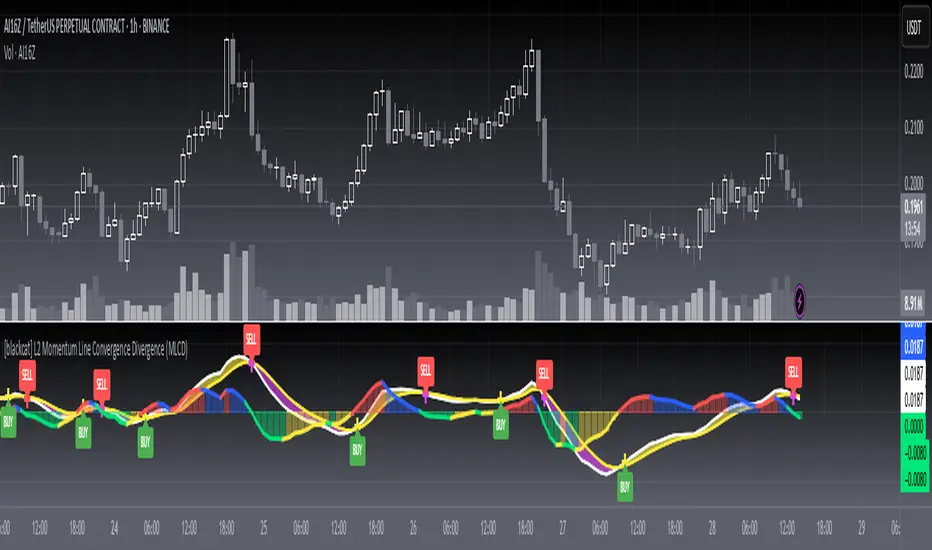
ezzy Golden Cross mit Target und StopA simple crossover system based on SMA 50 and SMA 200 including percentage target and stop loss.
Cloud Donchian + Keltner + Bollinger**XAUUSD M1 - Upper, Middle & Lower Combination Clouds**
This indicator combines three widely used volatility channels — Donchian, Keltner, and Bollinger Bands — into a single, clear cloud overlay optimized for the XAUUSD 1-minute chart.
**What it does:**
- Calculates upper, middle, and lower volatility zones by combining the three channels.
- The **Upper Cloud** shows the potential upper price boundary based on the highest highs of the combined indicators.
- The **Lower Cloud** shows the potential lower price boundary from the lowest lows of the combined indicators.
- The **Middle Cloud** fills the area between the upper cloud’s bottom and lower cloud’s top, colored dynamically: green for rising trends and red for falling trends.
- Visible lines highlight the upper and lower cloud boundaries for precise reference.
**Why it’s useful:**
- Helps traders identify support and resistance zones based on multiple volatility measures.
- The dynamic middle cloud coloring provides intuitive visual cues on trend direction and strength.
- Designed specifically for scalpers and short-term traders focused on fast-moving gold markets (XAUUSD, 1-minute timeframe).
- Fully customizable input parameters allow users to adjust channel lengths and sensitivities to fit their trading style.
**Inputs:**
- Donchian channel length
- Keltner channel EMA length and ATR multiplier
- Bollinger Bands length and multiplier
- Customizable cloud colors and line colors
**Usage notes:**
- This is a tool to support decision-making — it should be used in conjunction with other analysis techniques.
- It does not provide explicit buy or sell signals but highlights key volatility zones and trend shifts.
- Performance depends on market conditions; backtest results do not guarantee future outcomes.
- The indicator is open-source and configurable to fit individual preferences.
**Important:**
- No guaranteed profits — trade responsibly.
- Always combine this tool with sound risk management.
Weekly Regime Filter - Trend + Momentum + Structure (MTF)A multi-timeframe weekly regime indicator that classifies market conditions into BULL , BEAR , or CHOP using three components: trend, momentum, and market structure.
Works on any timeframe while always referencing weekly data — no repainting.
━━━━━━━━━━━━━━━━━━━━━━━━━━━━━━
🎯 WHAT IT DOES
Answers one question: What is the weekly regime?
• Trend — EMA hierarchy (Price > EMA Fast > EMA Slow)
• Momentum — DI+ vs DI- with optional ADX filter
• Structure — Break of Structure (BOS) and Change of Character (CHOCH)
BULL = All three bullish
BEAR = All three bearish
CHOP = Mixed signals
━━━━━━━━━━━━━━━━━━━━━━━━━━━━━━
⚡ KEY FEATURES
• Multi-Timeframe (MTF) — View on 1H, 4H, Daily; regime stays consistent
• Auto-Detect Asset Type — Automatically applies optimized settings for Crypto, Stocks, Forex, Gold, Silver, Oil, Commodities
• BOS/CHOCH Labels — Visual market structure breaks on chart
• Live Status Panel — Shows regime, components, and active parameters
• Non-Repainting — Uses confirmed weekly closes only
━━━━━━━━━━━━━━━━━━━━━━━━━━━━━━
📊 ASSET PRESETS
• Crypto — EMA 50/200, ADX Off, Pivot 2
• Stocks/Indices — EMA 50/200, ADX >20, Pivot 3
• Forex — EMA 30/100, ADX >25, Pivot 2
• Gold — EMA 40/150, ADX >20, Pivot 3
• Silver — EMA 40/150, ADX >22, Pivot 3
• Oil — EMA 30/100, ADX >25, Pivot 2
• Commodities — EMA 40/120, ADX >20, Pivot 3
Select "Custom" to use your own values.
━━━━━━━━━━━━━━━━━━━━━━━━━━━━━━
📈 HOW TO USE
For Swing Trading:
• Set chart to Daily
• Use Auto-Detect or select preset
• Long only when BULL, short only when BEAR
• Reduce size or avoid when CHOP
Structure Signals:
• CHOCH ↑ after bear regime = Early reversal signal
• CHOCH ↓ after bull regime = Tighten stops
• BOS in regime direction = Trend continuation
━━━━━━━━━━━━━━━━━━━━━━━━━━━━━━
🔔 ALERTS
• Regime → BULL
• Regime → BEAR
• CHOCH → Bull
• CHOCH → Bear
━━━━━━━━━━━━━━━━━━━━━━━━━━━━━━
⚙️ SETTINGS
Preset: Auto-Detect, Crypto, Stocks, Forex, Gold, Silver, Oil, Commodities, Custom
Custom Settings (when Custom selected):
• EMA Fast/Slow lengths
• ADX Length & Threshold
• ADX Filter toggle
• Pivot Left/Right
Display:
• Plot Weekly EMAs
• Show BOS/CHOCH Labels
• Show Regime Background
• Background Opacity
• Show Status Label
━━━━━━━━━━━━━━━━━━━━━━━━━━━━━━
📝 NOTES
• Needs ~200 weeks of history for full calculation
• Weekly signals are slower by design — filters noise
• Not a standalone system — combine with entries and risk management
• When using presets, Custom input fields won't visually update (Pine limitation) — status label shows actual values
[SMC] Binet Nexus Alpha : Institutional Liquidity & Order BlocksBINET™ NEXUS ALPHA : The Institutional SMC Terminal
Overview
The BINET™ NEXUS ALPHA is a professional-grade execution terminal designed to bridge the gap between retail "Smart Money Concepts" and actual institutional data. Built on the proprietary BINET™ Core v17.5 engine, this terminal prioritizes Price Action Narrative over lagging signals.
Unlike basic SMC indicators that clutter charts with unverified boxes, the Nexus Alpha uses an Institutional Confluence Engine to filter out retail "stop-run" noise and identify high-conviction zones where big money is actually positioning.
The Narrative Engine (Visual Intelligence)
The terminal replaces abstract lines with a high-visibility geometric narrative designed for rapid scanning on 4K/high-res monitors:
█ (Solid Blue Block): Institutional Vol Spike. Represents a "Foundation Surge" where volume significantly exceeds retail averages.
◆ (Gold Diamond): Liquidity Hunt. Direct identification of price tapping into resting Order Blocks (OB) or Fair Value Gaps (FVG).
● (Blue Circle): Macro Accumulation. Alerts you to long-term institutional position building.
▲/▼ (Triangles): Market Structure Breaks. Real-time Break of Structure (BOS) tracking.
The Command HUD (Mission Control)
The terminal features a real-time Hierarchical HUD that audits every trade before you enter:
Signal Quality (Sync Score): A 0-100% confluence rating. 85%+ represents "Elite Institutional Sync."
Stop Advisor & Risk Meter: Calculates the highest-volume liquidity bin for stop placement and warns you if the Max Stop Distance (%) is exceeded.
Market Health Engine: Automatically detects the current regime (Scalp, Swing, or Position) to adjust your execution strategy.
Success Probability: A rolling trajectory of the system's performance, showing whether recent win-rates are trending up (▲) or down (▼).
Institutional Workflow
Filter: Check the Trade Bias (Long/Short) on the HUD.
Confirm: Wait for the Sync Score to cross your threshold (Default 65%).
Audit: Verify that the Risk Meter is not in "High Exposure" mode.
Execute: Target the provided TP1/TP2 levels projected on the chart.
Technical Specifications
Language: Pine Script® v6
Logic: Smart Money Concepts (SMC) + Volume Delta Analysis
Core: BINET™ v17.5 Concurrency Engine
Founder's Note
The BINET™ NEXUS ALPHA was designed for traders who demand institutional-grade transparency. It is the final piece of the BINET Suite, designed to be used alongside the Macro Sector Rotation and Trend Matrix tools for a complete Top-Down to Bottom-Up trading workflow.
Multi-Data Chart-AnalyticsDynamic Sentiment & Contextual Trend Analysis
Function Description
The Multi-Data Chart-Analytics is a comprehensive market context indicator designed to convert complex technical data into a readable, real-time narrative. Unlike traditional visual-only indicators, this script acts as an on-chart "trading assistant" that evaluates price action, momentum, volatility, and institutional volume simultaneously.
Key Technical Features:
Adaptive Trend Engine: Automatically scales its lookback period based on available historical data (up to 200 periods). This ensures accurate analysis for "young" assets or high timeframes (like BTC on Monthly charts) where standard fixed-length EMAs fail.
Momentum & Feel Tracking: Integrates RSI and DMI (ADX) to determine if the market is overextended (expensive) or undervalued (cheap), and whether the trend has sufficient strength.
Volatility Squeeze Detection: Monitors Bollinger Band width to alert users to "coiling" phases, signaling imminent breakouts.
Institutional Volume Filter: Compares current volume against its 20-period moving average to identify "Smart Money" conviction.
Who is this for?
Discretionary Traders: Who want a quick "second opinion" or sanity check before entering a trade.
Beginners: Who find it difficult to read multiple indicators at once; the terminal translates lines into actionable insights.
Systematic Traders: Who need to maintain awareness of higher-timeframe context without cluttering their main chart window.
How to Use It
Look at the Environment: Start by checking the long-term trend status to ensure you aren't trading against the dominant market force.
Verify Momentum: Check "Market Feel" to avoid buying at exhaustion points (Overbought) or selling at bottoms (Oversold).
Prepare for Breakouts: Keep an eye on the "Volatility" section. If it indicates a "Squeeze," tighten your stops or prepare for a large move.
Confirm with Smart Money: Only trust significant moves if the terminal confirms "Institutional Activity" is present.
Customize: Use the settings menu to adjust the box width, colors, and font size to fit your personal chart layout.
Technical Breakdown (Short Form)
Trend: Adaptive EMA/SMA (max 200).
Momentum: RSI (14) + ADX (14).
Volatility: Bollinger Band Width (20).
Volume: SMA (20) based Volume multiplier.
You might want to use this script in combination with our "Range Indicator Golden Pocket" and "Multi Asset & Multi Timeframe Trend Dashoboard" and the "Risk & Reward Position Planner"
Axis-Pro System | Trend Structure + Fibonacci Pullbacks Axis-Pro System is a comprehensive Trend Following strategy designed to trade high-probability pullbacks. Unlike indicators that merely chase price, this system patiently waits for market structure alignment before seeking an entry.
The system is built on the premise of "Quality over Quantity", utilizing volatility and structure filters to avoid choppy markets (ranges) and false breakouts.
🧠 Strategy Logic
The system makes decisions based on a strict 4-step hierarchy:
Higher Timeframe (HTF) Bias:
Analyzes the trend on a higher timeframe to ensure we are trading in the direction of the dominant flow.
Structure & BOS (Break of Structure):
Identifies clear impulses that break previous highs or lows. Once a BOS is confirmed, the system "arms" the trade and waits.
Fibonacci Zone Pullback:
It does not chase the breakout. Instead, it waits for a pullback into the "Discount Zone" (Golden Zone, configurable between 0.382 and 0.618) to improve the Risk/Reward ratio.
Validation & Trigger:
Uses an ATR expansion check to filter out low-volatility periods.
Requires candle confirmation and alignment with fast EMAs before pulling the trigger.
🛡️ Risk Management
The system incorporates advanced position management using a split execution model (50/50):
Dynamic Stop Loss: Automatically calculated using an ATR multiplier or the recent Swing High/Low (whichever offers better protection).
TP1 (Take Profit 1): Closes 50% of the position at a fixed R-multiple (e.g., 1.5R) to lock in profit and moves the Stop Loss to Break-Even.
TP2 (Runner): The remaining 50% is left to run for higher targets (e.g., 3.0R) or until the trend bends, maximizing gains during strong moves.
Trailing Stop: Optional feature to trail price with a fast EMA once the first target is hit.
⚙️ Settings & Features
The script is highly customizable for different assets (Crypto, Forex, Indices):
Date Range Filter: Includes a date selector to perform precise Backtesting on specific periods (e.g., testing specifically during a Bear Market vs. Bull Market).
Auto Trendlines: Automatically draws relevant trendlines for visual support.
Quality Filters: Options to toggle the EMA 200 filter and breakout buffers.
⚠️ Disclaimer
This strategy is a tool for analysis and backtesting purposes. Past performance does not guarantee future results. It is highly recommended to test the strategy on a Demo account first and adjust parameters according to the volatility of the specific asset being traded. Always use responsible risk management.
Previous D/W/M OHLC LevelsPlots the previous completed Daily, Weekly, and Monthly Open, High, Low, and Close prices as horizontal levels on any timeframe.
Clean, lightweight, and trader-friendly:
• Previous Day (PDH/PDL) – light blue
• Previous Week (PWH/PWL) – gold
• Previous Month (PMH/PML) – orange-red
Great for support/resistance, breakout strategies, mean reversion, and keeping higher-timeframe context visible at a glance.
Simple, no repainting, works on all instruments and timeframes.