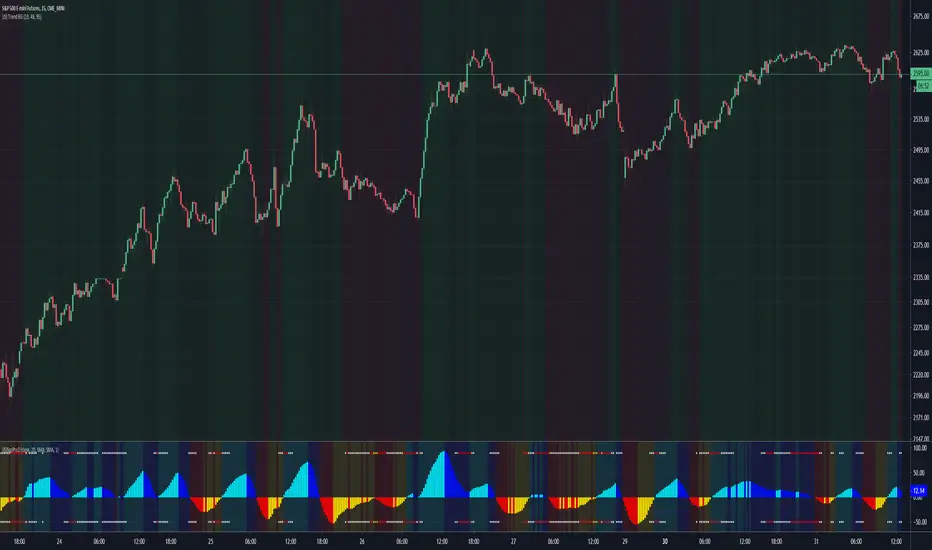
(JS) Squeeze Pro 2This is my version of the updated classic indicator created by John Carter. I plan on adding a Squeeze Overlay script in the future that will pair with this one as well for additional signals.
So to break down the Squeeze, what it is, how it works, etc - you have to look at the components that make it up.
1. Bollinger Bands
2. Keltner Channels
3. Momentum
The momentum in this indicator is smoothed out using linear regression (shout out to Lazy Bear, it's a much simpler way to do it, imo).
The momentum is what is displayed on the indicator as a histogram, its purpose is obvious (to show momentum).
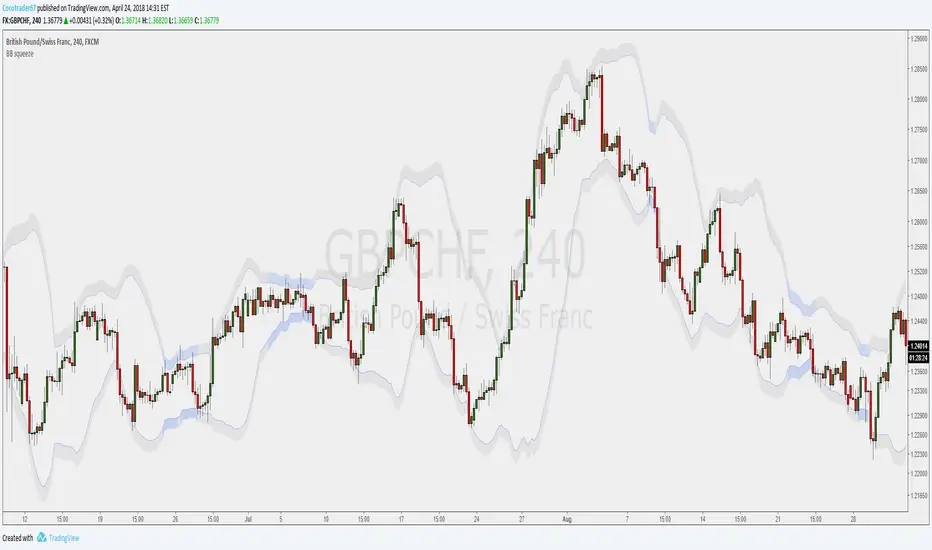
Now what is a Squeeze? A squeeze occurs when Bollinger Bands tighten up enough to slip inside of Keltner Channels.
This is interpreted as price is compressing and building up energy before releasing it and making a big move.
Traditionally, John Carter's version uses 20 period SMAs as the basis lines on both the BB and the KC.
In my version, I've given the freedom to change this and try out different types of moving averages.
His original squeeze indicator had one Squeeze setting, though this new one has three .
The white dot Squeeze , call it a "low squeeze", an "early squeeze", whatever you'd like - this is the easiest Squeeze to form based on its settings.
The red dot Squeeze is the original from the first Squeeze indicator.
And finally, the yellow dot squeeze , call it a "high squeeze", "power squeeze", once again whatever you want - is the most difficult to form and suggests price is under extreme levels of compression.
From what I've witnessed John Carter say in the past, the squeeze is meant to be used for continuation.
Now to explain the parameters:
Squeeze Input - This is just the source for the Squeeze to use, default value is closing price.
Length - This is the length of time used to calculate the Bollinger Bands and Keltner Channels.
Bollinger Bands Calculation Type - Selects the type of moving average used to create the Bollinger Bands.
Keltner Channel Calculation Type - Selects the type of moving average used to create the Keltner Channel.
Color Format - I have created 5 different color schemes, this allows you to choose one.
Draw Divergence - Self explanatory here, this will auto-draw divergence on the indicator.
Gray Background for Dark Mode - This is something I put on all my indicators to make them more visually appealing.
Moving on to the alerts, I have made some basic alerts to notify certain indicator conditions (I had to revise it back from the prior version, as V4 of PineScript limits outputs).
6th Dot Alerts - This will inform you when a certain Squeeze makes it 6 dots in. Why 6 dots? That is what John Carter said to be his preference.
12th Dot Alerts - Think of this as a "prolonged Squeeze" alert. I feel like if they do run this long you likely need to go up in resolution, but some traders prefer certain time increments so this is for them.
End of Squeeze Alerts - Self explanatory again - once a Squeeze has concluded this will provide you with a notification.
Start of Squeeze Alerts - Opposite of the alert above, notifications come when a Squeeze begins.
Zero Line Alerts - This will inform you of when the momentum makes a bullish or bearish move across the zero line.
I hope that I've done well enough explaining the indicator and how it works, for any further information on it I suggest you check out Simpler Trading and get linked up with John Carter over there.
He does lots of videos, webinars, and of course you can always get the official indicator and his signals there too.
Compression
Compression Period Tracker [acatwithcharts]Compression Period Tracker is the companion script to Compression MA to read out the period length that is actually being tracked. It is analogous to Mean Reversion Period Tracker, and makes sense to use in the same indicator window when using the two sets of indicators together on the same chart.
My volatility indicators are available by subscription in several packages through SharkCharts.live - and this is planned to be the first new one ready to add. I plan to release a video explaining how to use this indicator coinciding with launch, as there's a lot to talk about. Videos on my other indicators are currently hosted on DadShark's YouTube channel.
Current pricing and subscription details will be kept up-to-date on SharkCharts.live
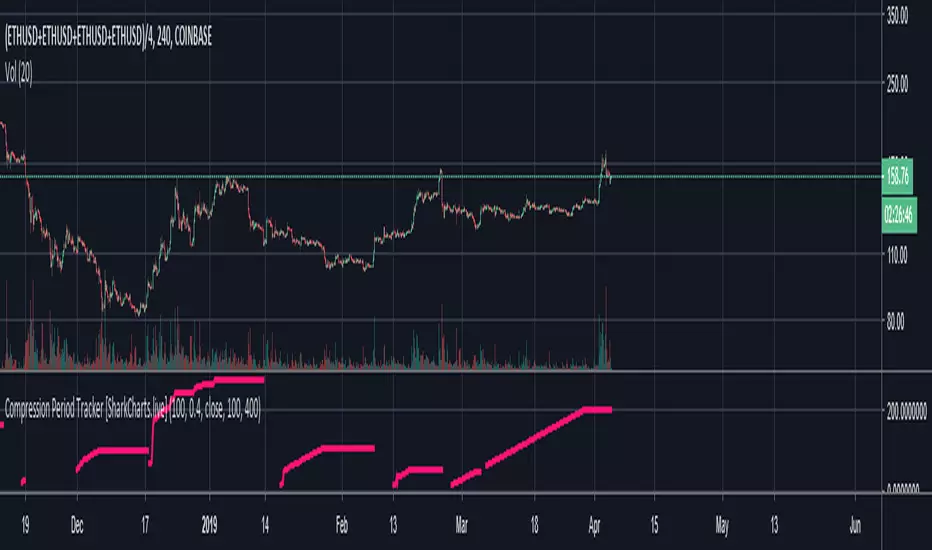
Compression Period Tracker (600 Max) [SharkCharts.live]Compression Period Tracker is the companion script to Compression MA to read out the period length that is actually being tracked. It is analogous to Mean Reversion Period Tracker, and makes sense to use in the same indicator window when using the two sets of indicators together on the same chart.
This version caps the maximum period length at 600, an empirically-chosen number based on some testing of Mean Reversion MA to try to avoid picking overly distant targets and which dramatically improves stability. In practice, it should be extraordinarily rare for compression MA to need to track something longer than 600, small TFs notwithstanding.
My volatility indicators are available by subscription in several packages through SharkCharts.live - and this is planned to be the first new one ready to add. I plan to release a video explaining how to use this indicator coinciding with launch, as there's a lot to talk about. Videos on my other indicators are currently hosted on DadShark's YouTube channel.
Current pricing and subscription details will be kept up-to-date on SharkCharts.live

Compression MA (600 Max) [acatwithcharts]Compression MA is an experimental indicator which modifies Mean Reversion MA with a twist: it instead tracks the most compressed period on a given timeframe as a target for eventual mean reversion. This is a twist on the logic for trading volatility mean reversions in that here we work from the assumption that a period of compression means that there's volatility overhead that should provide resistance to a breakout. The compression MA should therefore help define range-bound areas and help predict intermediate resistances.
This required some tweaking of Mean Reversion MA rather than just making a modification to enable more features on that script, but much of the logic and settings are similar. I've also added an option on this script to turn off tracking and just give the current most compressed period, if any, which creates an entirely different chart and is great for identifying and defining areas of sideways, strongly range-bound compression, which should be scalpable.
This version caps the maximum period length at 600, an empirically-chosen number based on some testing of Mean Reversion MA to try to avoid picking overly distant targets and which dramatically improves stability. In practice, it should be extraordinarily rare for compression MA to need to track something longer than 600, small TFs notwithstanding.
My volatility indicators are available by subscription in several packages through SharkCharts.live - and this is planned to be the first new one ready to add. I plan to release a video explaining how to use this indicator coinciding with launch, as there's a lot to talk about. Videos on my other indicators are currently hosted on DadShark's YouTube channel.
Current pricing and subscription details will be kept up-to-date on SharkCharts.live